Input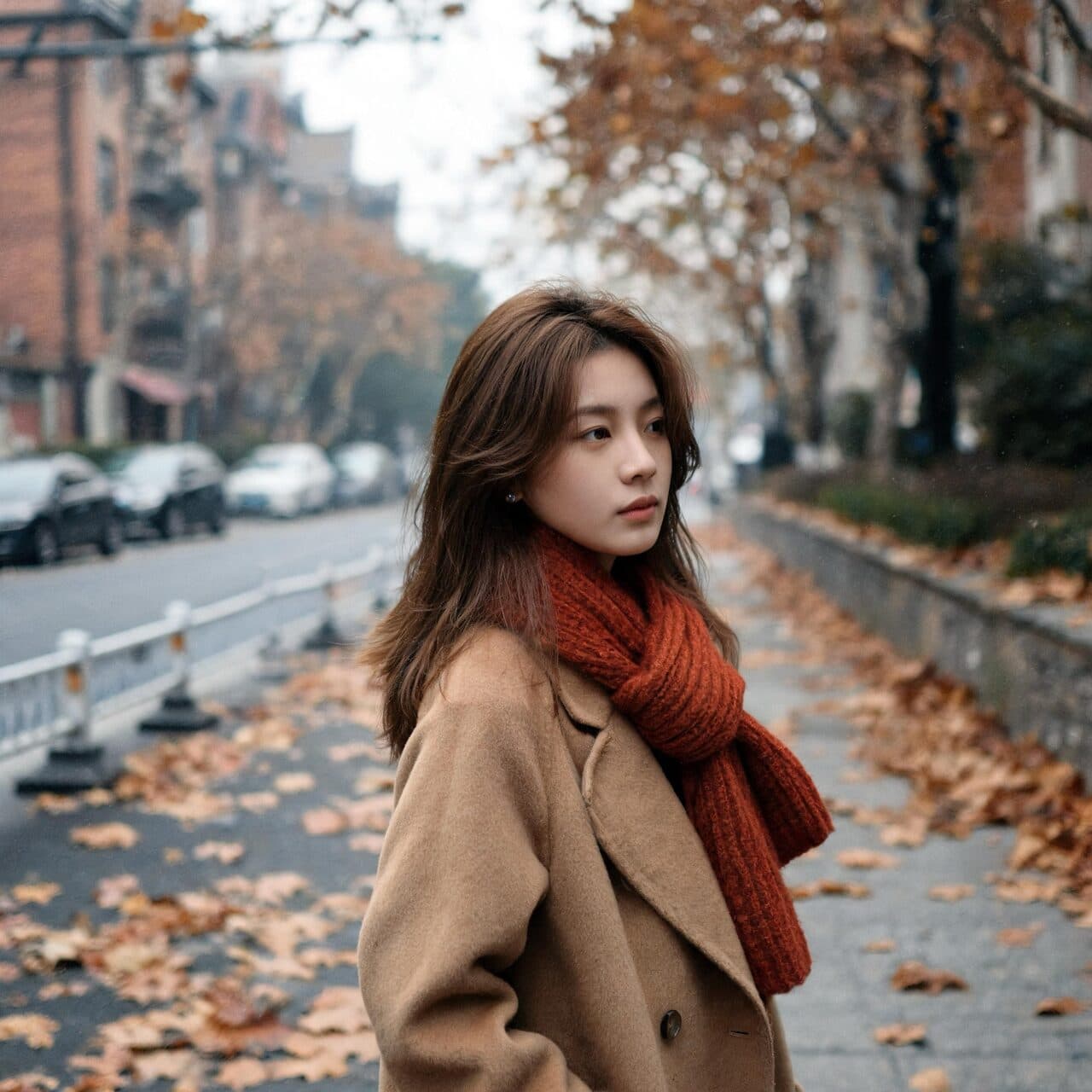
Output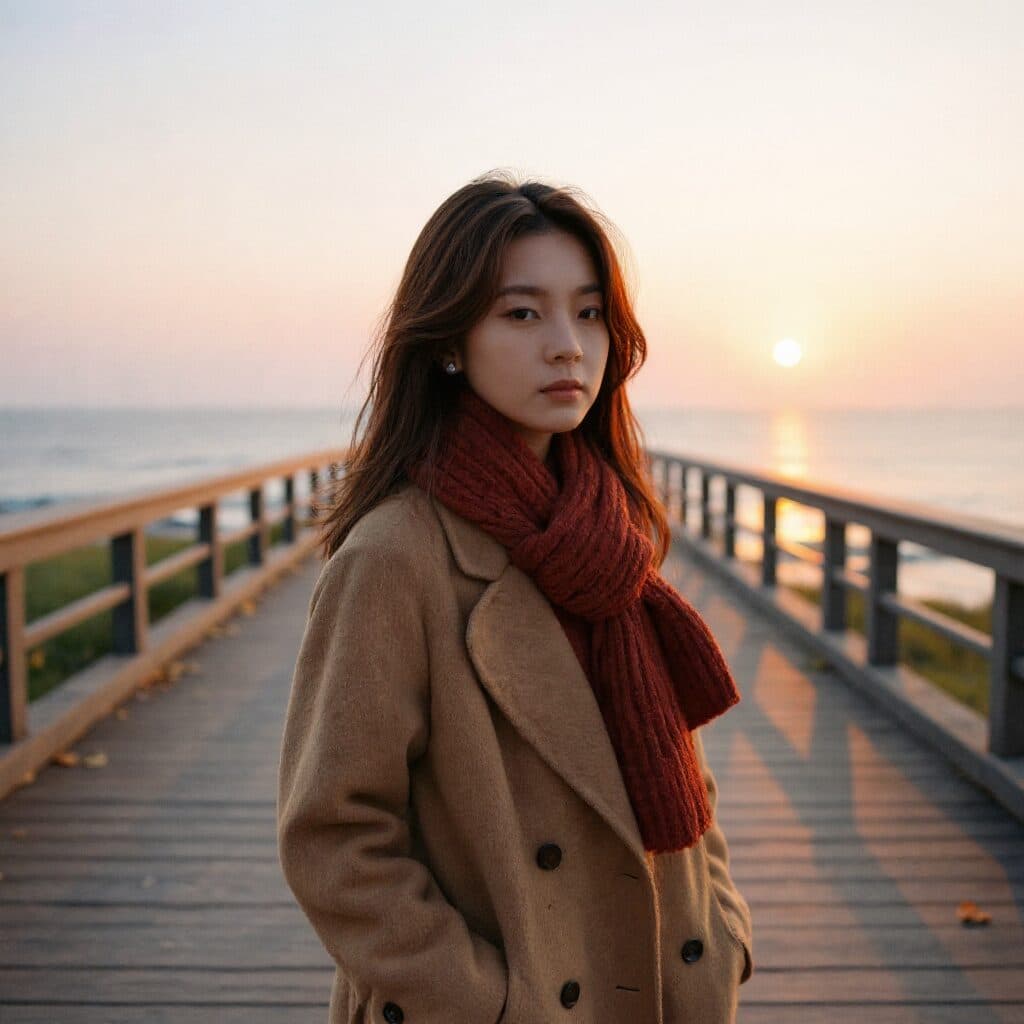
Flux Kontext Pro: Location change
“Change only the background to a seaside boardwalk at golden hour. Keep the woman, her coat and pose unchanged.”
Every prompt below was generated with Flux Kontext Pro in Made, and the output next to it is what came back — not a curated stock image. Copy a prompt as a starting point, then use the guide underneath to adapt it.
Original results
These examples use media produced for Made. Prompts are included when the production record allows them.
“Change only the background to a seaside boardwalk at golden hour. Keep the woman, her coat and pose unchanged.”
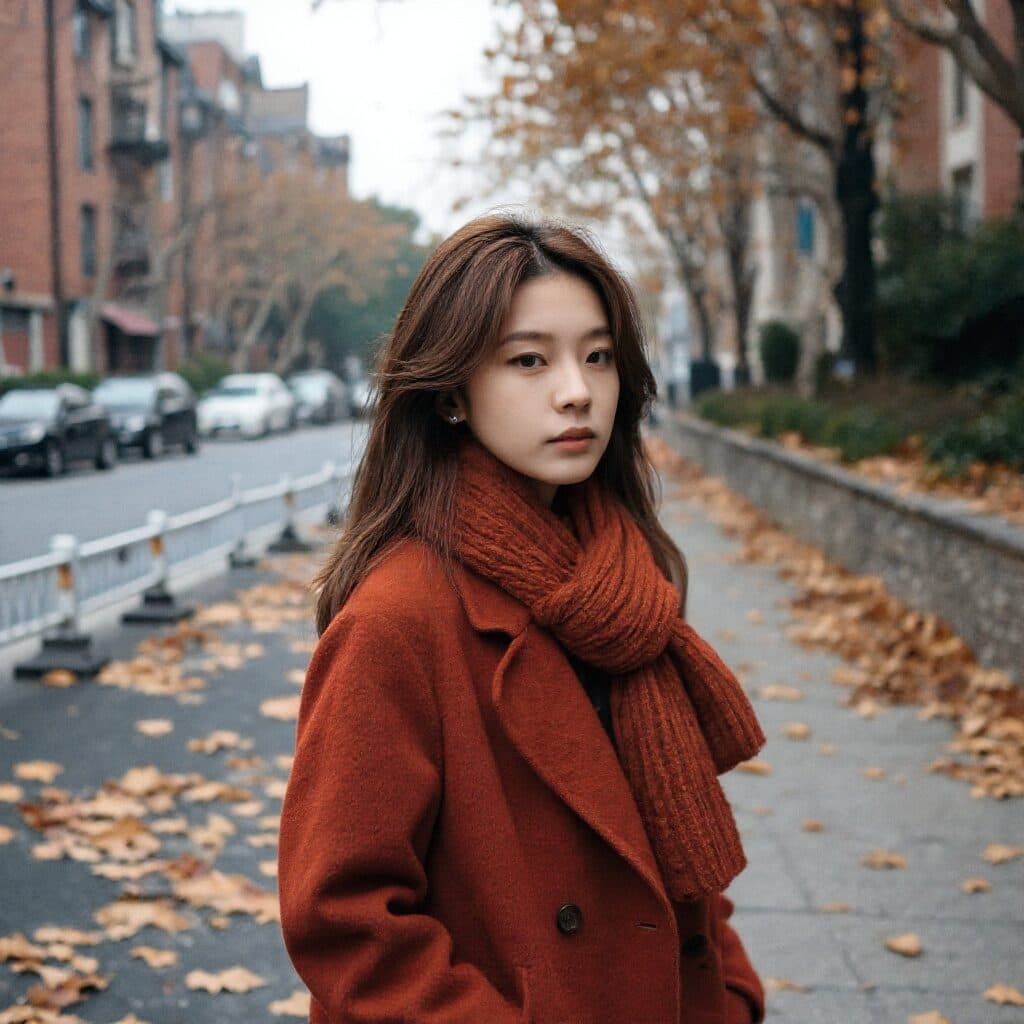
“Change only the camel coat to a rich rust color. Keep her face, hair, pose, street and light unchanged.”


“Change only the perfume liquid to warm amber. Keep the bottle, stone, light and reflections unchanged.”
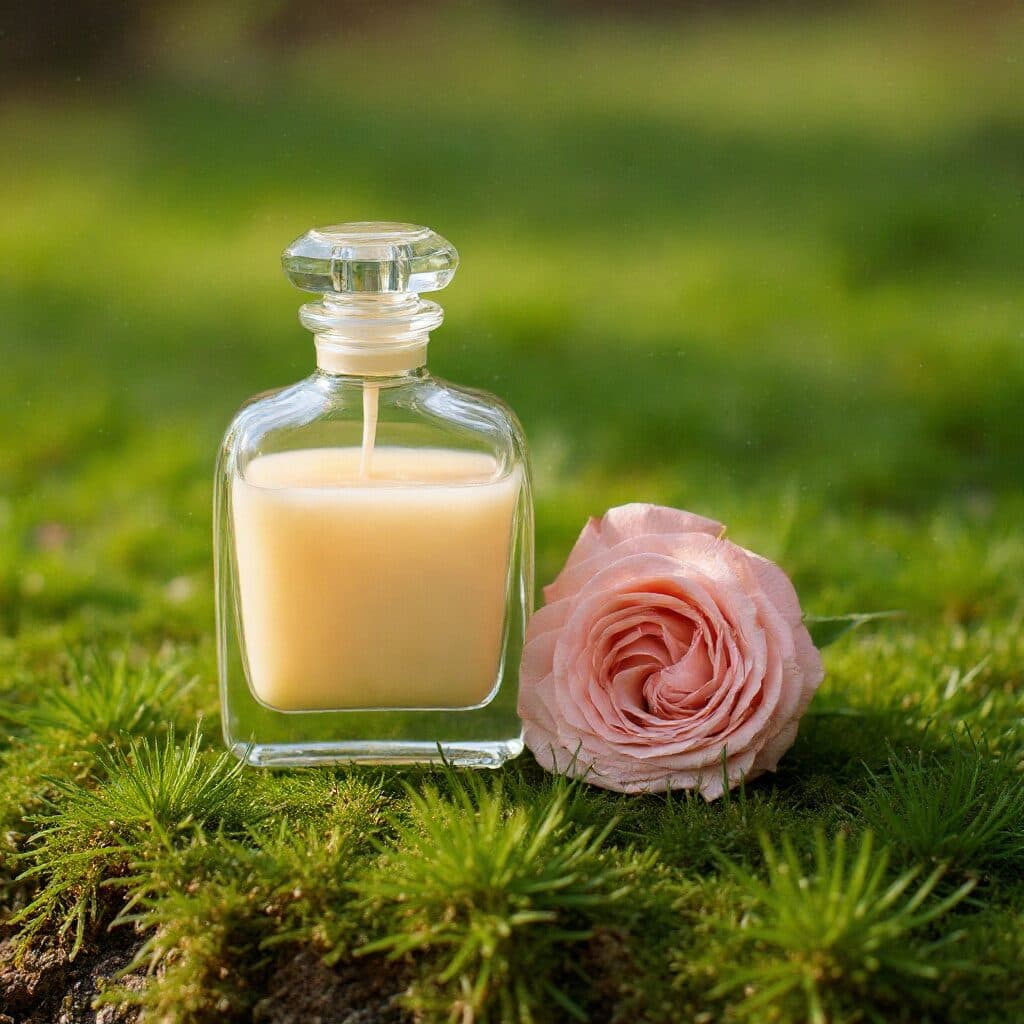
“Replace only the stone slab with a bed of soft green moss. Keep the bottle and its lighting unchanged.”
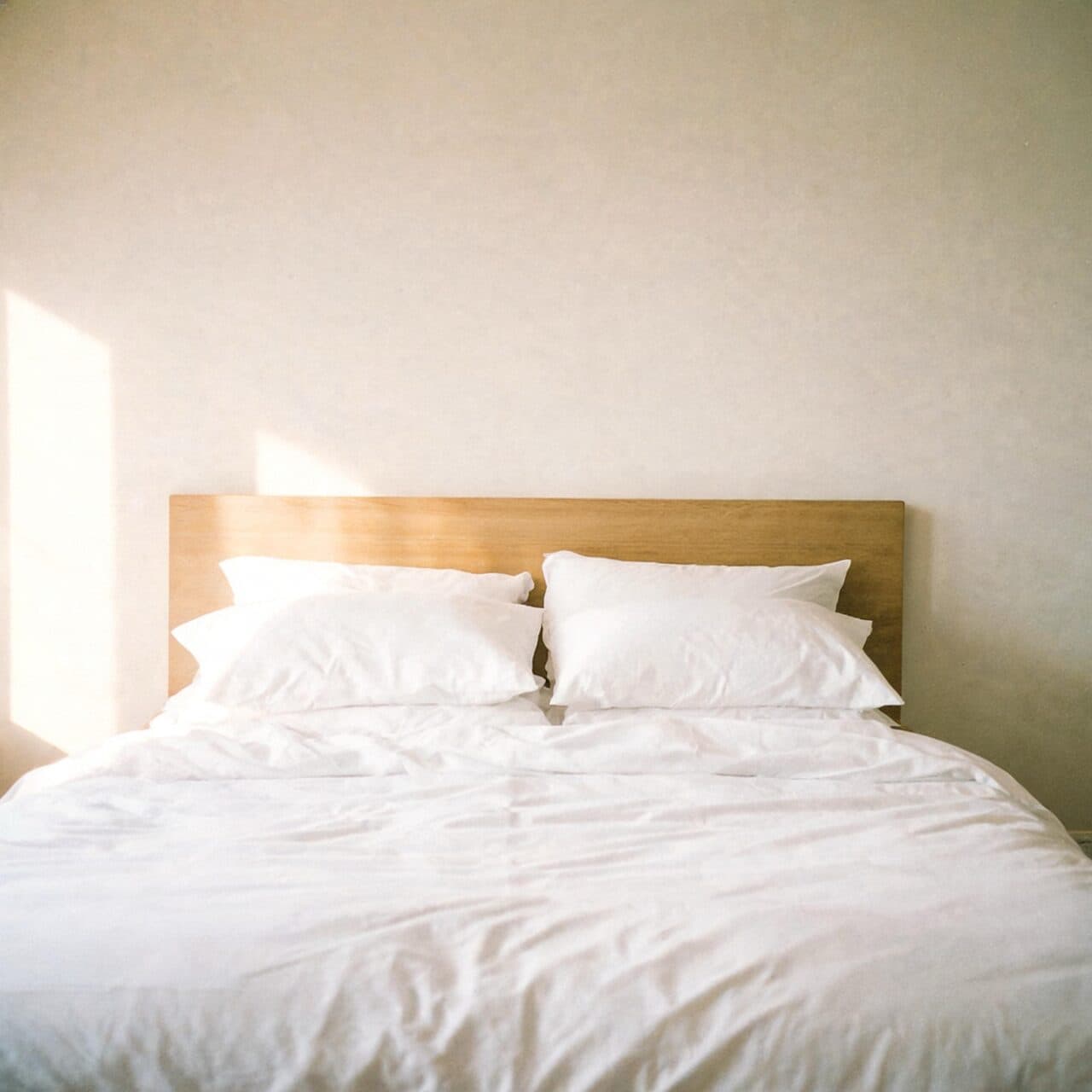
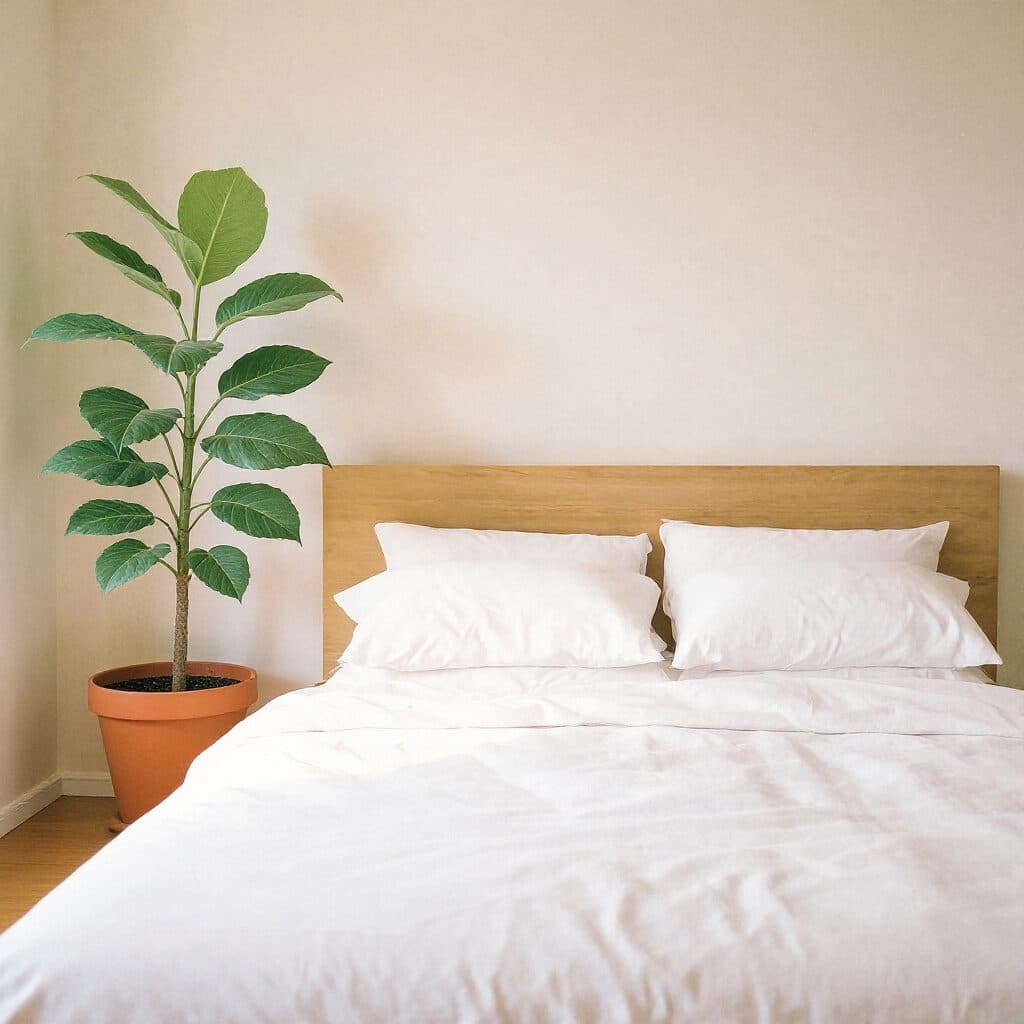
“Add one large fiddle-leaf fig in a terracotta pot beside the bed. Keep the bedding, headboard, wall and light unchanged.”
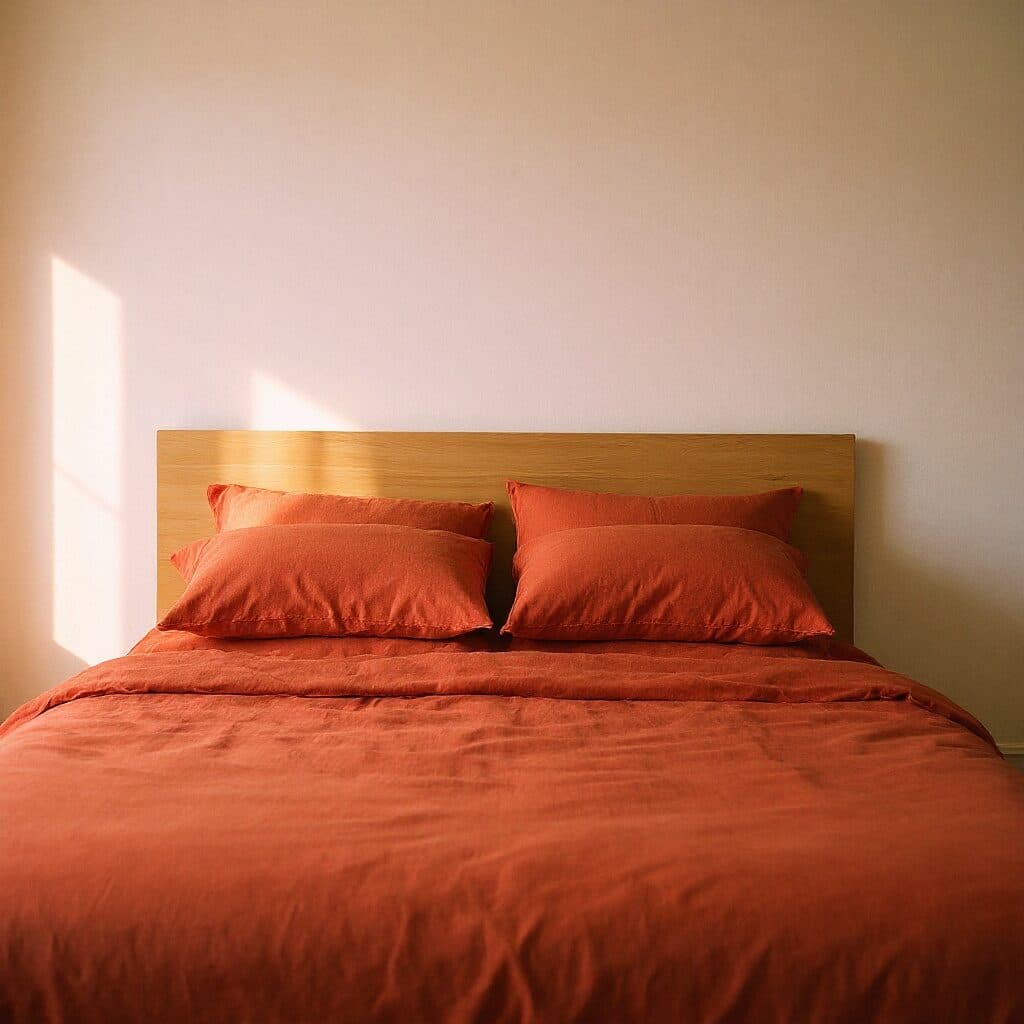
“Change only the bedding to terracotta linen. Keep the headboard, wall, light and camera angle unchanged.”
Use a well-lit image with enough resolution to evaluate the details you want to preserve.
Ask for one primary change and avoid combining several unrelated transformations.
Name the subject, pose, camera angle, lighting, and background elements that must remain stable.
Use Pro for fast variants, then move to Max or manual retouching if a final detail needs more control.
Iteration is cheap here: Flux Kontext Pro costs 0.4 credits / image, so rewriting a prompt and rerunning it is a normal part of the workflow, not a budget decision. See the full Flux Kontext Pro pricing breakdown.
It is well suited to quick instruction-based edits such as changing a product color, replacing a background, adjusting clothing, or adding one scene element.
More tested prompts across all models live in the prompt library, and the full Flux Kontext Pro capability rundown is on the model page.