The workflow
Start from a clear product photo
Use a sharp photo with the whole product and its label in frame and even light. Click Product and upload up to 3 angles of the same item, as JPG, PNG or WebP under 16 MB, or use Import a product link to pull photos from your store page. Both need a Made account; you can pick a sample product before signing in. The model can only keep details it can see, so a cropped or blurry photo leads to invented edges and lettering.
Pick a Marketplace style
Keep Output on Image, click the style chip to open Choose a look, and select Marketplace under Quick styles. Main image puts the complete product alone on pure white, filling about 85% of the frame. Lifestyle places it in a bright home setting that shows its size and use. Dark sets it on a charcoal surface with rim light, and Pastel on a soft backdrop that echoes the packaging. Feature callouts draws thin pointer lines to three or four details.
Add callout words in quotes, or none
Feature callouts labels its pointer lines only with the phrases you put in double quotes, such as "Soy wax" "Cotton wick" "50-hour burn"; with no quoted phrases it draws the lines without labels. The other Marketplace styles add no words besides the product’s own label. Unquoted direction, such as a surface, a prop or the light, is followed where it differs from the style. The box takes up to 1,500 characters.
Set the size, then check every image
Leave the aspect ratio at 1:1 or pick another, choose 1K or 2K, and set 1–4 variations. Generate shows the price before anything runs. Compare each result with the real product: label, color, proportions, stitching and texture. A listing photo has to match what the buyer receives, and each marketplace sets its own rules for the main image, so check yours.
Recorded Made demonstration
One sneaker photo, a white main image and a dark variant
These are recorded outputs from September 25 and 26, 2026, made with the studio’s own Marketplace prompts on Nano Banana 2 at 1K, run on the provider directly rather than through the browser tool. Main image and Dark start from the same sample sneaker photo; Feature callouts uses the candle sample and three quoted phrases. Both products are Made-generated samples. The sneaker has no printed words, so it doesn’t test label accuracy, and none of these show how a real logo or dense fine print holds up.
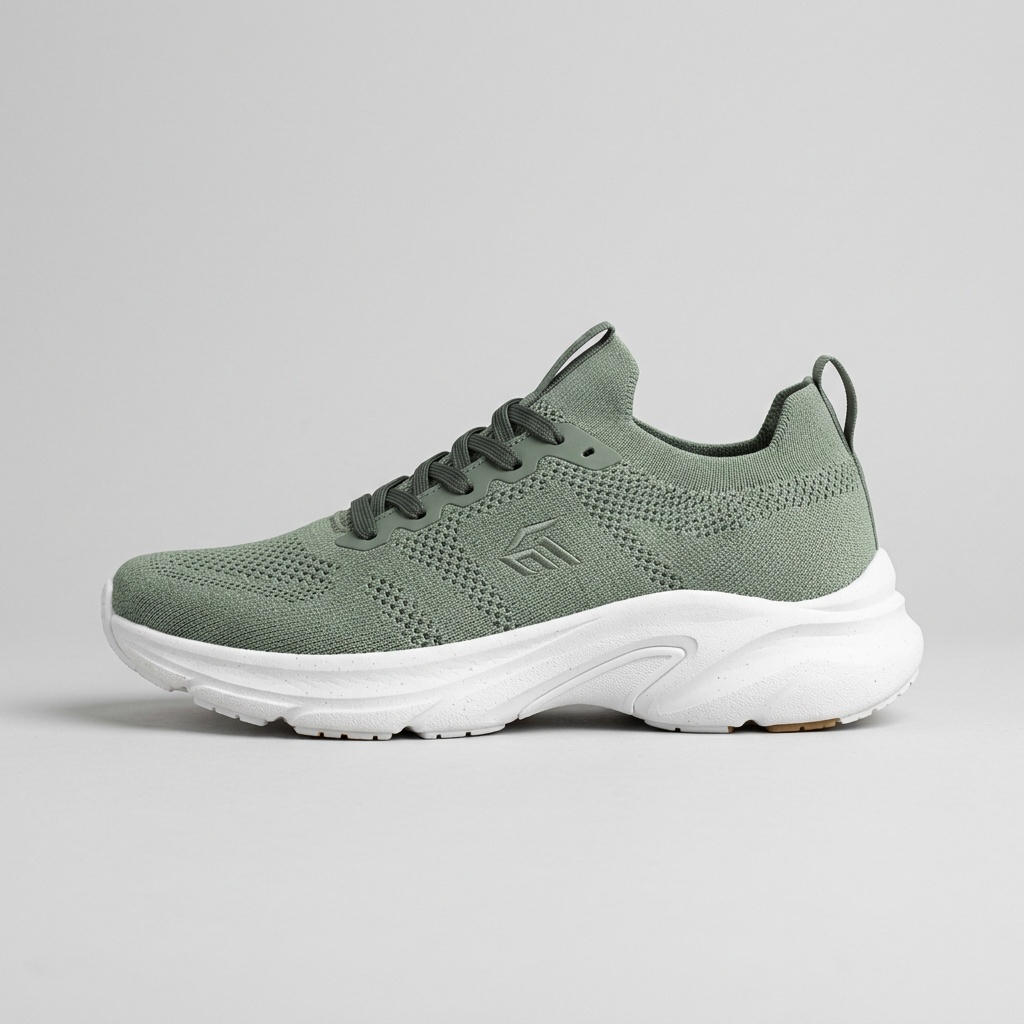
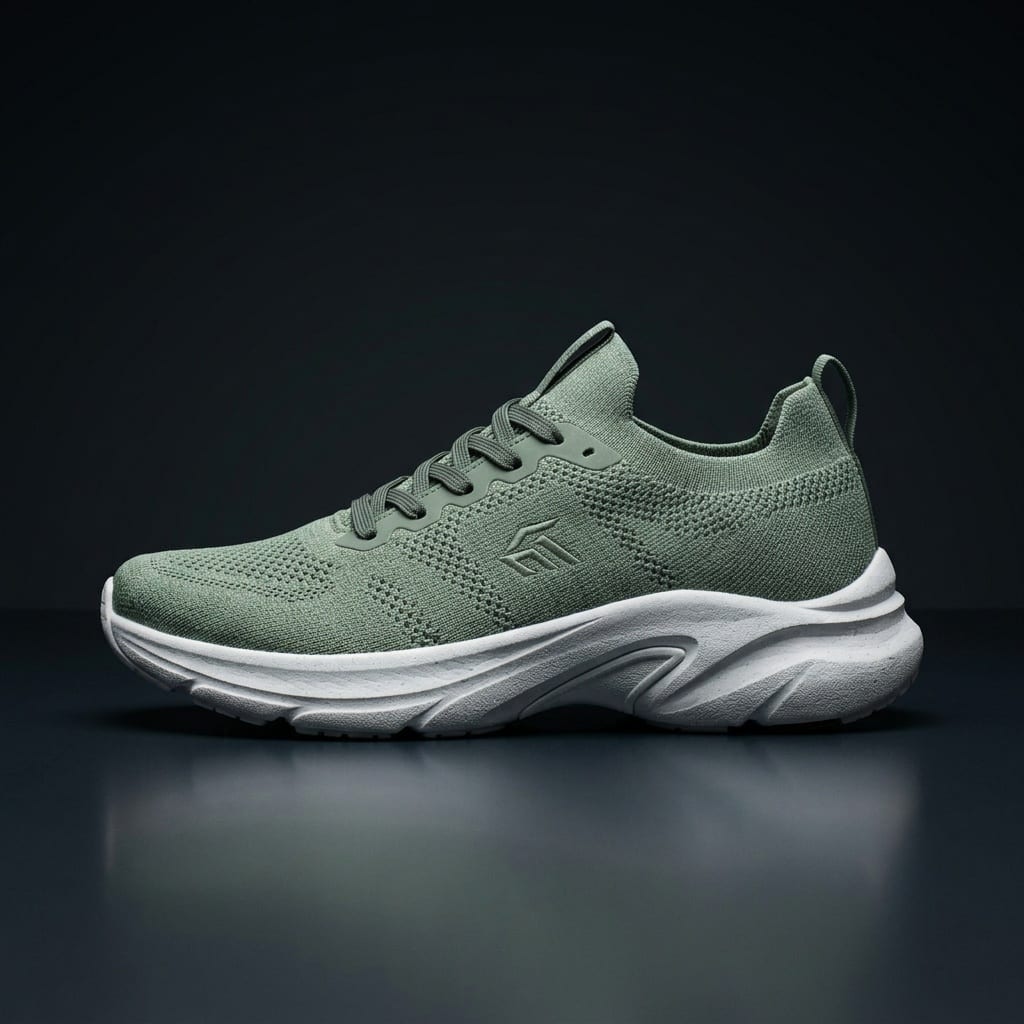
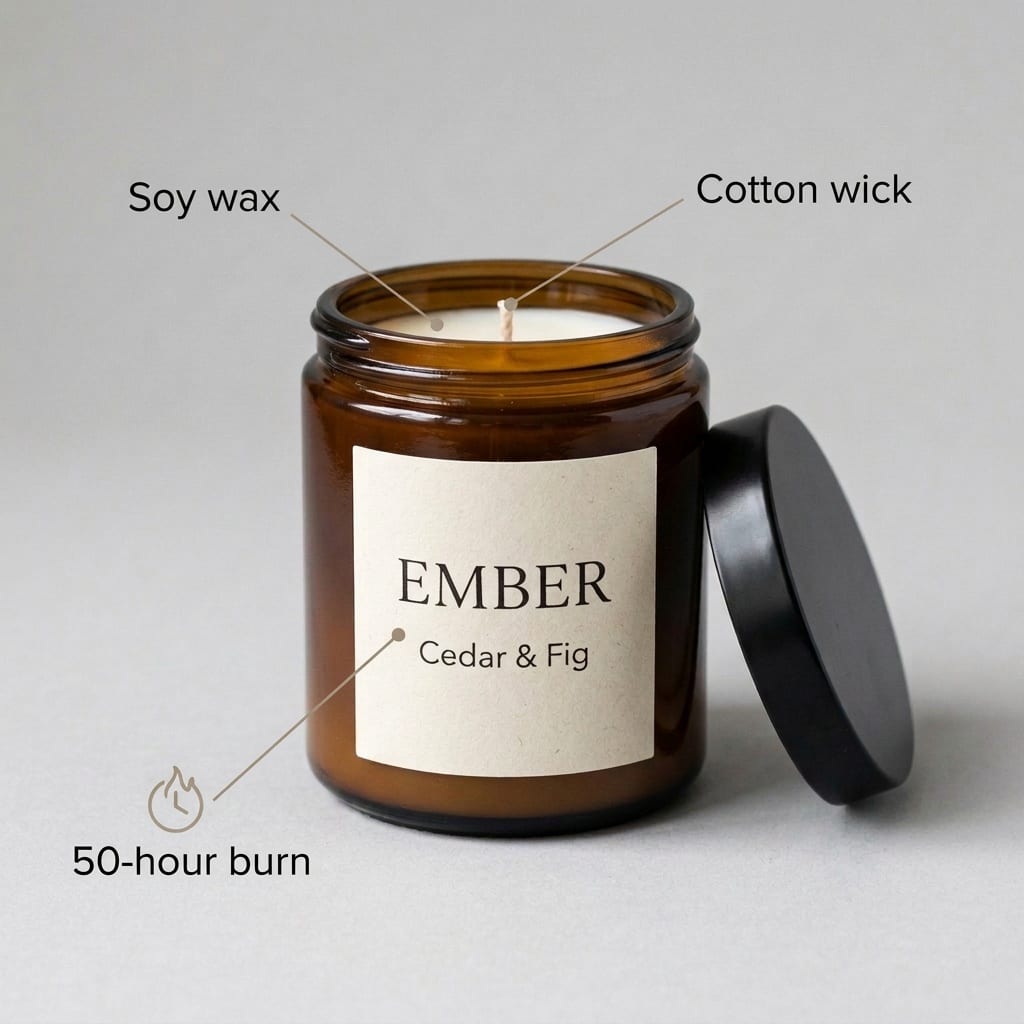
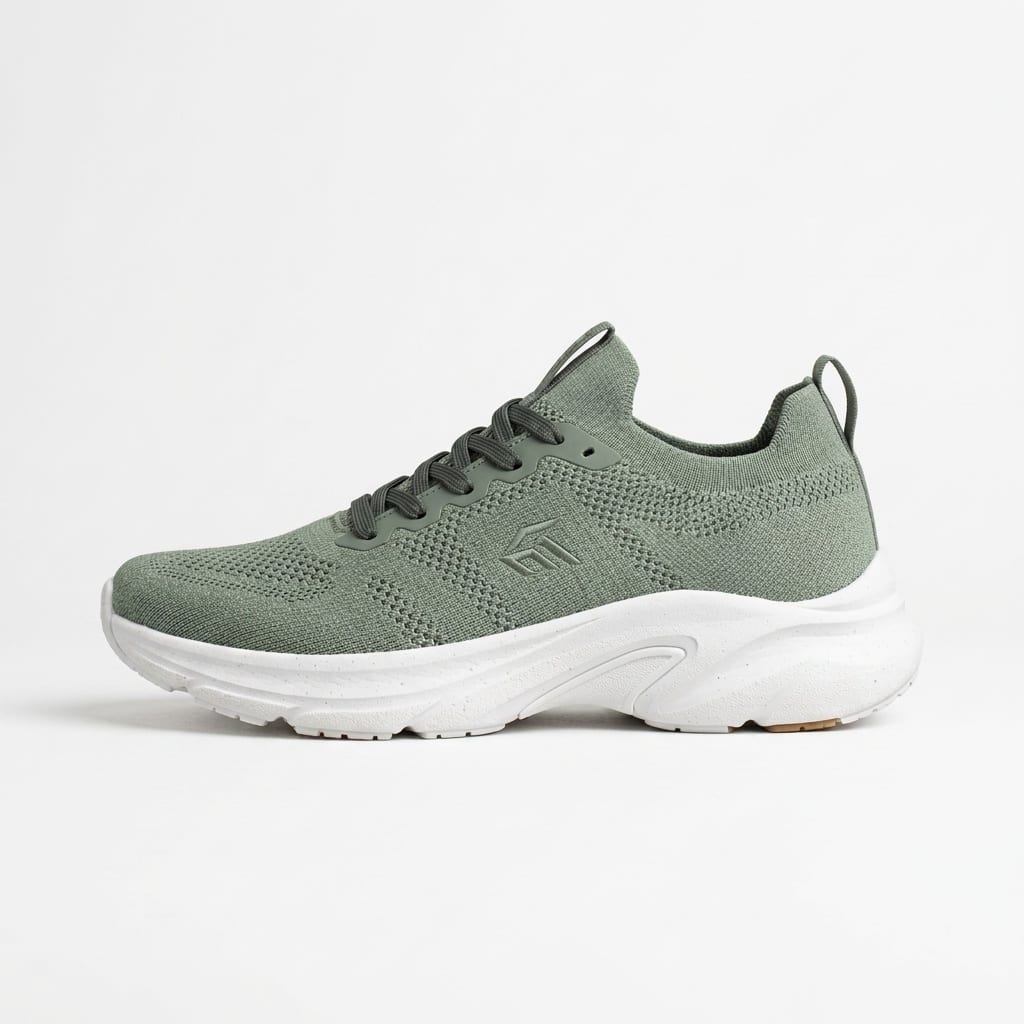
Nano Banana 2 · Generated · View the example record and price basis (JSON)
Prompts you can inspect and adapt
Recorded generation prompt
The exact Main image prompt
A marketplace main image: the complete product only, centered on a pure white background, filling about 85% of the frame, no props, no text, no badges, soft even light, accurate color.
Image 1 is the product. Keep the product exactly as shown: the same shape, proportions, colors, materials, closure and every printed word or label. Never add, remove, or change labels, logos, or text on it, and never add a label to a product that has none.
Photorealistic, polished, and coherent.
No words, captions, logos, stickers or watermarks anywhere except the product's own label.
Never invent reviews, ratings, prices, awards, or product claims.
The studio builds this from the style and your photos; you only pick the style. Image 1 was the sneaker photo. With 2 or 3 angles, that line reads “Images 1–3 show the same product from different angles”.
Recorded generation prompt
The Feature callouts prompt, with quoted labels
A marketplace feature infographic: the product centered on a light background with thin pointer lines to three or four of its details. Label them only with the exact short feature phrases quoted in the direction, in a clean sans-serif; if none are given, draw the pointer lines without labels.
Direction from the user (follow it where it differs from the above): "Soy wax" "Cotton wick" "50-hour burn"
Image 1 is the product. Keep the product exactly as shown: the same shape, proportions, colors, materials, closure and every printed word or label. Never add, remove, or change labels, logos, or text on it, and never add a label to a product that has none.
Photorealistic, polished, and coherent.
No words, captions, logos or stickers anywhere except the product's own label and the exact words quoted in the direction.
Never invent reviews, ratings, prices, awards, or product claims.
The direction was "Soy wax" "Cotton wick" "50-hour burn". Only quoted phrases become labels, so check the spelling of each one in the result.
Prompt recipe to adapt
A direction for Lifestyle, Dark or Pastel
On a light oak bathroom shelf next to a folded white towel, soft morning light from a window on the left.Describe the surface, props and light. These styles add no captions, so leave out any words you don’t want printed.
How listing images are priced
Per image, by resolution (1K or 2K), times the number of variations. The total appears on Generate before you run it.
Nano Banana 2 is priced per image by resolution, so 2K costs more than 1K, and four variations cost four times one.
Price source: Nano Banana 2 on the Made price sheet · Checked
Signed in, Generate shows the exact quote for your settings. If the price changes before you start, the studio shows the new total, and you click Generate again to accept it.Variations that can’t start aren’t charged, and failed generations are refunded. Each new run is priced again.
What to review before you use the result
| What you see | What to try |
|---|---|
| The label is misspelled or redrawn | Upload a sharper photo with the label facing the camera, and add a second angle. The prompt asks the model to keep every printed word, but small text can still change; reshoot or fix it in an editor rather than listing a wrong label. |
| The main image has props or an off-white background | Make a few variations and pick the cleanest. The prompt asks for pure white and no props, but it guides the model rather than cutting out your photo pixel for pixel. |
| Callout labels are wrong or missing | Only phrases in double quotes become labels. Use 2–4 short phrases, one pair of quotes each, and check the spelling in every result. |
| The product looks bigger or smaller in Lifestyle | Add a size cue to the direction, such as “next to a coffee mug”, and compare proportions with the real item before you use the picture. |
Work with Claude and Made
The Made connector can run Nano Banana 2 with your product photo attached, but it doesn’t have Marketing Studio’s style presets or sample products. Paste the style’s wording into your request, or the full recorded prompt above, and ask Claude to show the price before it generates.
Conversation starter
Ask your assistant
Use Made to make a marketplace main image from my attached product photo. Check the catalog for Nano Banana 2 and use 1K at 1:1. The image: the complete product only, centered on a pure white background, filling about 85% of the frame, no props, no text, no badges, soft even light, accurate color. Keep the product’s shape, colors and every printed word exactly as in my photo. Show me the price first, then make two versions and return the links.The studio adds rules against invented labels, reviews and claims; the recorded Main image prompt above is the complete version to paste. If the client can’t attach your photo, use Marketing Studio.
Questions about this workflow
Is the result a real photo of my product?
No. It’s a new image generated from your photo. It can look like a studio shot, so check it against the real item and don’t use it if it shows anything the buyer won’t receive.
Can I upload more than one angle?
Yes, up to 3 photos of the same product. The prompt tells the model they show the same product from different angles, which helps with sides the first photo doesn’t show.
Can it add prices, badges or star ratings?
No. The prompts tell the model never to invent reviews, ratings, prices, awards or claims, and Main image asks for no text or badges. Feature callouts prints only the phrases you quote.
Are there more listing looks?
Yes. The Templates tab has Marketplace templates such as Pure White, Size Guide and Three Angles, which run on Nano Banana Pro. Product shot styles such as Studio white and In use also work as extra listing images.