Log inUpgrade

FLUX 3 Max prompts that actually ran

Every prompt below was generated with FLUX 3 Max in Made, and the output next to it is what came back — not a curated stock image. Copy a prompt as a starting point, then use the guide underneath to adapt it.

Original results

FLUX 3 Max prompts and their outputs

These examples use media produced for Made. Prompts are included when the production record allows them.

Action and sound

“Vertical phone video, 0.5x ultra-wide from low on the curb, on a hot summer afternoon on a block of brick walk-ups. An open fire hydrant shoots a thick, roaring jet of white water across the street. A guy in his late 20s with a buzz cut, in a bright orange tank top and green mesh shorts, sprints straight into the spray. The jet hits him in the chest and spins him sideways, water exploding off his shoulders, and he staggers out the other side soaked, yelling and laughing with both arms in the air while his friends on the stoop behind him cheer. Harsh sun, wet asphalt shining, drops hitting the lens. Clear skin, no freckles, no logos. Sound: the hydrant roaring, water slapping the pavement, his yell, the friends cheering, a car horn down the block.”
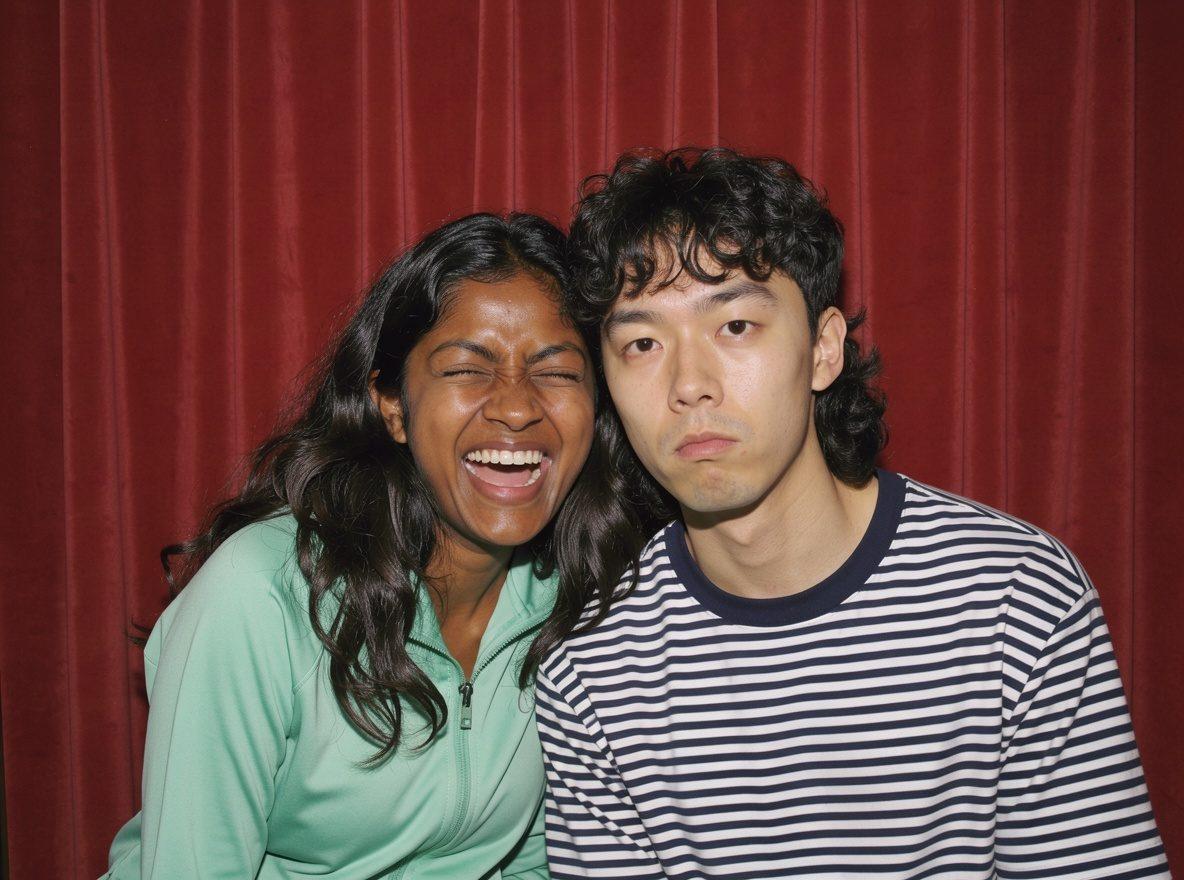
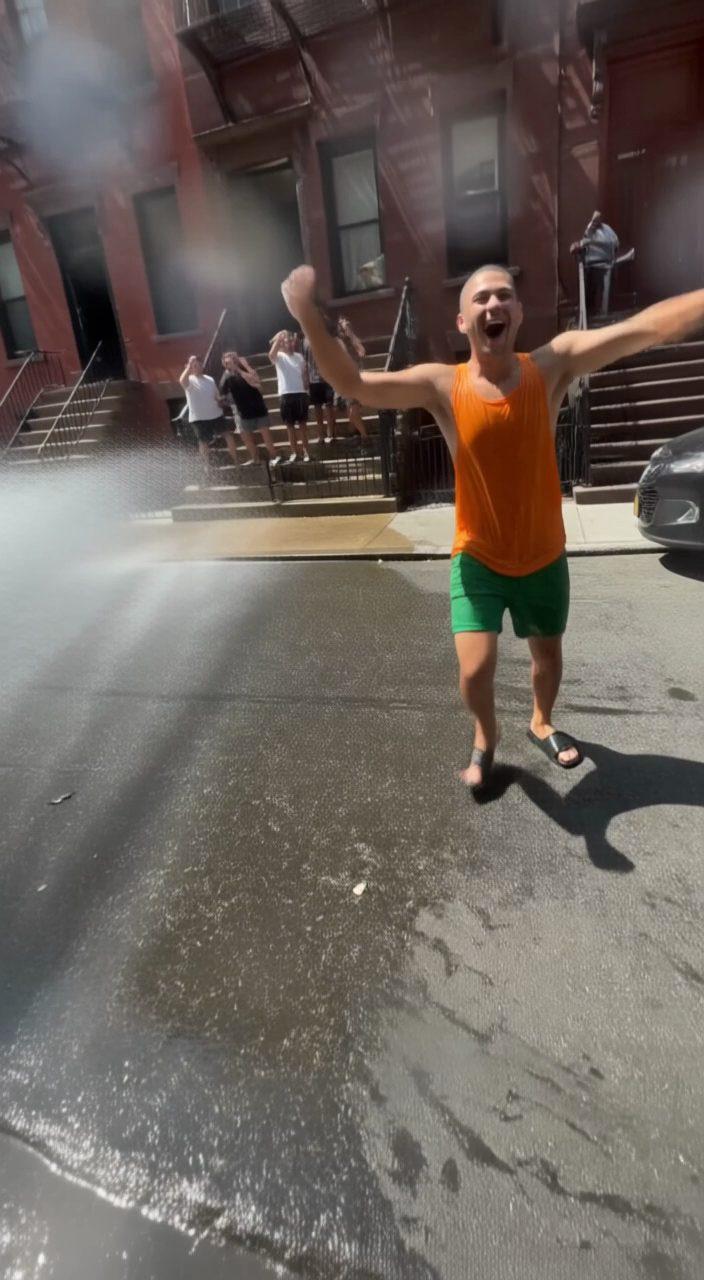
Image-to-video that talks

“The guy on the right keeps his straight face and says, "Okay, serious face this time." She tries to stop laughing. The booth beeps three times, the flash fires, and they both burst out laughing, leaning into each other. Countdown beeps, the camera click, their laughter. Static photo booth camera.”

12 second scene with cuts

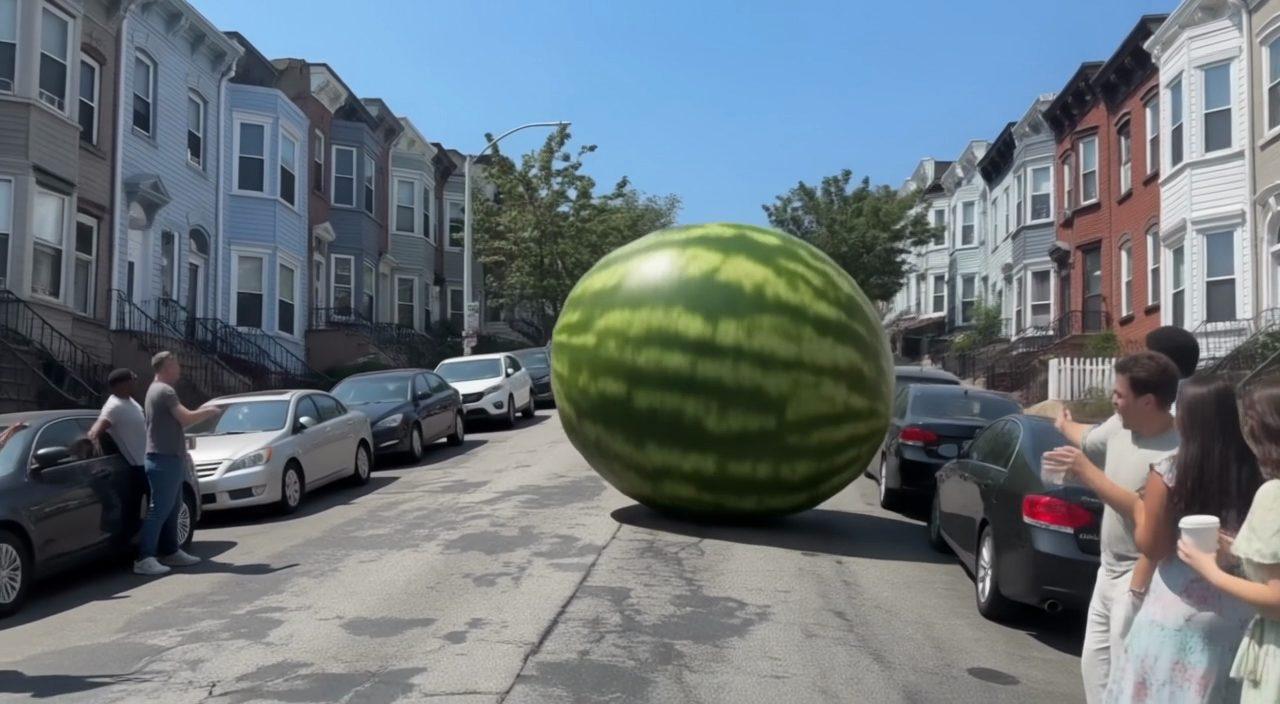
“Phone video on a sunny afternoon on a steep city street lined with parked cars and row houses, in four shots with hard cuts. Shot 1 (0 to 3 s), wide from the bottom of the hill: a striped green watermelon as big as a car rolls down the middle of the street toward the camera, bouncing slightly, as people on the sidewalk point and scream. Shot 2 (3 to 6 s), low angle beside a parked car: the giant watermelon thunders past, the car rocks and its alarm goes off. Shot 3 (6 to 9 s), a guy in his late 20s in a cherry-red windbreaker dives out of the street onto the sidewalk as it rolls by right behind him. Shot 4 (9 to 12 s), wide: the watermelon thuds to a stop against a row of plastic garbage bins at the bottom of the hill, knocking them over, wobbles, and people gather around it, laughing. Sound: a deep rumbling roll, the car alarm, screams turning into laughter, the final thud and the bins clattering. Harsh sun, handheld, no text or signs anywhere.”

Direct-flash photo booth picture of a woman laughing in a mint track jacket next to a deadpan guy in a striped shirt, the start frame for a FLUX 3 Max clip, made with FLUX 3 Image in Made

Start-frame control

“Use this image as the opening composition.”

A frame from the FLUX 3 Max hydrant clip, the runner yelling with his arms out as friends cheer from the stoop, generated in Made

Frame from the action clip

“A single frame from the clip above, straight from FLUX 3 Max.”

A frame from the FLUX 3 Max watermelon clip, the giant melon rolling down the middle of the street past parked cars, generated in Made

Frame from the 12 second scene

“A single frame from the clip above, straight from FLUX 3 Max.”

How to write a FLUX 3 Max prompt

  1. 1

    Choose text or image input

    Write a prompt on its own, or add a start frame, and optionally an end frame, to set where the clip begins and ends.

  2. 2

    Direct the action and the sound

    Say what moves, how the camera follows it, and what we hear. Put dialogue in quotes and the person on screen says it.

  3. 3

    Plan cuts with a shot list

    For longer clips, list the shots with their timings. In our tests it cut within about a second of each timing we asked for.

  4. 4

    Set format, length, and resolution

    Pick one of seven aspect ratios, any length from 5 to 20 seconds, and 720p or 1080p.

What FLUX 3 Max responds well to

Prompt for these jobs

  • Physical action with sound, like spraying water, rolling objects, and crowds reacting, up to 20 seconds in one generation
  • Scenes with several shots: write a timed shot list and it cuts close to your timings
  • Talking clips: write a line in quotes and the person on screen says it
  • Bringing a photo to life from a start frame, with an end frame when you know where the shot should land

Check the output for

  • Sound is always on in Made. There is no silent mode, and no negative prompt or guidance setting.
  • Clips are generated at 720p. The 1080p option is upscaled from that generation by the provider, and 2K and 4K are not offered in Made.
  • It takes only a start frame and an optional end frame, and an end frame needs a start frame. It has no reference-image mode for keeping people or products from other photos.
  • Spoken lines come out clearest when they are short and get a quiet moment. In our tests, a line said over roaring machinery and laughter came out muddled.

Iteration is cheap here: FLUX 3 Max costs from 1.7 credits / second, so rewriting a prompt and rerunning it is a normal part of the workflow, not a budget decision. See the full FLUX 3 Max pricing breakdown.

Questions, answered

FLUX 3 Max prompts FAQ

Need a specific answer? Contact support

It is the top tier of FLUX 3, the video model from Black Forest Labs. FLUX 3 launched in July 2026, and FLUX 3 Max followed on fal in October 2026. It makes 5 to 20 second clips with native sound from a text prompt or a start frame.

More tested prompts across all models live in the prompt library, and the full FLUX 3 Max capability rundown is on the model page.