Log inUpgrade

Gemini Omni Flash 1.2 prompts that actually ran

Every prompt below was generated with Gemini Omni Flash 1.2 in Made, and the output next to it is what came back — not a curated stock image. Copy a prompt as a starting point, then use the guide underneath to adapt it.

Original results

Gemini Omni Flash 1.2 prompts and their outputs

These examples use media produced for Made. Prompts are included when the production record allows them.

Action, sound, and a spoken line

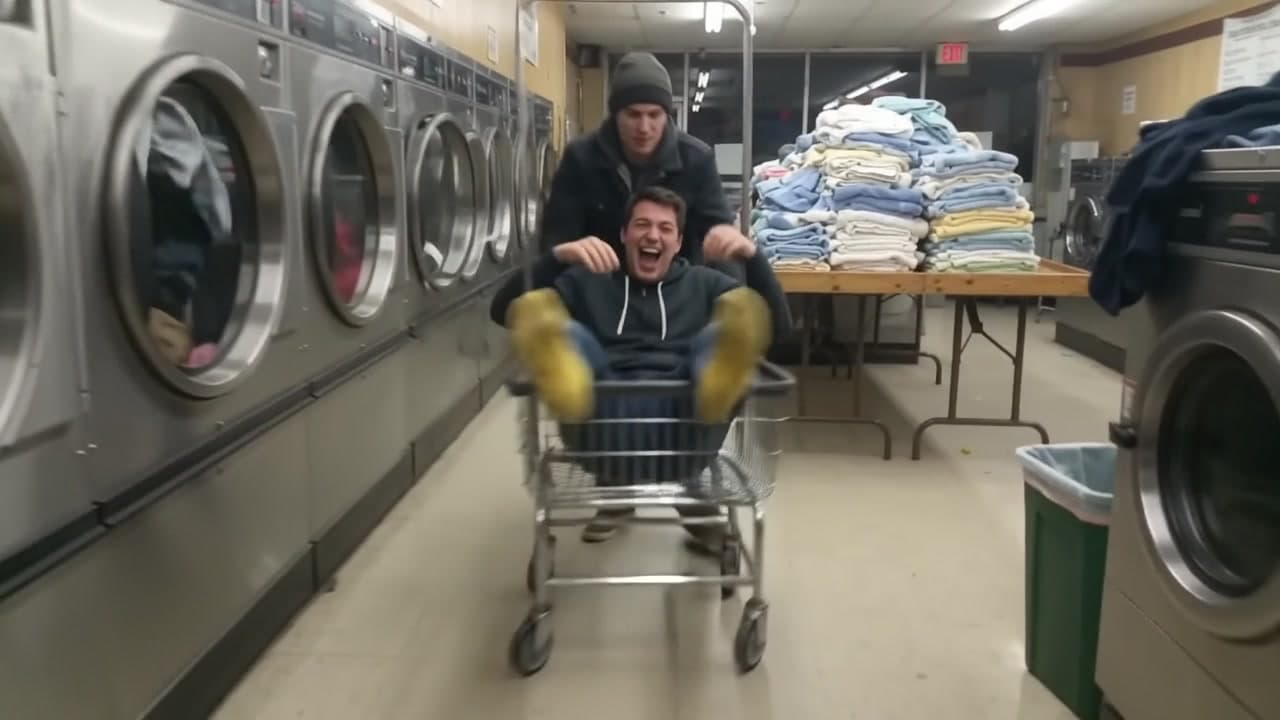
“Handheld phone video in a laundromat late at night under flickering fluorescent lights: a guy in socks sits in a rolling laundry cart and his friend shoves it hard down the aisle between the dryers. The cart rattles, spins, and coasts into a mountain of clean towels on a folding table, which collapses on top of him. The friend filming wheezes with laughter and says, "Again. Do it again." Dryers tumbling, the cart wheels squeaking, laughter.”

A photo that talks and moves

“She looks straight into the lens and says, "Forty years. Never missed a strike." Then she turns, steps up to the lane and rolls the ball. The pins crash, and she throws both arms in the air while her friends cheer behind her. Handheld phone camera, bowling alley noise, the rumble of the ball.”

15 second scene with cuts

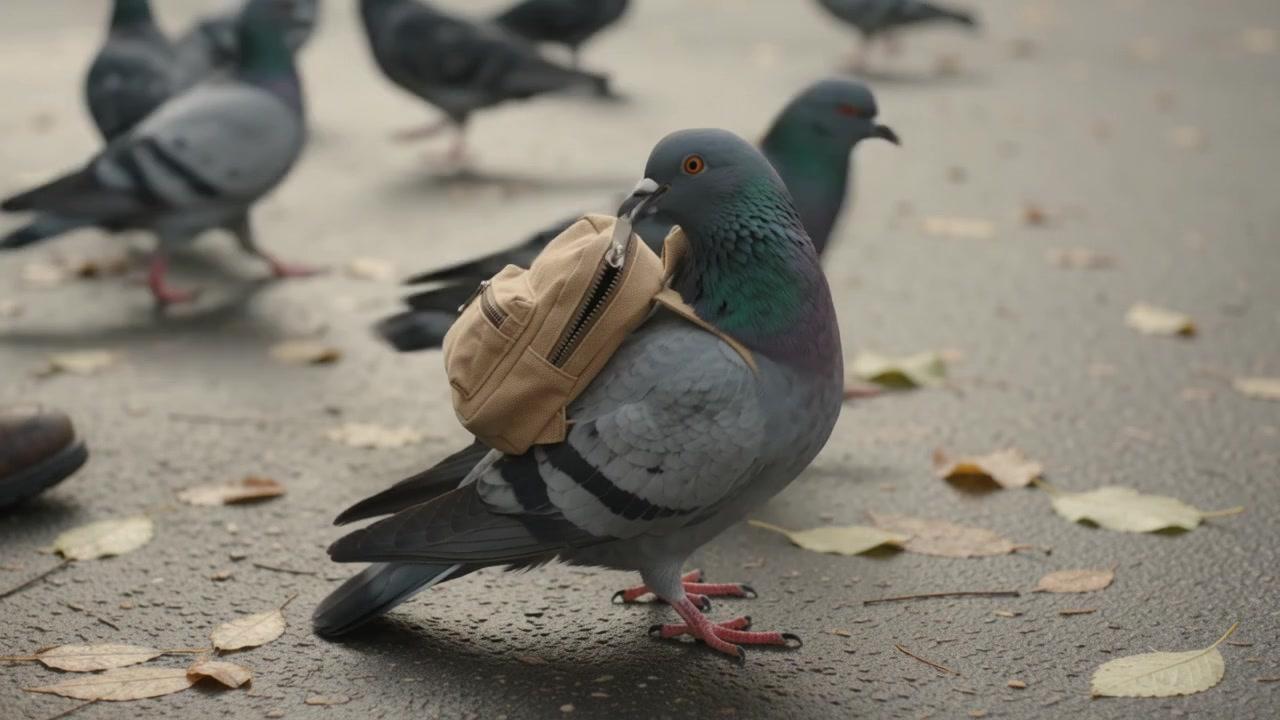
“A 15 second scene in three shots. Shot 1, wide: early morning in a city park, an old man on a bench tosses breadcrumbs to a crowd of pigeons; one pigeon is wearing a tiny canvas backpack. Shot 2, close-up at ground level: the backpack pigeon tugs the little zipper open with its beak and pulls out a folded paper note. Shot 3, medium shot: the old man unfolds the note, reads it, shakes his head, and laughs as he says, "She still owes me five bucks." Soft morning light, pigeons cooing, distant traffic, the rustle of paper.”

Direct-flash photo of a grandmother in a cardigan holding a bowling ball up to the camera in a bowling alley at night, the start frame for a Gemini Omni Flash 1.2 clip

Start-frame control

“Use this image as the opening composition.”

A frame from the Gemini Omni Flash 1.2 laundromat clip, the cart rolling between the dryers

Frame from the action clip

“A single frame from the clip above, straight from Gemini Omni Flash 1.2.”

A frame from the Gemini Omni Flash 1.2 park clip, a pigeon with a tiny backpack among the flock

Frame from the 15 second scene

“A single frame from the clip above, straight from Gemini Omni Flash 1.2.”

How to write a Gemini Omni Flash 1.2 prompt

  1. 1

    Choose text or image input

    Write a prompt on its own, or add a start image, and optionally an end frame, to anchor the clip.

  2. 2

    Direct the action and the sound

    Say what moves, how the camera follows it, and what we hear. Put dialogue in quotes and the person on screen says it.

  3. 3

    Set format and length

    Pick 16:9 or 9:16 and any length from 3 to 15 seconds, or up to 10 with an end frame.

  4. 4

    Draft at 360p, finish higher

    Try ideas at 360p, then run the take you like at 720p, 1080p, or 4K.

What Gemini Omni Flash 1.2 responds well to

Prompt for these jobs

  • Talking clips: write a line in quotes and the person on screen says it
  • Scenes with cuts, up to 15 seconds in one generation
  • Bringing a photo to life, or moving between a start and an end frame
  • Cheap drafts at 360p, then the keeper at 720p, 1080p, or 4K

Check the output for

  • Aspect ratios are 16:9 and 9:16 only. Image-to-video crops the start image to the shape you pick.
  • With an end frame, clips run at most 10 seconds.
  • Sound is always on. There is no silent mode, and no negative prompt or seed.

Iteration is cheap here: Gemini Omni Flash 1.2 costs from 0.27 credits / second, so rewriting a prompt and rerunning it is a normal part of the workflow, not a budget decision. See the full Gemini Omni Flash 1.2 pricing breakdown.

Questions, answered

Gemini Omni Flash 1.2 prompts FAQ

Need a specific answer? Contact support

It is the newest version of Gemini Omni Flash, Google’s multimodal video model, and the newest Gemini Omni in Made.

More tested prompts across all models live in the prompt library, and the full Gemini Omni Flash 1.2 capability rundown is on the model page.