Log inUpgrade
night market vendor laughing over a charcoal grill generated with GPT Image 2.6 Flare in Made

OpenAI · image model

GPT Image 2.6 FlareGenerate and edit images

0.2–1.2 credits / image · every plan · price breakdown · API playground

Edit your own photo →

Made with GPT Image 2.6 Flare · Vendor portrait

GPT Image 2.6 Flare is OpenAI’s newest image model in Made: text, menus and maps that read exactly as written, candid photos, and edits that change only what you ask, in nine sizes up to 4K.

Original results

GPT Image 2.6 Flare examples made in Made

These examples use media produced for Made. Prompts are included when the production record allows them.

night market vendor laughing over a charcoal grill generated with GPT Image 2.6 Flare in Made

GPT Image 2.6 Flare: Vendor portrait

“Candid photo of a street food vendor in her fifties laughing mid-flip as she turns skewers over a charcoal grill at a crowded night market, smoke rising through strings of bare bulbs. Shot on a phone with direct on-camera flash, real skin texture, slight motion blur, muted true color with one chili red accent, candid and unposed, no text, logos, or watermark.”
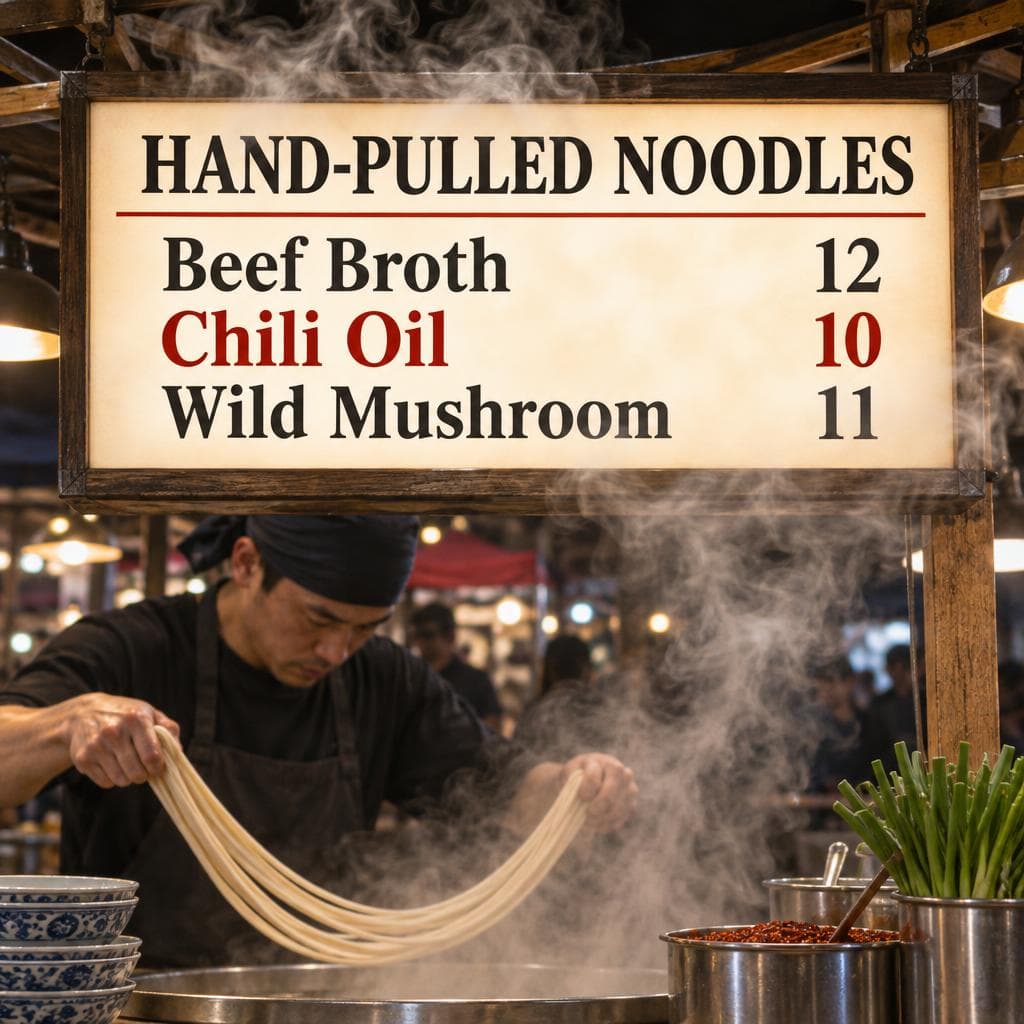
noodle stall lightbox menu with legible prices generated with GPT Image 2.6 Flare in Made

GPT Image 2.6 Flare: Lightbox menu

“Glowing lightbox menu above a night market noodle stall, reading exactly "HAND-PULLED NOODLES" with three lines below: "Beef Broth 12", "Chili Oil 10", "Wild Mushroom 11". Steam drifting past the sign. Clean editorial design, muted true color with one chili red accent, sharp legible type, no other words or logos.”

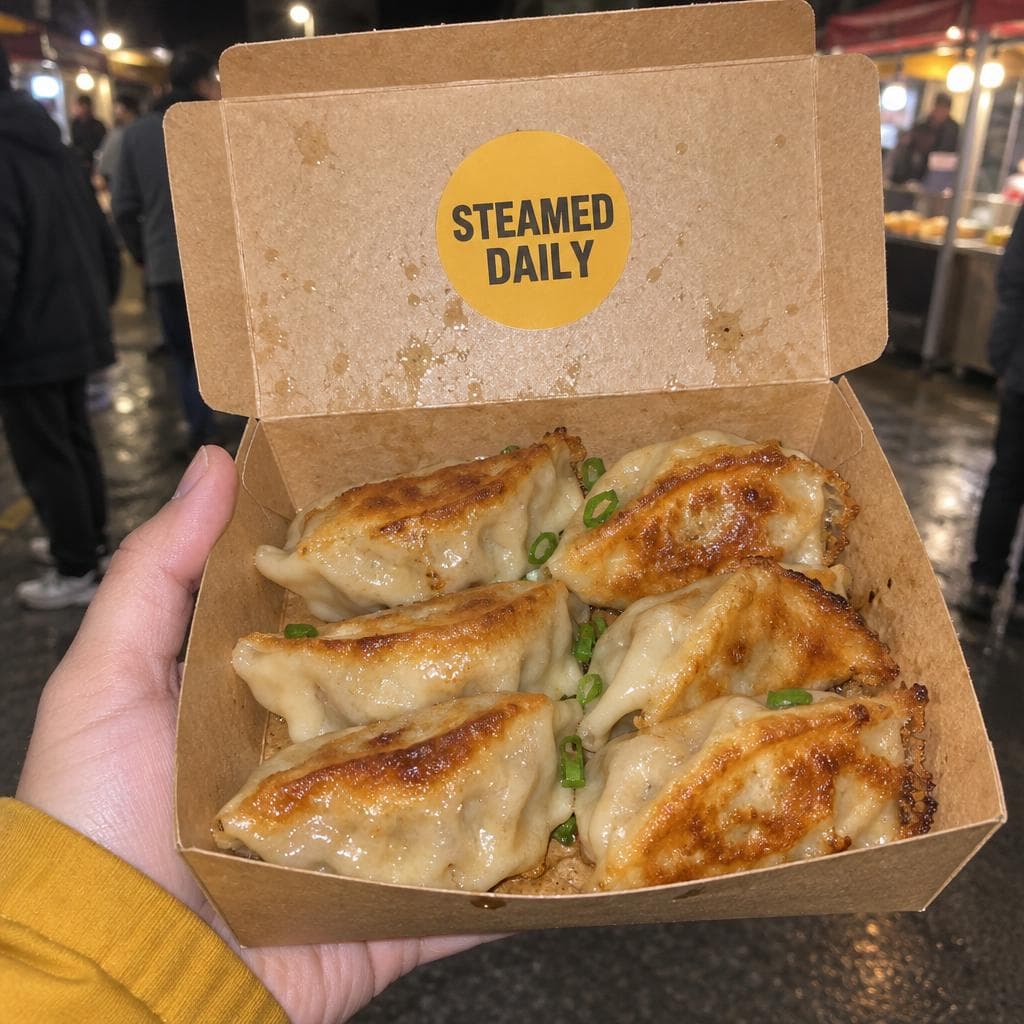
takeaway box of dumplings with a STEAMED DAILY sticker generated with GPT Image 2.6 Flare in Made

GPT Image 2.6 Flare: Takeaway box

“Close-up of a hand holding an open kraft takeaway box of pan-fried dumplings toward the camera at a night market, a round sticker on the lid reading exactly "STEAMED DAILY". Shot on a phone with direct on-camera flash, crisp grease sheen, slight grain, muted true color with one mustard accent, sharp legible sticker, no other words or logos.”

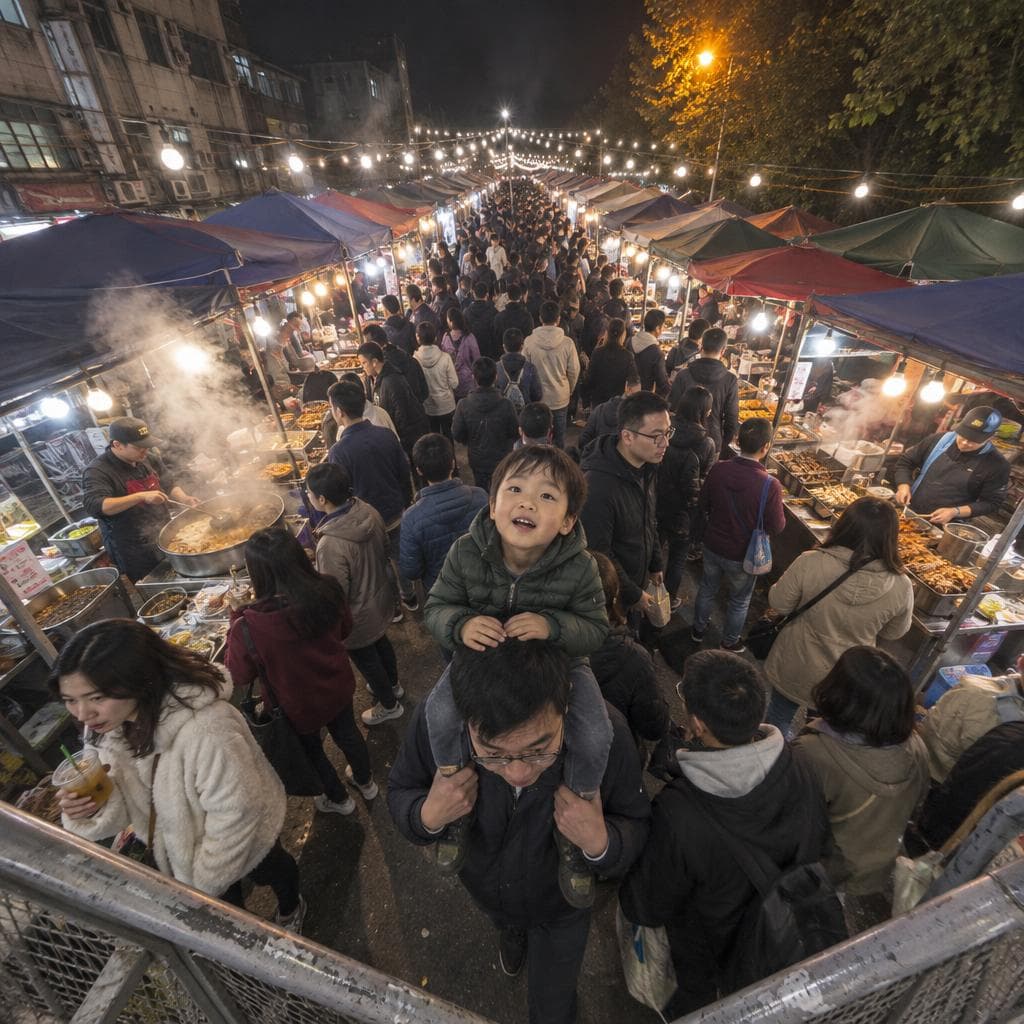
ultra-wide view down a crowded night market aisle generated with GPT Image 2.6 Flare in Made

GPT Image 2.6 Flare: Ultra-wide aisle

“0.5x ultra-wide phone shot looking down a packed night market aisle from a footbridge, rows of stalls under strings of bare bulbs, steam and crowds, a kid on a parent's shoulders looking up at the camera. Harsh mixed light, slight grain, muted true color with one amber accent, candid and unposed, no readable text, logos, or watermark.”

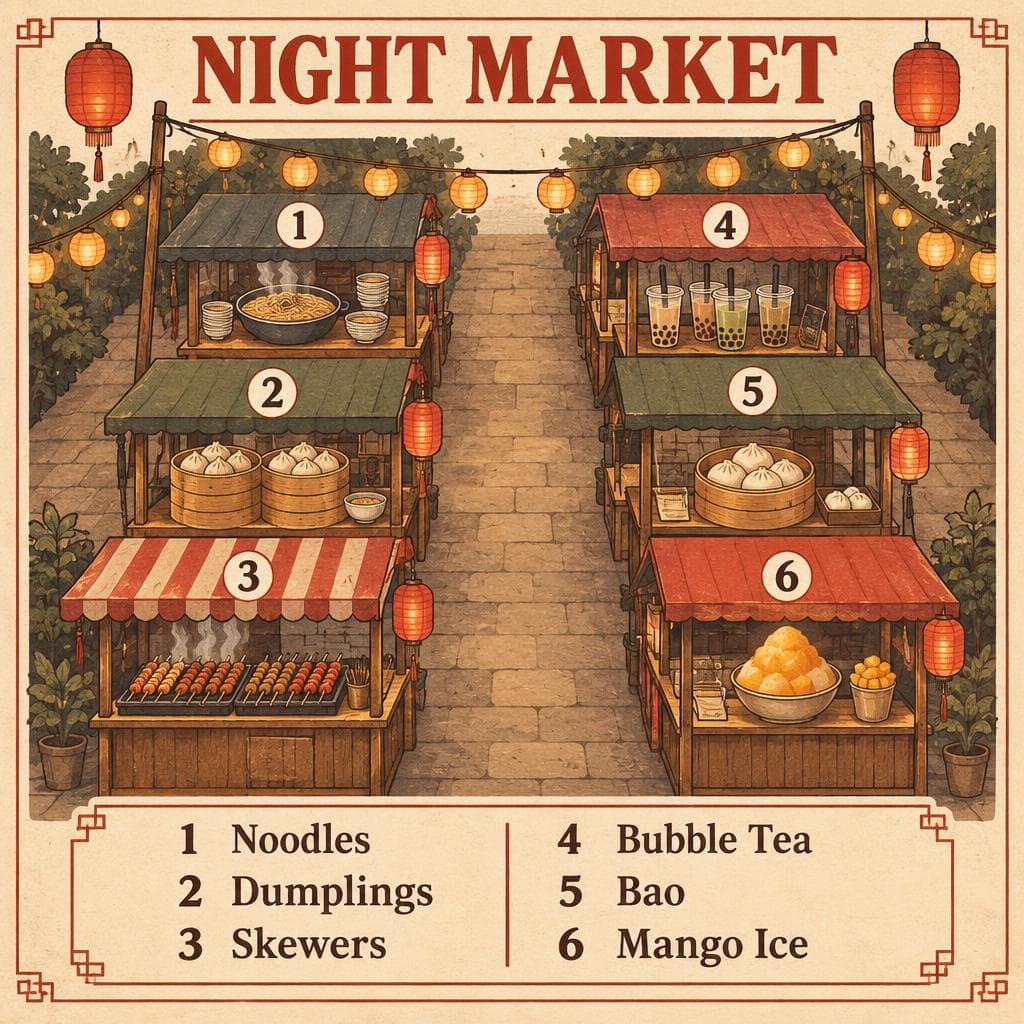
illustrated night market map with a six-stall legend generated with GPT Image 2.6 Flare in Made

GPT Image 2.6 Flare: Illustrated map

“Illustrated map poster of a night market on cream paper, titled exactly "NIGHT MARKET", six numbered stalls drawn along two aisles, with a legend reading exactly "1 Noodles", "2 Dumplings", "3 Skewers", "4 Bubble Tea", "5 Bao", "6 Mango Ice". Clean editorial design, muted earth tones with one chili red accent, subtle paper texture, sharp legible type, no other words or logos.”

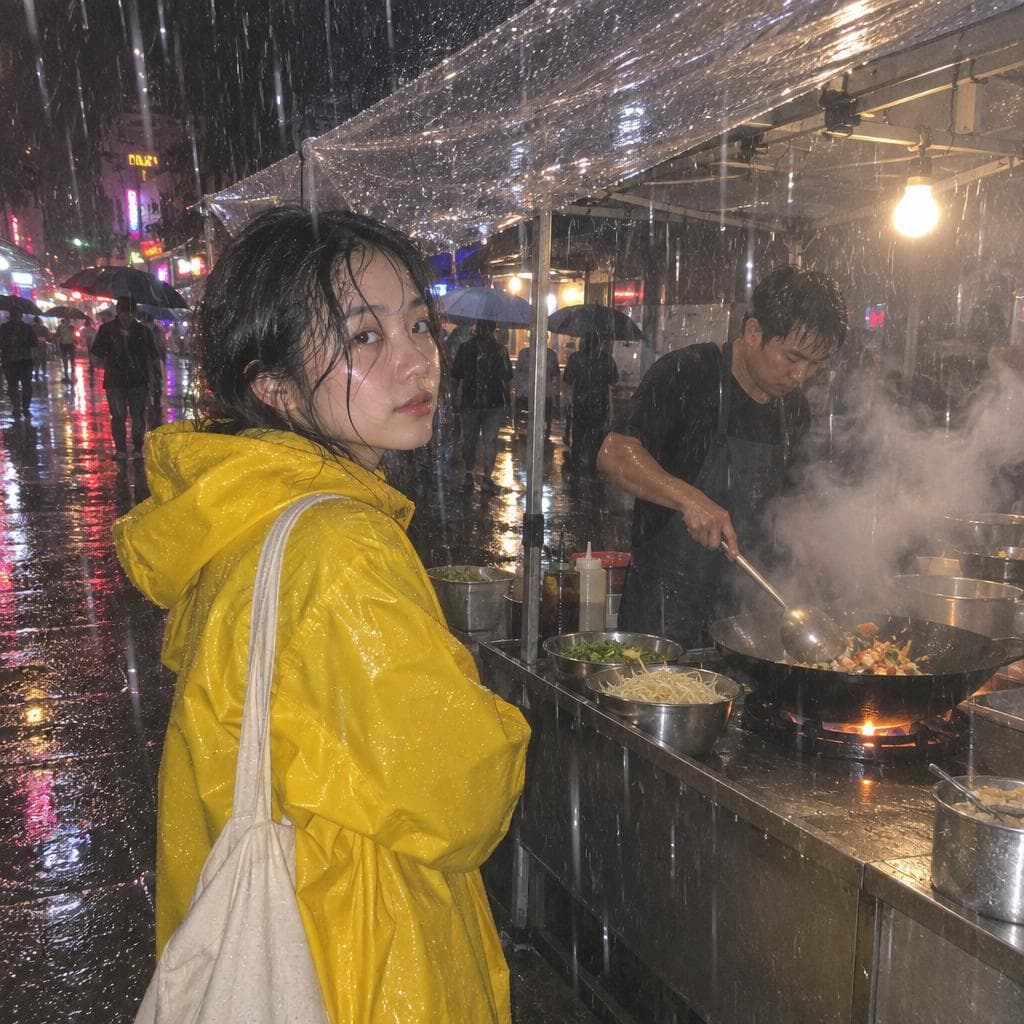
customer in a yellow raincoat at a wok stall in the rain generated with GPT Image 2.6 Flare in Made

GPT Image 2.6 Flare: Rainy night

“A customer in a yellow raincoat waiting under a clear plastic awning at a night market wok stall in heavy rain, neon reflections on the wet pavement, steam rising from the wok. Shot on a phone with direct on-camera flash, rain streaks caught in the flash, slight grain, muted true color with one yellow accent, candid and unposed, no readable text, logos, or watermark.”

Where GPT Image 2.6 Flare fits best

Best uses

  • Menus, maps, labels and posters where every word has to be right
  • Candid, phone-shot photos with real skin and light
  • Edits that change only what you ask and keep the rest of the photo
  • Up to 4K output in 16:9 or 9:16

Limits to know

  • Priced by size and quality, and usually more than GPT Image 2.5 Flare at the same settings. The exact price shows on the button before you generate.
  • Three quality tiers (low, medium, high); 2.5’s xhigh and max are not offered. There is no automatic quality, because the price has to be known before the job runs; edits can use Auto size, which keeps your photo’s shape at the nearest priced size.
  • Animated GIF and SVG output are not available in Made yet.

Specifications in Made

These are the controls exposed by Made, which may be narrower than a provider’s full API.

Aspect ratios
1:1, 3:2, 2:3, 4:3, 3:4, 16:9, 9:16
Resolution
1024×1024, 1536×1024, 1024×1536, 1024×768, 768×1024, 2560×1440, 1440×2560, 3840×2160, 2160×3840
Duration
Not applicable
Output formats
PNG, JPEG, WebP
Reference images
16
Processing
Three quality tiers: low, medium and high; low is the default, the cheapest. Progress appears in the generation view.

How to use GPT Image 2.6 Flare in Made

  1. 1

    Write the brief

    Describe the subject, the shot and the light. Put every word that must appear in the image in quotes.

  2. 2

    Add references to edit

    Upload up to 16 images and say what should change; Made routes the request to the edit endpoint.

  3. 3

    Pick size and quality

    Choose one of nine sizes up to 4K and low, medium or high. Made starts at low, the cheapest; move up for the final.

  4. 4

    Check the price and run

    Made shows the exact price for your settings before you generate, and refunds failed generations.

Questions, answered

GPT Image 2.6 Flare FAQ

Need a specific answer? Contact support

It is OpenAI’s GPT Image 2.6 Flare, released on fal on November 4, 2026, for fast generation with exact text and edits that change only what you ask.