Log inUpgrade

Kling 4 Flash prompts that actually ran

Every prompt below was generated with Kling 4 Flash in Made, and the output next to it is what came back — not a curated stock image. Copy a prompt as a starting point, then use the guide underneath to adapt it.

Original results

Kling 4 Flash prompts and their outputs

These examples use media produced for Made. Prompts are included when the production record allows them.

Action and sound

“Handheld 0.5x wide phone video on a crisp autumn afternoon: a guy in a puffy jacket sprints across a backyard and dives head-first into a pile of orange leaves taller than he is. The leaves explode around the lens, the camera stumbles back, and his friends scream and laugh off-camera. The crunch of the leaves, wind, laughter.”
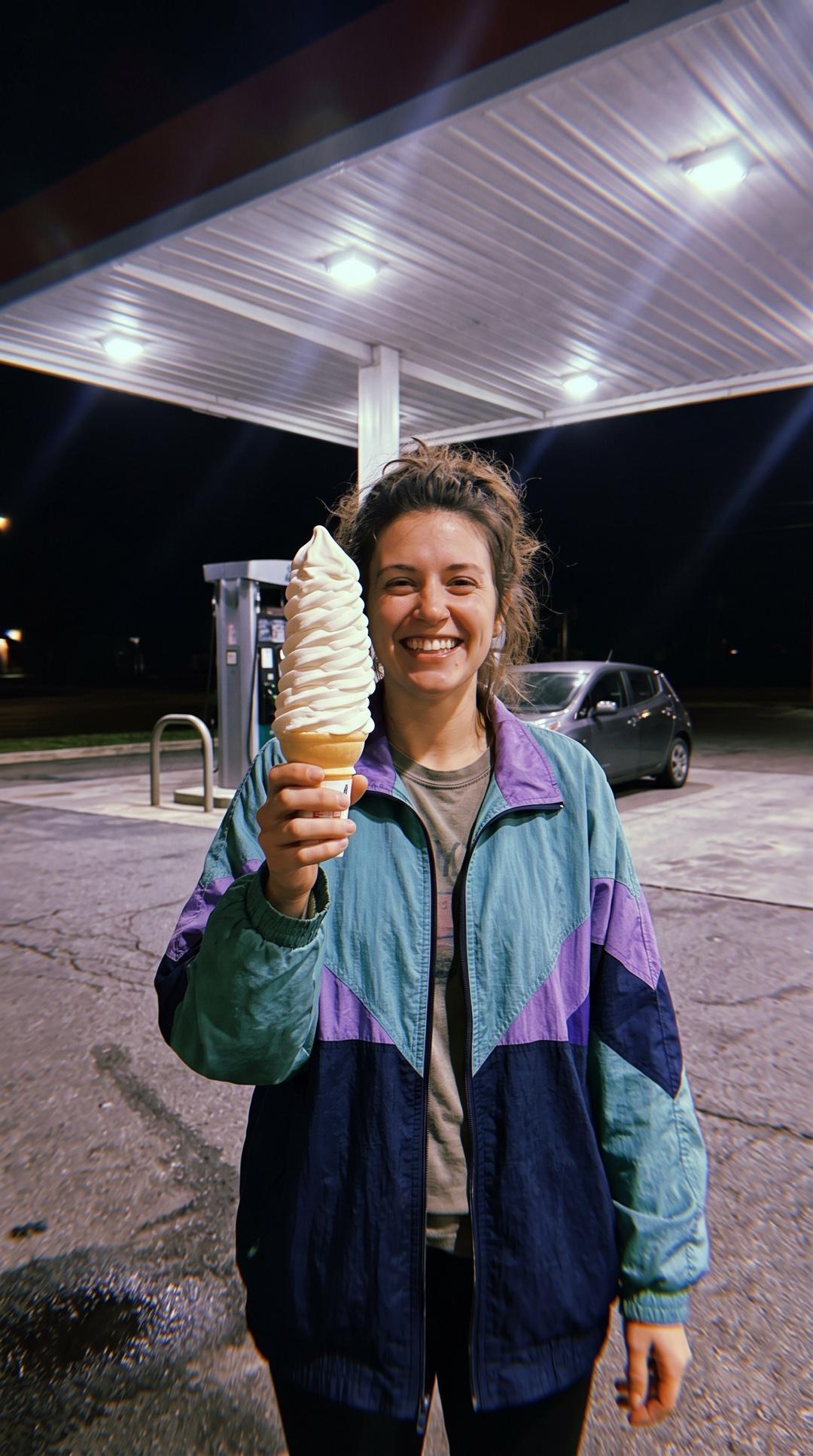
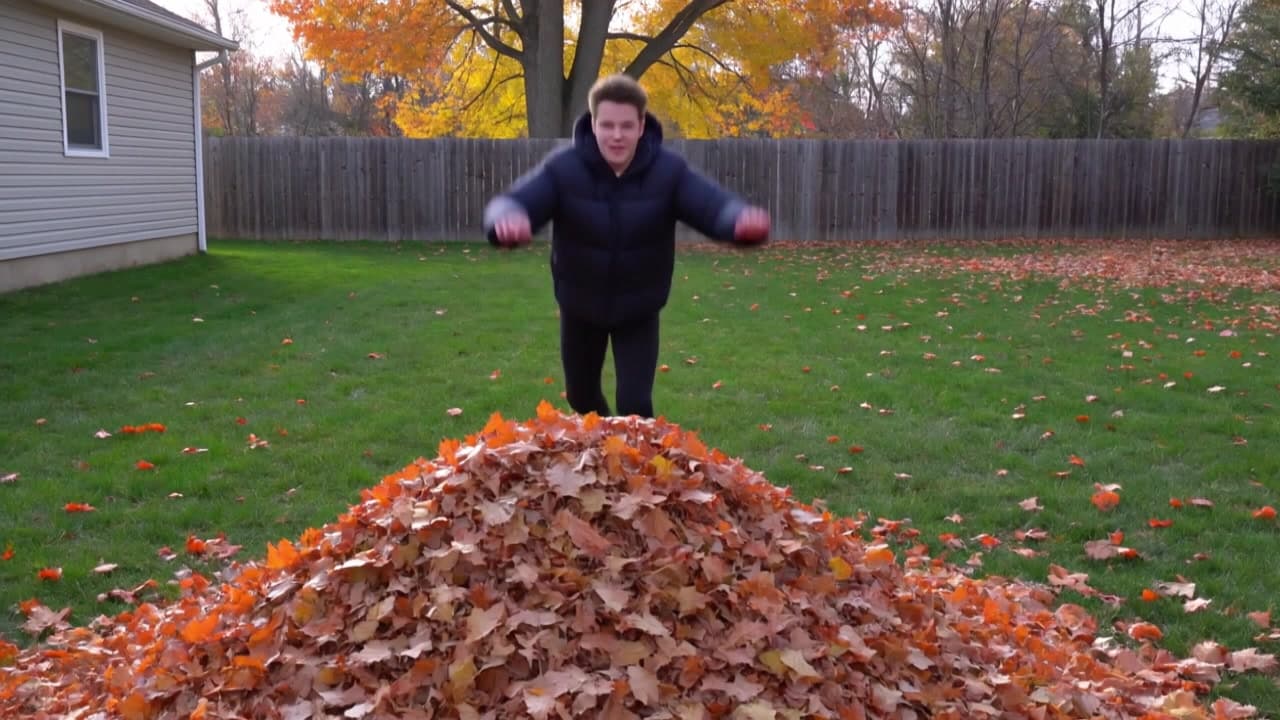
Image-to-video that talks

“She holds the cone up to the camera and says, "Okay. Best ice cream in the whole state. No notes." Then she takes a huge bite, winces at the brain freeze, and bursts out laughing. The pump hums, a car door shuts somewhere behind her. Handheld phone camera.”

12 second scene with cuts

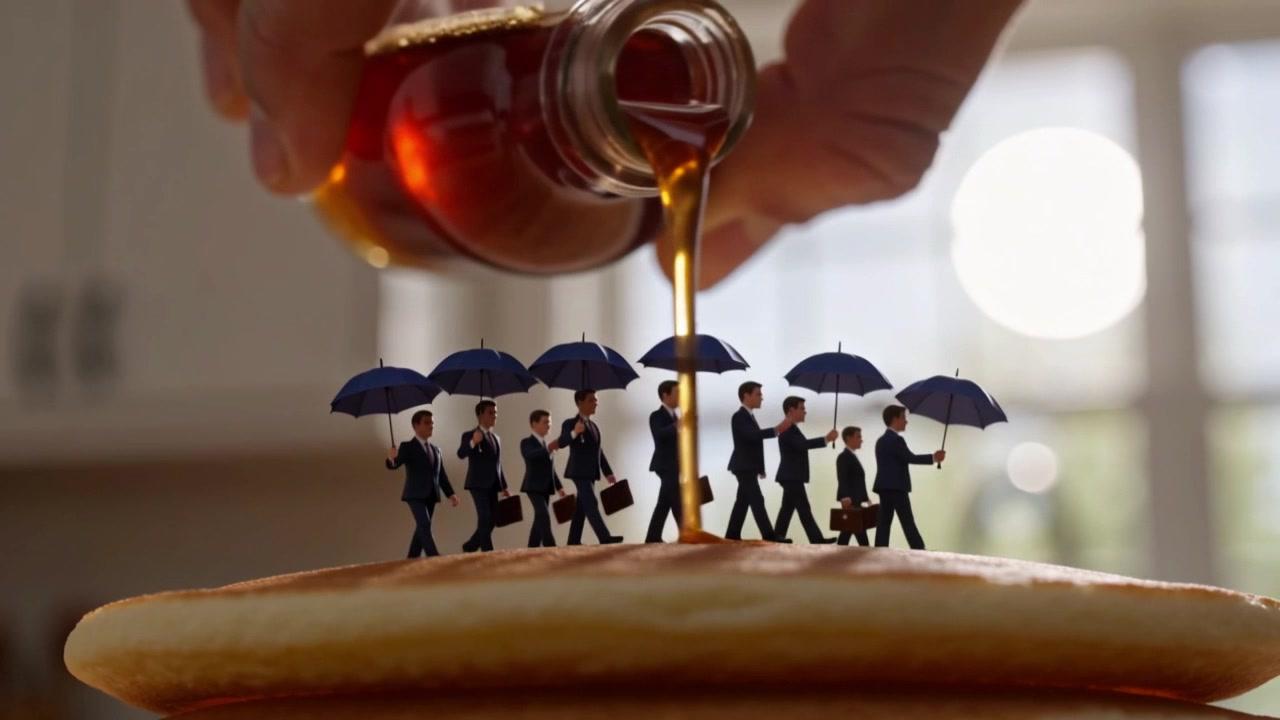
“Wide shot: a city bus the size of a shoebox drives across a sunlit kitchen table between a coffee mug and a tall stack of pancakes, its tiny headlights on. Cut to a close-up as its doors hiss open and thumb-sized commuters in coats with briefcases step down onto the top pancake. Cut to a low angle as a giant hand tilts a syrup bottle above them; they pop open tiny umbrellas and keep walking. Warm morning window light, a radio playing softly, the bus’s little horn beeping twice.”

Direct-flash photo of a woman holding a giant soft-serve cone under a gas station canopy at night, the start frame for a Kling 4 Flash clip

Start-frame control

“Use this image as the opening composition.”

A frame from the Kling 4 Flash leaf-pile clip, the runner leaping toward the pile

Frame from the action clip

“A single frame from the clip above, straight from Kling 4 Flash.”

A frame from the Kling 4 Flash breakfast-table clip, tiny commuters under umbrellas as syrup pours

Frame from the 12 second scene

“A single frame from the clip above, straight from Kling 4 Flash.”

How to write a Kling 4 Flash prompt

  1. 1

    Choose text or image input

    Write a prompt on its own, or add a start image to set the first frame.

  2. 2

    Direct the action and the sound

    Say what moves, how the camera follows it, and what we hear. Put dialogue in quotes and the person on screen says it.

  3. 3

    Set format and length

    Pick 16:9, 9:16, 1:1, or 21:9 for text-to-video, and any length from 3 to 20 seconds.

  4. 4

    Move to Kling 4 when a take needs more

    Flash renders at 720p. For 1080p, an end frame, or a clip longer than 20 seconds, run the same prompt on Kling 4.

What Kling 4 Flash responds well to

Prompt for these jobs

  • Drafts, tests, and social clips when you want Kling 4 for less per second
  • Talking clips: write a line in quotes and the person on screen says it
  • Bringing a photo to life from a start image, framed the way the photo is
  • Scenes with cuts, up to 20 seconds in one generation

Check the output for

  • Flash renders at 720p only and takes a start frame but no end frame. Kling 4 adds 1080p, end frames, and clips up to 30 seconds.
  • Audio is always on. There is no silent mode, and no negative prompt or guidance setting.
  • Image-to-video follows the start image’s framing, so the aspect ratio setting applies to text-to-video only.

Iteration is cheap here: Kling 4 Flash costs from 0.94 credits / second, so rewriting a prompt and rerunning it is a normal part of the workflow, not a budget decision. See the full Kling 4 Flash pricing breakdown.

Questions, answered

Kling 4 Flash prompts FAQ

Need a specific answer? Contact support

It is the fast, lower-cost tier of Kling 4, Kling AI’s fourth-generation video model, made by Kuaishou.

More tested prompts across all models live in the prompt library, and the full Kling 4 Flash capability rundown is on the model page.