AI dance generator: make any photo dance
Pick a dance and add one photo. The person in it does the whole routine, every move at the same moment, with the song. Start from a trending dance, a move, or a dance video of your own.
Runs in Recast. You sign in to run it, see the price before you start, and failed runs are refunded.
Make a photo dance in 3 steps
- 1
Pick a dance
Choose a trending dance below and Recast opens with its clip, its photos and its prompt loaded. Or pick a move in Motion Transfer, or bring a dance video of your own.
- 2
Add your photo
Tap Use your photo and pick a clear, full-length photo of one person: you, or someone who agreed. The face, hair and outfit come from it.
- 3
Generate
The person in your photo does the whole dance, every move at the same moment. The exact price is on the button, and the video is saved to your account.
Pick a dance
Each clip is a real Recast result, made from the photos on its page. Open a dance to see how it’s done, or make it with your photo: Recast opens with the clip, its photos and its prompt loaded.
She Bugging dance1 photoMake it with your photo
Huss Huss Huss dance2 photosMake it with your photo
She Love the Way I Talk2 photosMake it with your photo
Stop The Wedding dance1 photoMake it with your photo
Jingle Bell Brazil dance1 photoMake it with your photo
Talk To Me Doja trend1 photoMake it with your photo
Deck the Halls dance2 photosMake it with your photo
IVE Looks Can Kill dance1 photoMake it with your photo
Pick It Up dance3 photosMake it with your photo
Snowman dance2 photosMake it with your photo
Tsundere Hmph dance1 photoMake it with your photo
Mi Chico dance1 photoMake it with your photo
iPhone Kupi dance1 photoMake it with your photo
Pray For Me slow mo dance2 photosMake it with your photo
NEON A2O LITE dance2 photosMake it with your photo
Jisoo Addicted dance2 photosMake it with your photo
Dime Dime Baby dance3 photosMake it with your photo
LISA Tarantino dance1 photoMake it with your photo
La Mujer del Pelotero dance1 photoMake it with your photo
Hey Boo Come Slide With Me2 photosMake it with your photo
Christian Dior dance2 photosMake it with your photo
Christmas pajama dance2 photosMake it with your photo
Hawak Mo Ang Beat dance1 photoMake it with your photo
Housewife dance1 photoMake it with your photo
Nicole Kidman dance1 photoMake it with your photo
Can I Ride dance2 photosMake it with your photo
Under Arrest dance1 photoMake it with your photo
Babydoll dance2 photosMake it with your photo
Ba Ba Ba dance2 photosMake it with your photo
Bulin 47 trend3 photosMake it with your photo
One photo, any move
Motion Transfer puts the person from your photo into the first frame of a move, then plays the whole move with them in it. These three came from the same kitchen selfie.
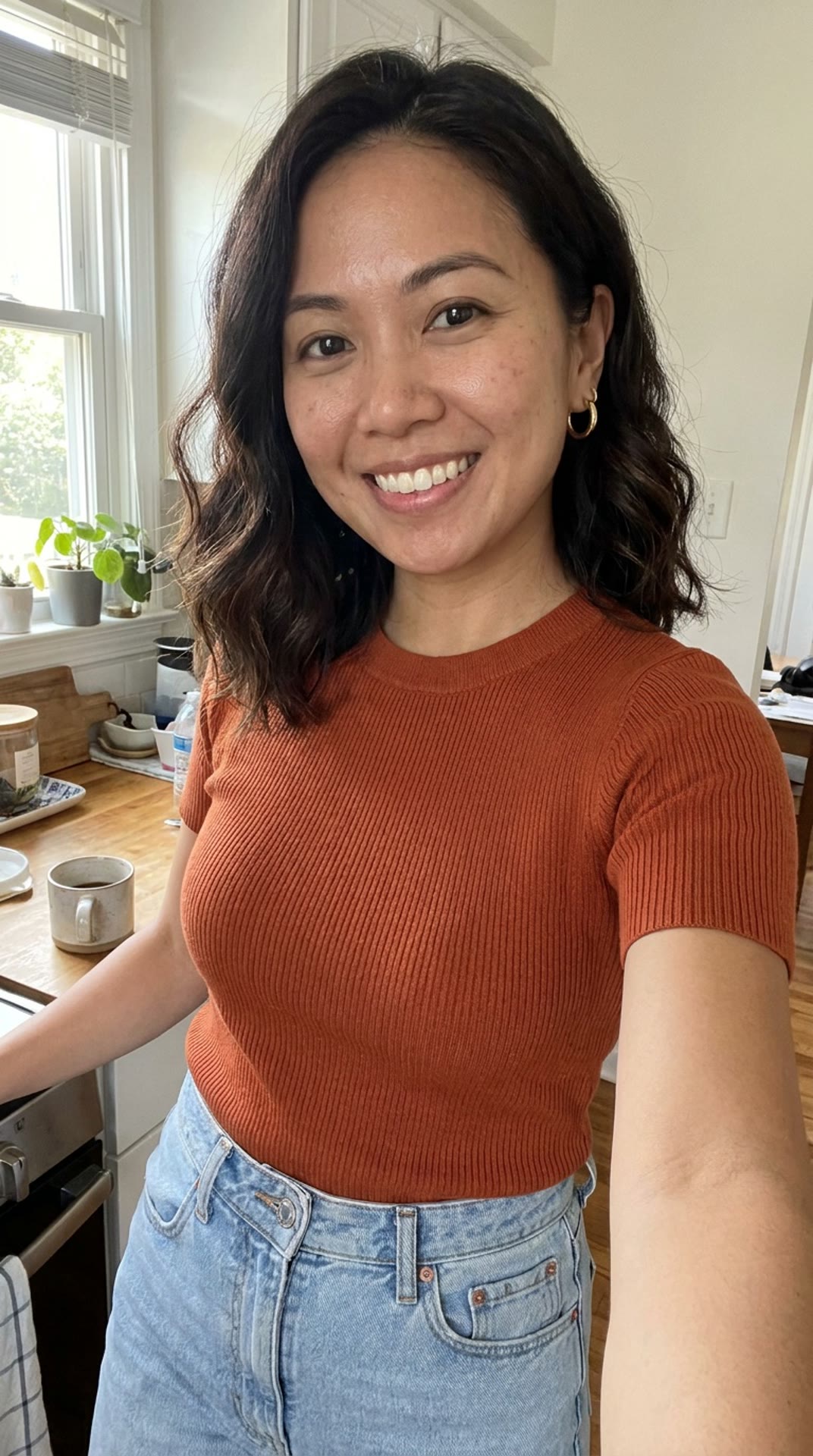 The photo
Kitchen selfie
- Use this move
 Rooftop groove
- Use this move
 Crowd wave
- Use this move
 Jump spin
Have a dance video of your own?
Recast keeps its moves, timing and sound and puts the person from your photo in it. Motion Transfer takes a clip of one person and plays it with you.
Questions about the AI dance generator
What is an AI dance generator?
It makes a video of the person in your photo doing a dance from a real clip. The moves and the timing come from the clip; the face, hair and outfit come from your photo. On Made, Recast does it from a trending dance or your own video, and Motion Transfer plays a move with you in it.
How do I make a photo dance?
Pick a dance on this page and Recast opens with it loaded. Tap Use your photo, add a clear, full-length photo and generate. You don’t need to know the dance or film anything.
Can I use my own dance video?
Yes. Recast takes a clip from 4 seconds to 3 minutes and keeps its moves, timing and sound. Motion Transfer takes 3 to 30 seconds of one person moving: pick Your own video.
Which photo works best?
One person, face clearly in view, in good light, head to toe with the whole outfit showing: the footwork is in frame. Motion Transfer also takes a waist-up photo and continues the outfit in the same style.
Can two or three people dance together?
Yes. A dance with two or three people takes one photo per dancer, in order, and each dance’s page says which photo goes where. Use your own photo and a friend’s, with their OK.
Does the video keep the song?
Yes in Recast: Recast Pro puts the clip’s original soundtrack back on your video. Motion Transfer keeps the sound of your own video if you leave it on; its library moves have no sound.
How long does it take?
About ten minutes in Recast. In Motion Transfer, the preview still takes about a minute and the video 4 to 8 more. You can leave the page; the video is saved to your account.
How much does it cost?
It depends on the length of the clip. The exact price is on the Generate button before you start, and failed runs are refunded.
Can I make someone else dance?
Only yourself, or adults who agreed to it, and never a public figure. Who is in the photo is your responsibility.
Can I post the video on TikTok or Instagram?
Yes, it’s yours to post. TikTok, Instagram and YouTube ask you to label AI-generated content, so switch that label on when you share.