The workflow
Choose a clear photo of the face
Open Lip Sync Studio. Pick one of the 10 preset faces under Choose a face, or tap Upload a photo or video and choose your photo: JPG, PNG or WebP, under 10 MB and at least 300 pixels on each side. One person looking at the camera, mouth visible, in even light works best. On Veo models a portrait photo makes a 9:16 video and a landscape photo a 16:9 one. Use your own face or one you have permission to use.
Write what they should say
In the Script tab, type the line under “What should they say?”, up to 400 characters. The note under it estimates the seconds of speech, at roughly 2.5 words a second. Models that speak the script also take Voice and delivery (optional, up to 300 characters): age, accent, tone and energy. To use your own voice instead, switch to Voice and tap Upload audio or Record; with a photo, the studio moves to Kling Avatar 2.0 if your model can’t lip-sync audio.
Pick the model and the length
Veo 3.1 Lite, marked Best value, is the default: 4, 6 or 8 seconds at 720p or 1080p. The length follows your script until you change it, and the studio warns you when the words won’t fit. The Model menu shows all 16 models with what each does, its resolution and its longest length. Voice-track models such as Kling Avatar 2.0 run as long as the audio; in Script mode one of 21 ElevenLabs voices reads your line first, and Hear it plays a sample.
Generate, then watch it with sound
Tap Generate; the button shows the price. If you aren’t signed in, you sign in now and your face, words and settings wait for you. The studio uploads the photo, makes the voice first if the model needs one, and checks the exact price; if it’s higher than the button showed, it says so and waits for another tap. The video appears under Generations. Check every word, the lip timing on fast words, teeth, eyes and hands, and that no captions were drawn in.
Recorded Made demonstration
One selfie and one line, as a six-second talking clip
This is Maya, one of the studio’s preset faces: an AI-generated photo made by Made, not a real person. Her preset line and voice direction ran on Veo 3.1 Lite at 6 seconds, 9:16, on September 26, 2026. It was made with the studio’s own prompt builder and the same model, called on the model provider directly rather than through the browser tool. Lip Sync Studio opens with this face, line, model and length. It shows one short clip in English; it doesn’t show how a model handles your photo, a longer script or another language.
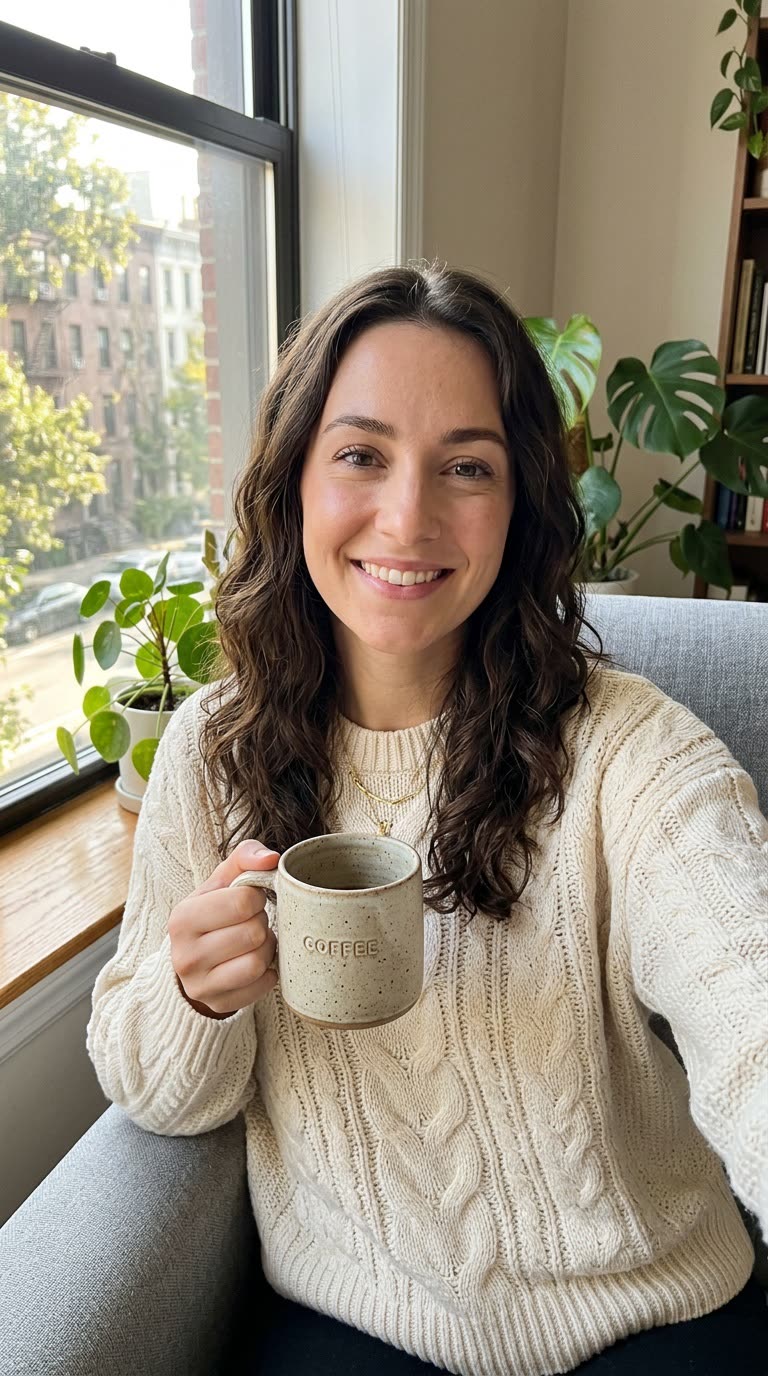
Veo 3.1 Lite · Generated · View the example record and price basis (JSON)
Prompts you can inspect and adapt
Recorded generation prompt
The exact prompt behind the example
Lip-synced talking video. The woman in the image looks into the camera and speaks naturally, with subtle head movement, natural blinking and matching facial expressions. The camera stays still.
The woman says: "Okay, real talk. I didn’t film this. It’s one photo and a script." (no subtitles)
Voice and delivery: Warm, upbeat young woman with an American accent, casual and a little amused.
Keep the same face, hair, clothing, framing and background as the image. No one else speaks. No subtitles, no captions, no on-screen text, no background music.
You don’t type this. You type the line and the delivery; the studio wraps them in these instructions, including the cue for no subtitles right after the quoted line.
Prompt recipe to adapt
A product line for a creator or seller
What should they say?
I used this planner for a month. I haven’t missed a deadline since.

Voice and delivery
Friendly woman in her late twenties, American accent, relaxed and conversational, like a voice note to a friend.
About 13 words, which the studio sizes to 6 seconds on Veo 3.1 Lite. Put the line and the delivery in their own boxes, and keep product claims to what you can back up.
How a talking video is priced
By the model, the seconds of video and, where offered, the resolution. In Script mode on a voice-track model, the voice it reads is added by script length. The total appears on Generate before you run it.
Models that speak the script bill the length you pick, so 8 seconds costs more than 4, and 1080p costs more than 720p on Veo 3.1 Lite. Voice-track models bill the measured audio instead.
Price source: Veo 3.1 Lite on the Made price sheet · Checked
The studio checks the exact price after upload and never charges more than the button showed without asking: a generated voice that runs longer than estimated brings up the new price for another tap. Failed videos aren’t charged, and neither is a voice that doesn’t finish.
What to review before you use the result
| What you see | What to try |
|---|---|
| The words don’t fit the length | Shorten the line or pick a longer length. For more time, Kling 3 Pro and Happy Horse 1.1 run up to 15 seconds and FLUX 3 up to 20. |
| Captions or text appear in the video | The studio’s prompt asks for no subtitles, captions or on-screen text, but a model can still draw some. Generate again or try another model, and check the whole clip before posting. |
| The model declined it | Use a photo of yourself or of someone who agreed. Minors and sexual or violent content are declined, and a declined run isn’t charged. |
| The accent or language is off | Name the accent in Voice and delivery and write the line in the language you want. Kling 2.6 and Kling 3 Pro speak English and Chinese only. For full control, upload or record your own voice and use a voice-track model. |
| Your voice track is rejected | Most voice-track models take 2 to 60 seconds of audio; WAN 2.5 stops at 10 seconds, and OmniHuman 1.5 at 30 seconds in 1080p. MP3 and WAV under 5 MB upload as they are; other audio, such as M4A or a recording, is converted to WAV first. |
Work with Claude and Made
Through the Made connector, an assistant can run the same kind of job: list the video models, use your photo as the start image, quote the price and generate. It doesn’t use Lip Sync Studio’s prompt builder, so ask it to quote the exact line and to rule out subtitles, as the studio does. For a voice-track model, the connector can make an ElevenLabs voiceover first where your client offers audio generation.
Conversation starter
Ask your assistant
Use Made to make a 6-second vertical talking video from my attached photo with Veo 3.1 Lite. She looks into the camera and says, word for word: "I used this planner for a month. I haven’t missed a deadline since." Friendly, relaxed American accent. Keep her face, hair, clothes and background; camera still; no subtitles, captions, on-screen text or music. Check the model in the catalog and show me the price before generating one video.If your client doesn’t offer the model or a photo upload, use Lip Sync Studio with the same photo and line; it builds the prompt for you.
Questions about this workflow
Do I have to record my voice?
No. Models such as Veo 3.1 Lite speak your typed line in their own voice, and Voice and delivery steers how it sounds. To use your voice, switch to Voice and upload or record a track for a model that lip-syncs audio.
How long can a talking video be?
Veo models make 4, 6 or 8 seconds; Kling 3 Pro and Happy Horse 1.1 up to 15; FLUX 3 up to 20. Voice-track models like Kling Avatar 2.0, VEED Fabric 1.0 and OmniHuman 1.5 run as long as your audio, up to 60 seconds (30 for OmniHuman 1.5 in 1080p).
Do I need to sign in?
Yes, to generate. You can choose the face, write the line and pick the model first; when you tap Generate and sign in, the studio keeps them for you.
Can I try it with a preset face first?
Yes. The 10 preset faces are AI-generated by Made, each with its own line, delivery and voice, including a dog, an oil painting and a 3D character. The studio opens on Maya with the line and settings from the example above.