The workflow
Describe the channel, not just one video
Open Faceless Studio, pick a category (Education, History, Kids or Storytelling) and type a channel idea of up to 300 characters, such as “Channel of eerie unsolved mysteries.” You can add a YouTube Reference (a channel, video or playlist link; Made reads its title or handle as a guide for niche and tone) or Upload script with your own words. Tap Next. Writing topics and the script doesn’t use credits and works before you sign in.
Select script
Pick one of the four topics, tap Generate new for four more, or type your own topic (up to 200 characters). Set Format, Length (30 sec, 1 min, 2 min, 3 min or 5 min), Animation and Language. Made writes about one scene per five seconds of narration. Edit any narration line or the shot under it, remove scenes, or tap Rewrite. For history and education channels, check every fact before you publish.
Pick the look and the voice
On Select video style, choose one of 12 styles, from Ink Explainer to Noir Documentary. On Select narrator voice, choose one of 10 narrators; play each sample before you pick. Each category preselects a style and narrator, and you can change both. Add music (six moods or No music) and captions (Bold, Subtitles or Off). The style and voice are saved to the channel, so later episodes match.
Generate, and keep the tab open
Tap Generate and sign in if asked; the studio picks your episode back up. The button shows the total first. Made draws any recurring characters, illustrates each scene with Muse Image, records the narration and, for Fully animated, turns each scene into a Kling 2.5 Turbo clip. Your browser then renders the video. Frame-by-frame episodes usually take one to three minutes. Download the video and Captions .srt, and copy the Ready for YouTube title, description and tags.
Make the next episode in the same channel
Tap Next episode on the finished video, or pick the channel under My channels. It keeps the style, narrator and the music you picked, reuses its recurring characters when they fit the new story, and avoids topics it already suggested. Channels are saved in this browser, so continue a series on the same browser and device.
Recorded Made demonstration
A 75-second mystery episode from one topic
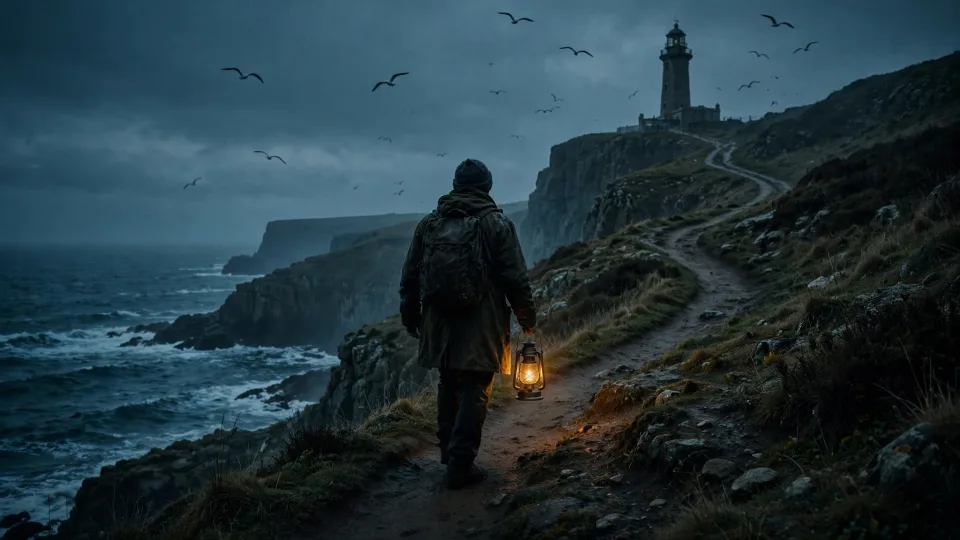
Faceless Studio made this episode in the live product on September 26, 2026, signed in to a Made account and rendered in the browser. It was a Storytelling channel of eerie unsolved mysteries, with Noir Documentary style, Callum narrating, Frame by frame, 16:9, Bold captions and the 1 min length. The script came out at 13 scenes and about 75 seconds, so the length is a target, not a cap. The first image is the Noir Documentary tile from the style step, not a frame of this episode. The video here is downsized for the web. It shows one episode; it says nothing about how a channel performs on YouTube.
Muse Image, narrated with ElevenLabs Turbo v2.5 · Generated · View the example record and price basis (JSON)
Prompts you can inspect and adapt
Recorded generation prompt
The topic behind the recorded episode
The Lighthouse Keepers Who Vanished from the Flannan IslesThis was the episode topic for a Storytelling channel whose idea was “Channel of eerie unsolved mysteries.” Made wrote the 13 scenes, their shots and the YouTube details from it. On the Faceless Studio page, tap this episode under Made with Made, then Recreate, to load the same idea, topic and settings; Made writes a fresh script from them.
Prompt recipe to adapt
A channel idea that gives you a series
Channel of eerie unsolved mysteries: one real case per episode, such as a disappearance, a ship found empty, or a signal nobody explained. Each title names the place and the year. Calm, factual tone; say what is known, what is disputed, and leave the open question for the last line.Put the rule that repeats in the channel idea (one case, one place, one open question) and the topics follow it. Keep it under 300 characters. Swap the subject for your niche: one habit, one animal, one myth per episode.
Prompt recipe to adapt
Topic patterns that work as episodes
Why [specific thing] [surprising fact]
The [person or place] that [what happened] in [year]
What really happened to [named case]
How [everyday object] actually works
Concrete beats broad: one event, person, creature, object or question per episode. The studio’s own topic writer is told to avoid survey titles like “The History of Rome.” Type a filled-in pattern into “Or type your own topic.”
How a faceless episode is priced
By the images Muse Image draws (one per scene, plus any character sheets), one Kling 2.5 Turbo clip per scene if Fully animated, and narration by script length. The total appears on Generate before you run it.
A longer episode has more scenes and more narration, so it costs more. Fully animated adds a clip for every scene, which costs many times more than Frame by frame at the same length. Topics, the script, music, captions and the render are included.
Price source: Public Faceless Studio prices · Checked
Failed scenes are refunded and the video uses the neighboring image; narration that fails is refunded too. A scene the safety filter refuses is retried once on Grok Imagine at that model’s price. If your balance runs short, the episode is saved and picks up after you add credits; if a model price changes mid-episode, the studio pauses and shows the new total.
What to review before you use the result
| What you see | What to try |
|---|---|
| The episode runs longer than the length you picked | Length sets the script target, about 150 words a minute; the video follows the narration. Shorten or remove lines in Select script, or pick a shorter length and tap Rewrite. |
| A scene couldn’t be drawn | It’s refunded and the video borrows the neighboring image. Tap the scene in the Storyboard and choose Redraw scene; a scene the safety filter refused is redrawn on the fallback model. |
| The browser can’t export the video | The render runs on your device. Use a recent Chrome, Edge or Safari on a computer and keep the tab open. If you cancel, tap Continue to render again; scenes you paid for aren’t charged twice. |
| A fact in the script looks wrong | The writer is told not to invent quotes, dates or numbers, but check every claim yourself. Fix the line in Select script before you generate. |
| The next episode looks different | Start it from Next episode or My channels so it reuses the channel’s style, narrator and characters. A different browser won’t have the channel saved. |
Work with Claude and Made
Faceless Studio runs on its own page: the script rules, timing each scene to the narration, word-by-word captions and the render all happen there. Through the Made connector, an assistant can make separate pieces with Made models, such as a scene image, a voiceover or a short clip, and join clips where your client offers that, but it doesn’t run the studio’s pipeline. The useful split is to plan the series with Claude and make each episode in the studio.
Conversation starter
Ask your assistant
Help me plan a faceless YouTube series to make in Made Faceless Studio. The channel covers eerie unsolved mysteries. Write a channel idea under 300 characters, then 10 episode topics under 200 characters each: one real case per episode, with the place and year in the title, and no invented facts. Mark the four strongest first episodes. I’ll paste the idea and topics into the studio and check the price on Generate.To preview a look first, ask the assistant to check the Made catalog for Muse Image and quote one test image. That image is separate from the episode the studio makes.
Questions about this workflow
Do I need to sign in?
Not to get topics and a full script. You sign in when you tap Generate, because the scenes and narration are paid with your Made credits.
Can I use my own script?
Yes. Use Upload script with a .txt, .md or .srt file of up to 900 words. Made keeps your words as the narration, fixing only obvious typos, splits them into scenes and writes a shot for each one. You can edit any line or shot before generating.
Can I make YouTube Shorts with it?
Yes. Choose 9:16 and a 30 sec or 1 min length. A wide browser window renders it at 1080 × 1920; phones, narrow windows and low-memory devices render it at 720 × 1280.
Will the same characters come back each episode?
For fictional stories, Made can create up to two recurring characters with a character sheet, and the next episode in the channel reuses them when they fit. The writer is told not to add an invented host to documentaries about real people or to explainers about objects and ideas.
Can faceless AI videos earn money on YouTube?
They can, but AI alone doesn’t make a channel eligible. YouTube asks for original, non-repetitive content, so make each episode distinct, review every script, and label realistic synthetic content when YouTube asks you to.