Log inUpgrade

ByteDance · video model

Seedance 2.5 FlashGenerate AI video

from 0.6 credits / second · no subscription · price breakdown · API playground

Start from your own image →

Made with Seedance 2.5 Flash · Action, crowd and sound

Seedance 2.5 Flash is the lower-cost tier of ByteDance’s Seedance 2.5. It makes 4 to 30 second clips with native sound at 480p or 720p, from a text prompt or from a start frame and an optional end frame, and the people on screen speak the lines you write.

Original results

Seedance 2.5 Flash examples made in Made

These examples use media produced for Made. Prompts are included when the production record allows them.

Action, crowd and sound

“Handheld phone video at a night food market under warm string lights and steam. A street vendor flips a pancake as wide as a manhole cover high into the air; it spins over the crowd, drifts down and lands flat on the head of a delighted little kid in a puffy yellow coat, who freezes, then throws both arms up. The crowd screams and laughs, phones come up, the vendor takes a bow. Sizzling griddle, a loud whoosh as the pancake flips, cheering and laughter.”
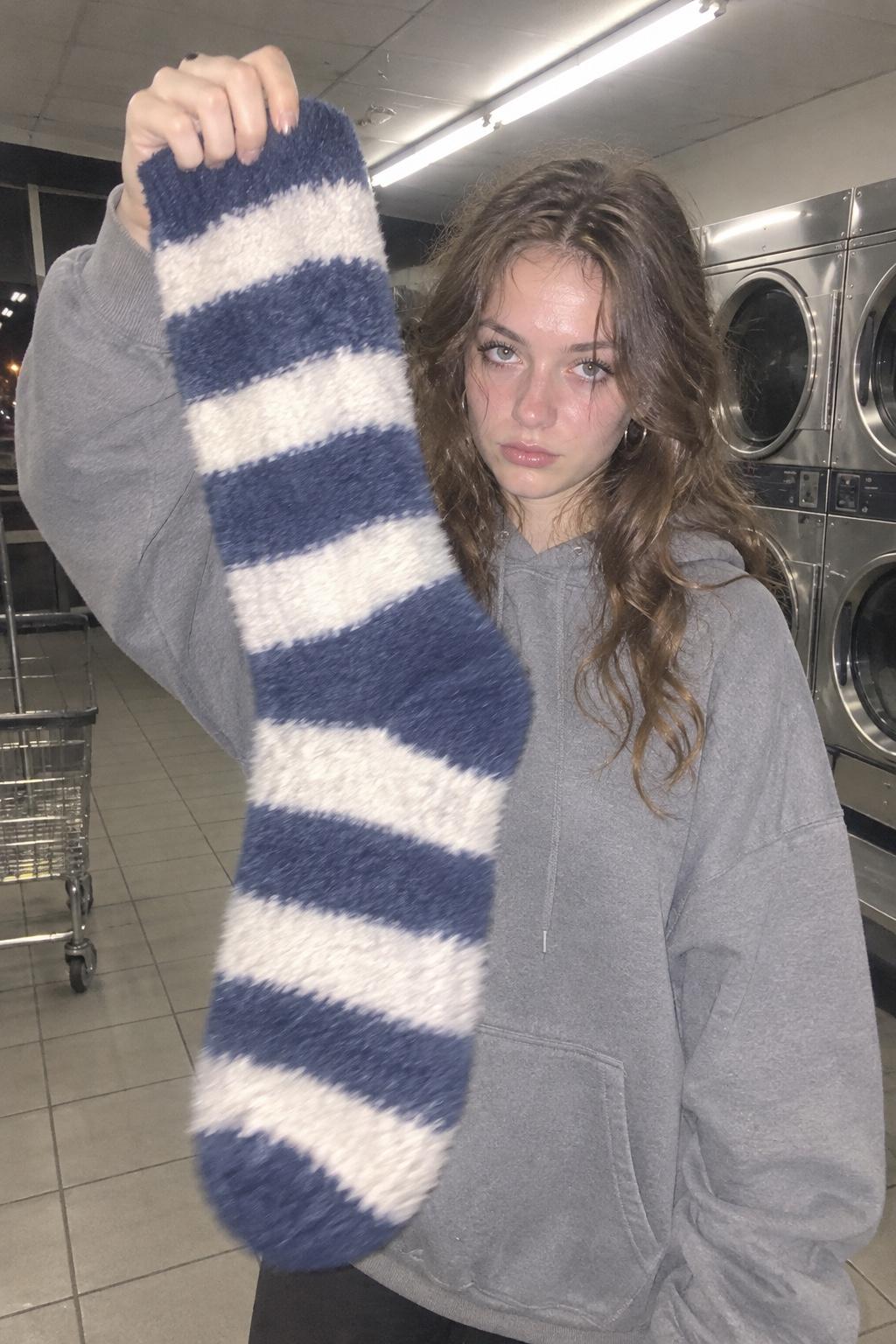

Image-to-video that talks

“She keeps the sock held high, stares into the camera and says flatly, "I swear the dryer eats exactly one of these every single time." Then she shrugs and the sock flops over her face. A dryer thumps in the background, the fluorescent lights buzz. Handheld phone camera, slight shake.”

10 second scene with cuts

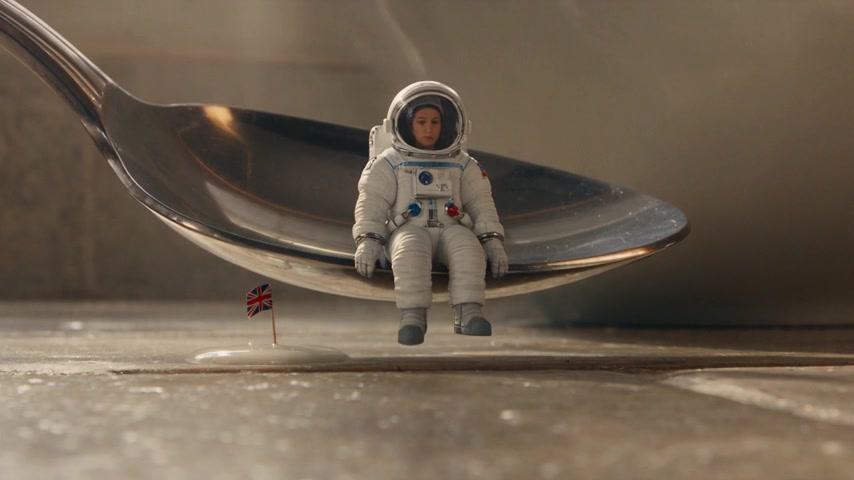
“Wide shot: a tiny astronaut in a spotless white suit walks across a sunlit kitchen counter between a chrome toaster and a giant bowl of cereal, her boots clicking on the tile, a little radio crackling. Cut to a close-up as she plants a flag in a puddle of spilled milk and the flag leans over, dripping. Cut to a low angle as a giant spoon descends from above; she calmly steps aboard and salutes. Warm morning window light, ceramic clinks, a faint toaster pop, macro photography.”

Direct-flash photo of a woman holding a giant striped sock in a laundromat at night, the start frame for a Seedance 2.5 Flash clip

Start-frame control

“Use this image as the opening composition.”

A frame from the Seedance 2.5 Flash night-market clip, a kid in a yellow coat under the pancake as the crowd laughs

Frame from the action clip

“A single frame from the clip above, straight from Seedance 2.5 Flash.”

A frame from the Seedance 2.5 Flash astronaut clip, the astronaut seated on a giant spoon beside her flag in a puddle of milk

Frame from the 10 second scene

“A single frame from the clip above, straight from Seedance 2.5 Flash.”

Where Seedance 2.5 Flash fits best

Best uses

  • Drafts, tests, and social clips when you want Seedance 2.5 for less per second
  • Clips up to 30 seconds in one generation, with the sound generated alongside the picture
  • Talking clips: write a line in quotes and the person on screen says it
  • Bringing a photo to life from a start image, with an optional end frame
  • Scenes with cuts inside a single clip

Limits to know

  • Flash renders at 480p and 720p only. Seedance 2.5 adds 1080p and native 4K.
  • Every mode needs a prompt, including image-to-video.
  • Flash has no person-reference mode. To make a clip of a real person from their photo, use Seedance 2.5’s person reference.
  • Image-to-video follows the start image’s shape, so the aspect ratio setting applies to text-to-video only.

Specifications in Made

These are the controls exposed by Made, which may be narrower than a provider’s full API.

Aspect ratios
16:9, 9:16, 1:1, 4:3, 3:4, 21:9
Resolution
480p (default in Made), 720p
Duration
4–30 seconds
Output formats
MP4 with native audio
Reference images
2
Processing
About two to five minutes for a 4 to 10 second 480p clip in our tests, longer when the provider is busy; progress appears in the generation view.

How to use Seedance 2.5 Flash in Made

  1. 1

    Choose text or image input

    Write a prompt on its own, or add a start image, and optionally an end image, to set the opening and closing frames.

  2. 2

    Direct the action and the sound

    Say what moves, how the camera follows it, and what we hear. Put dialogue in quotes and the person on screen says it.

  3. 3

    Set format and length

    Pick a shape for text-to-video and any length from 4 to 30 seconds. Start at 480p and switch to 720p for the take you keep.

  4. 4

    Move to Seedance 2.5 when a take needs more

    Flash tops out at 720p. For 1080p or native 4K, run the same prompt on Seedance 2.5.

Questions, answered

Seedance 2.5 Flash FAQ

Need a specific answer? Contact support

It is the lower-cost tier of Seedance 2.5, ByteDance’s video model. It is its own model, not Seedance 2.5’s Draft mode, and it makes 4 to 30 second clips with sound at 480p or 720p.