Motion study with audio
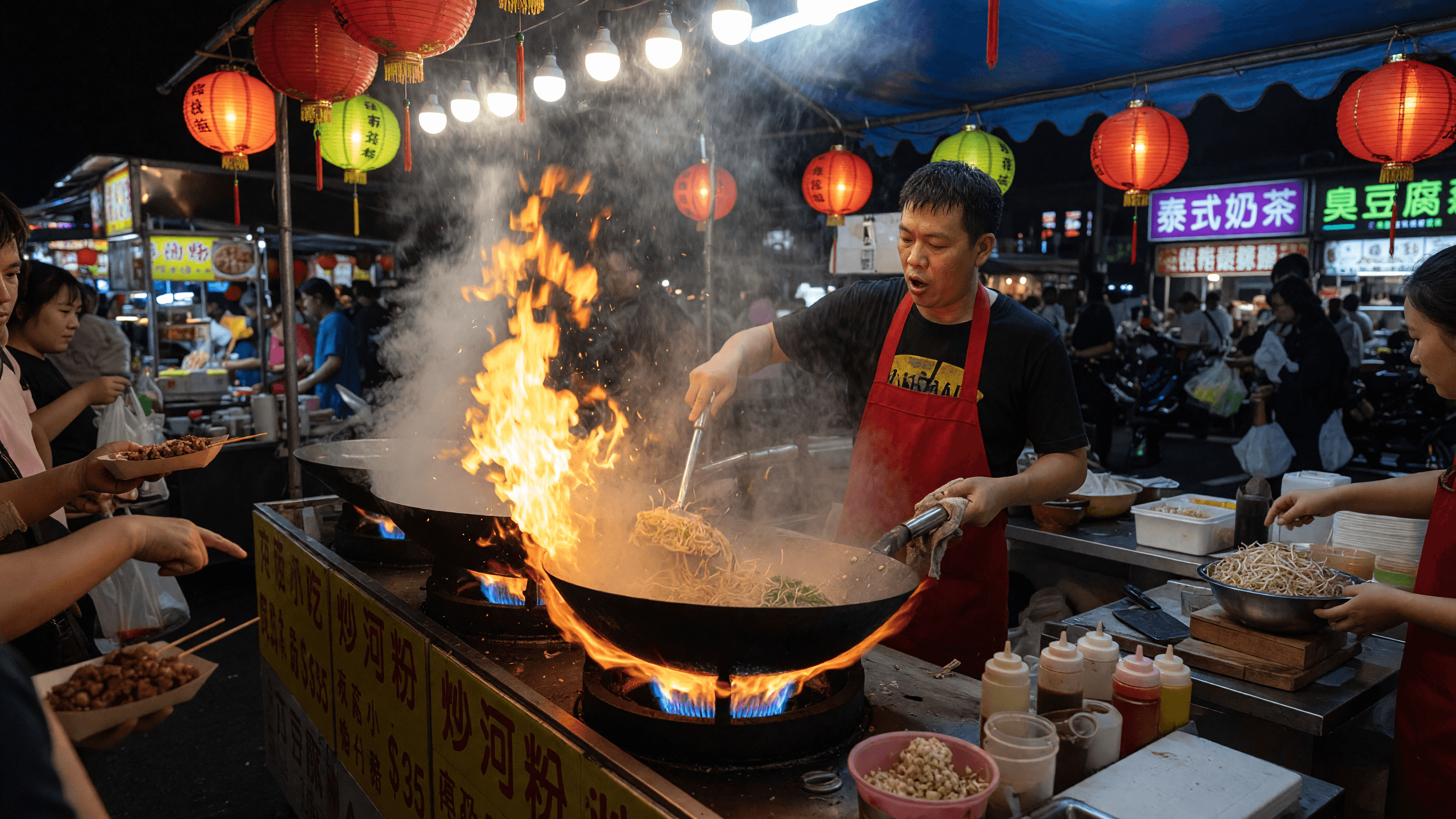
“A night market food stall at rush hour, wok flames flaring, steam rolling through lantern light, sizzling and crowd chatter, handheld camera easing past.”

ByteDance · video model
from 22.05 credits / second · every plan · price breakdown · API playground
Made with Seedance 2.5 · Motion study with audio
Seedance 2.5 is ByteDance’s newest video model in Made, generating clips up to 30 seconds in a single pass with native audio at 480p to 1080p — the longest single-shot ceiling in the Made library.
Original results
These examples use media produced for Made. Prompts are included when the production record allows them.
“A night market food stall at rush hour, wok flames flaring, steam rolling through lantern light, sizzling and crowd chatter, handheld camera easing past.”
“The wheel spins up, clay rising under wet hands, water flicking, soft workshop ambience.”
“Storm waves break against a lighthouse, spray bursting over the rail, wind and surf roaring, slow aerial pull-back.”
“Set the scene as a still before describing motion and sound.”

“Use this image as the opening composition.”

“Establish framing and mood, then hand the motion to the model.”
These are the controls exposed by Made, which may be narrower than a provider’s full API.
Describe subject motion, camera movement, and the ambient audio you want in the clip.
Add a start image — and optionally an end frame — when the composition is already decided.
Pick a duration from 4 to 30 seconds; cost scales with every second, so use long takes for keepers.
Check continuity, motion, and the generated soundtrack before downloading.
from 22.05 credits / second — the full breakdown, verified.
6 tested prompts with the outputs they produced.
Side-by-side prices and specs, with a straight verdict.
Side-by-side prices and specs, with a straight verdict.
Side-by-side prices and specs, with a straight verdict.
Side-by-side prices and specs, with a straight verdict.
Side-by-side prices and specs, with a straight verdict.
Side-by-side prices and specs, with a straight verdict.
video
WAN 3.0 Prime is the faster way to run Alibaba’s WAN 3.0, with the same inputs: clips from 2 to 30 seconds with synchronized audio at up to 1080p. In our test it finished a 5-second 720p clip in 83 seconds, against 143 on standard WAN 3.0.
Explore model →video
MiniMax H3 Max is a speed-focused, post-trained variant of the H3 video model, generating 5 to 15 second clips at 480P, 768P, or 1080P with strong prompt adherence — often in a few seconds.
Explore model →video
WAN 2.2 Turbo is Made’s fast iteration option for short text-to-video and image-to-video clips, with portrait and landscape output controls.
Explore model →Turn any image into a captivating video. Upload a photo, describe the motion you want, and watch AI bring it to life with realistic movement, cinematic camera work, and professional quality.
Open tool →Create scroll-stopping product photos and marketing visuals in seconds. Describe your shot, pick your style, and get professional images ready for your store, social feed, or ad campaign.
Open tool →It generates up to 30 seconds in a single pass with native synchronized audio — the longest single-shot ceiling currently available in Made.