AI body swap: put yourself in any video
For an AI body swap in a video, open Recast and give it the video and one full-length photo of the person who goes in. You get a body swap video back: the same moves, camera and place, with that person in place of the original, face, hair, body and outfit.
Runs in Recast, and in Character Swap for photos. The exact price is on the button before you start, and failed runs are refunded.
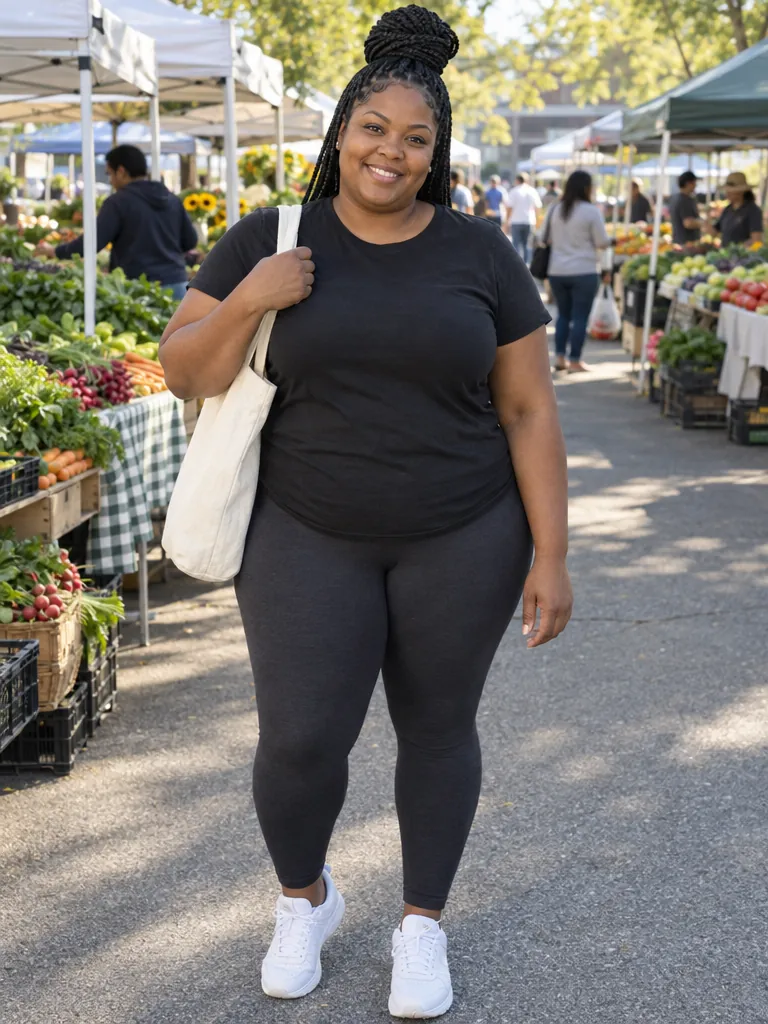 Her photo
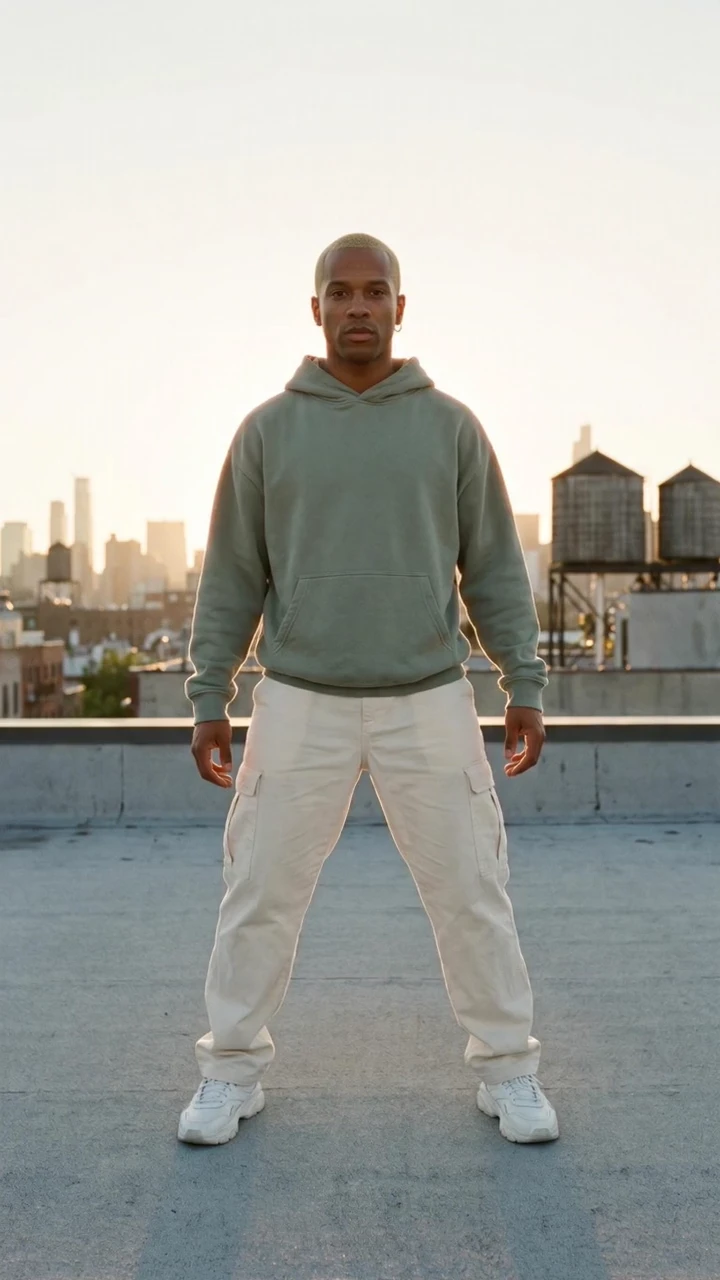
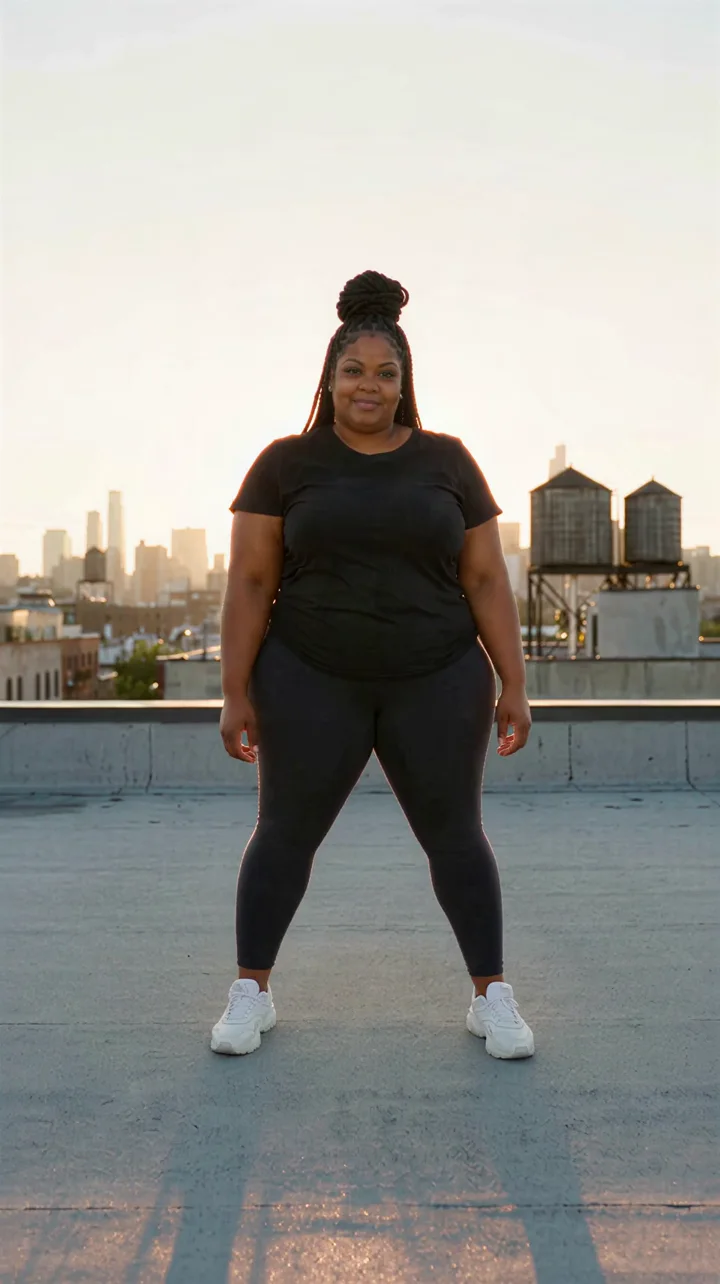
His side steps, his half turn and his point at the camera, on the same rooftop at the same moments, danced by her: her face, braids, body and outfit. Nothing typed.
Use this clip ↗How to make a body swap video
The rooftop swap above is these three steps on one of Made’s clips, with her photo in place of the clip’s stand-in.
- 1
Add the video
Open Recast and add an MP4 or MOV of 4 to 30 seconds with the person in full view, or start from the rooftop clip on this page.
- 2
Add the photo
Add one clear, full-length photo of who goes in, under Attachments: you, or an adult who agreed. On the rooftop clip, tap Use your photo to put yours in place of its stand-in.
- 3
Generate
Nothing to type. The exact price is on the button. You get the same video with that person in it, every move at the same moment, saved to Assets.
Body swap a photo
The same photo of her, through Character Swap: her photo under Your character, a red carpet photo under Target image, nothing typed. She takes the place, in the photo’s pose, light and gown.
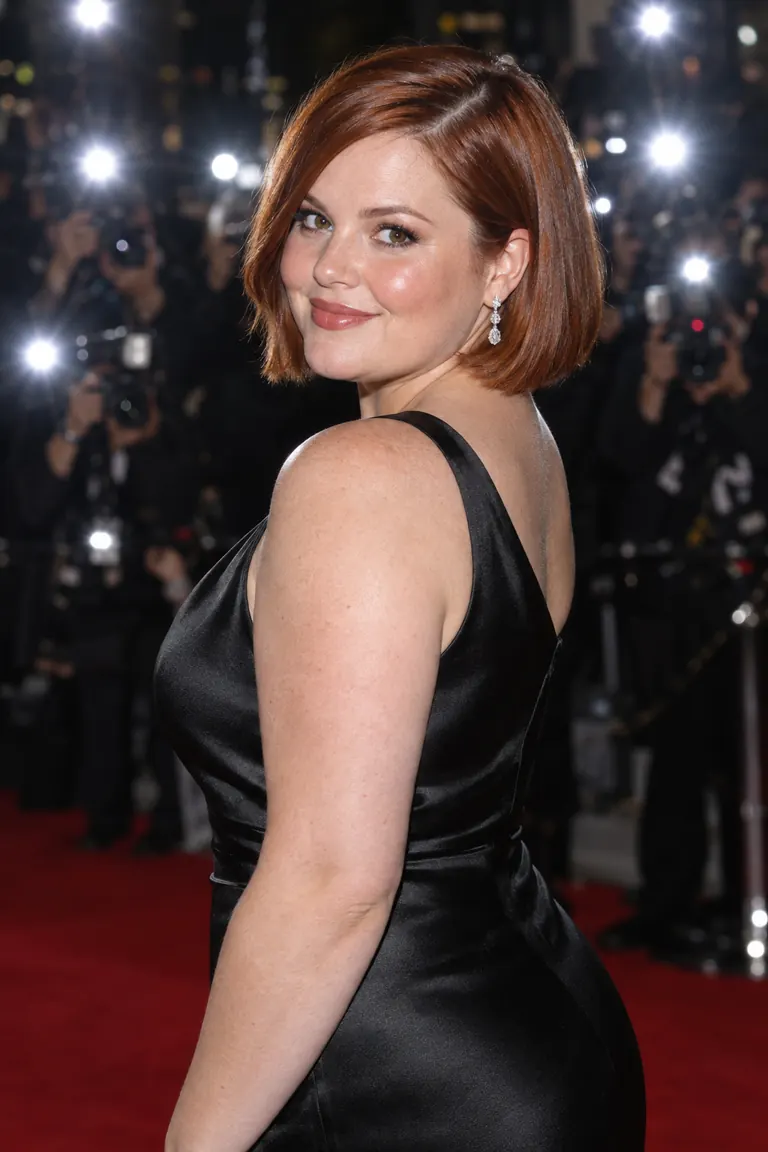
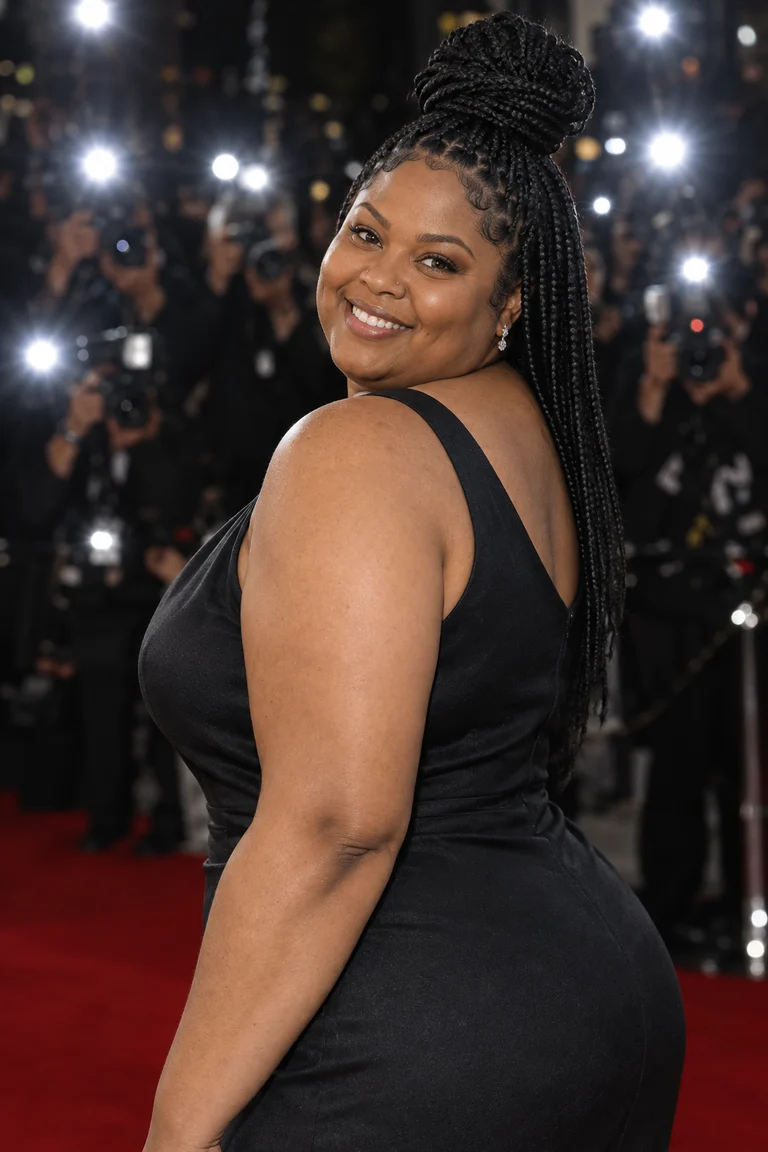
She takes the place on the red carpet: her face, braids and figure, in the over-the-shoulder pose, the black gown and the flashes of the photo.
Body swap, head swap or face swap?
They change different amounts of the person. Pick the one that matches what should stay.
Questions about AI body swaps
What is an AI body swap?
Putting a different person in place of the one in a video or photo, while the moves or the pose, the camera and the place stay. In a video, Recast takes the face, hair, body and outfit from one photo. In a photo, Character Swap takes the face, hair and figure, and the photo’s outfit stays. A face swap changes only the face, and a head swap the face and hair.
How do I make a body swap video?
Open Recast, add the video and one full-length photo of the person who goes in, and generate. You don’t have to type anything. Recast Pro takes clips of 4 to 30 seconds and keeps the clip’s own sound.
Can I body swap a photo?
Yes, with Character Swap. Add the photo of the person who goes in under Your character and the photo to swap into under Target image, then generate. They take the target’s place, pose and light. Use a full-length photo: ours brought her figure along, where a selfie brings only the face and hair, a head swap. In our red carpet example nothing was typed and the gown stayed; Creative direction takes a sentence if you want something kept or changed.
Which photo works best?
One person, head to toe, face clearly in view, in good light. The face, hair, body and outfit come from it, so anything the photo doesn’t show is made up to match. For a video, a clip with the whole body in frame works best.
What stays the same?
The moves and their timing, the camera, the framing and the place, and with Recast Pro the clip’s sound. It’s a new video made from yours, not a cut and paste, so small details can shift: compare the result with your clip before you post it.
How long can the video be?
Recast Pro takes 4 to 30 seconds and cuts a longer clip to its first 30. Recast Lite takes 4 to 15 seconds. Either one makes 480p, 720p or 1080p video; pick it in Options.
Can I swap more than one person?
Yes. Recast takes up to 10 photos, one per person. Say who goes where in Describe what to change, such as “@Image1 replaces the woman on the left and @Image2 the man on the right”.
How long does it take?
A few minutes: the 5-second rooftop swap took about four. You can leave the page; the video is saved to Assets. A photo swap in Character Swap takes under a minute.
How much does it cost?
It depends on the clip’s length and the resolution. The exact price is on the Generate button before you start, and failed runs are refunded.
Can I swap someone else into a video?
Only yourself, or adults who agreed to it, and never a public figure or a child. Don’t use a body swap to impersonate anyone, to mislead people, or to make sexual or humiliating videos of real people. Who is in the photo and the video is your responsibility.
Can I post a body swap video?
Yes, it’s yours to post. TikTok, Instagram and YouTube ask you to label AI-generated content, so switch that label on when you share.