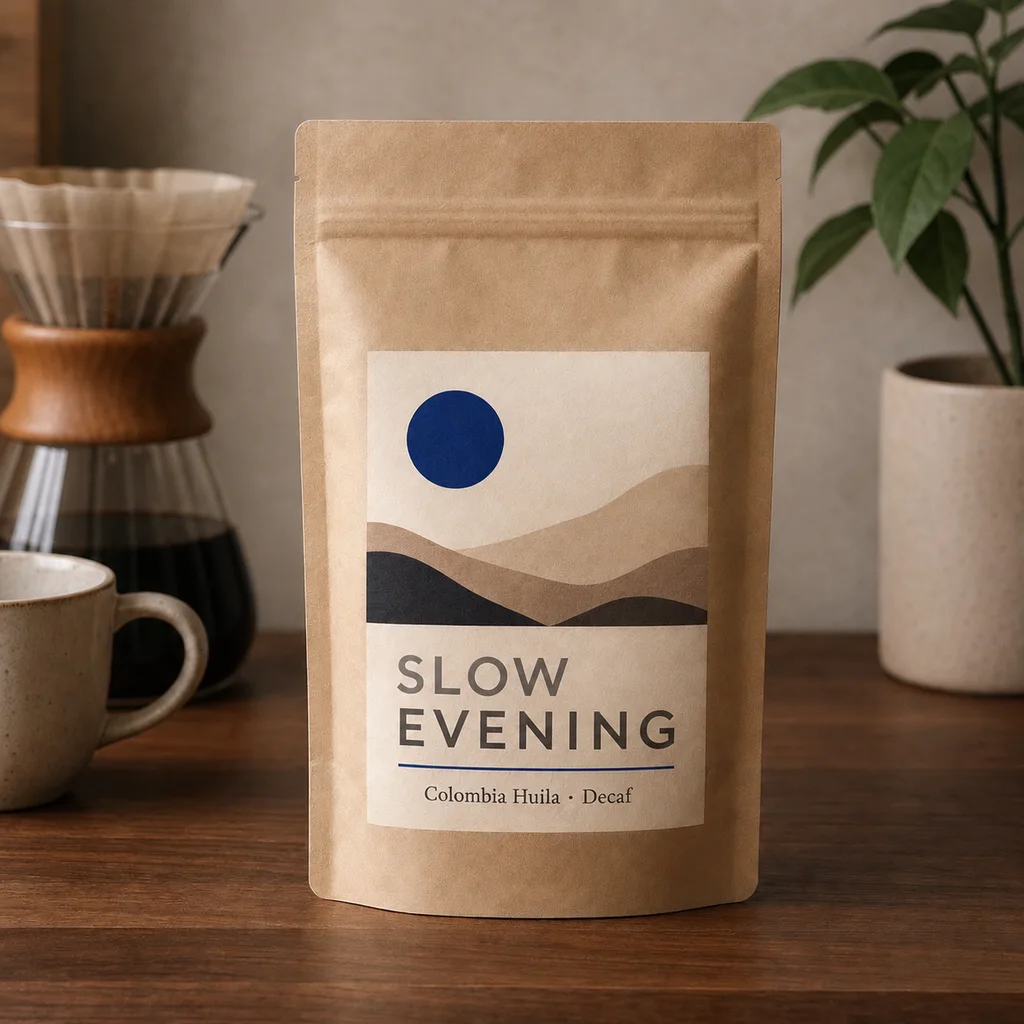
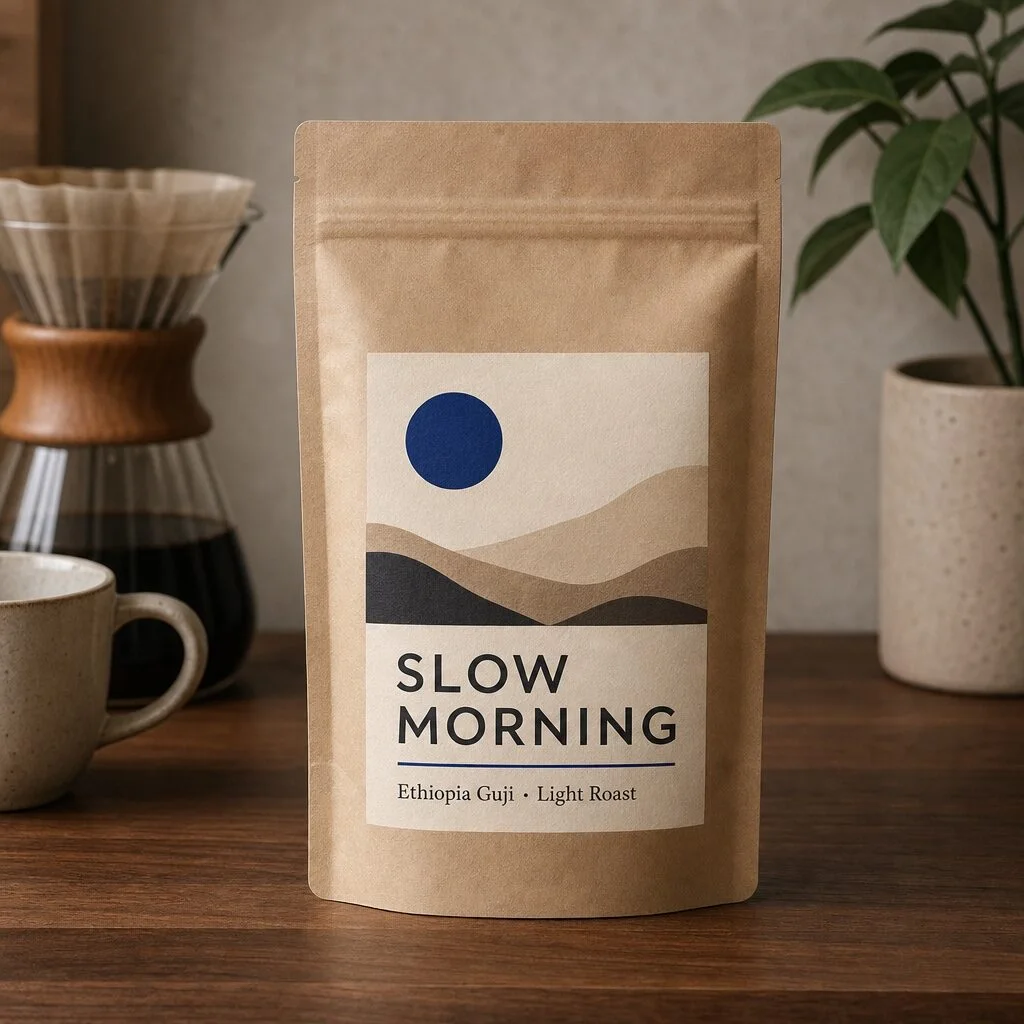
A product label
The same bag as an evening decaf: one word of the name and the whole second line, in the label’s own typefaces.
- SLOW MORNING changed to SLOW EVENING
- Ethiopia Guji · Light Roast changed to Colombia Huila · Decaf
Change the words on a photo, poster, label or screenshot. Made reads every line of text in your image, you type the new words, and they go back in the same font, color and place.
You sign in to use it. Finding the text is free; the price of the edit is on the Generate button before you start, and a failed edit is refunded.
A real result: the label’s two lines changed, nothing else.
Each one is a picture as it went in, the lines Made read from it, the new words typed in, and what came back. Drag across a picture to compare, or open it in the tool and type your own words.
The same bag as an evening decaf: one word of the name and the whole second line, in the label’s own typefaces.
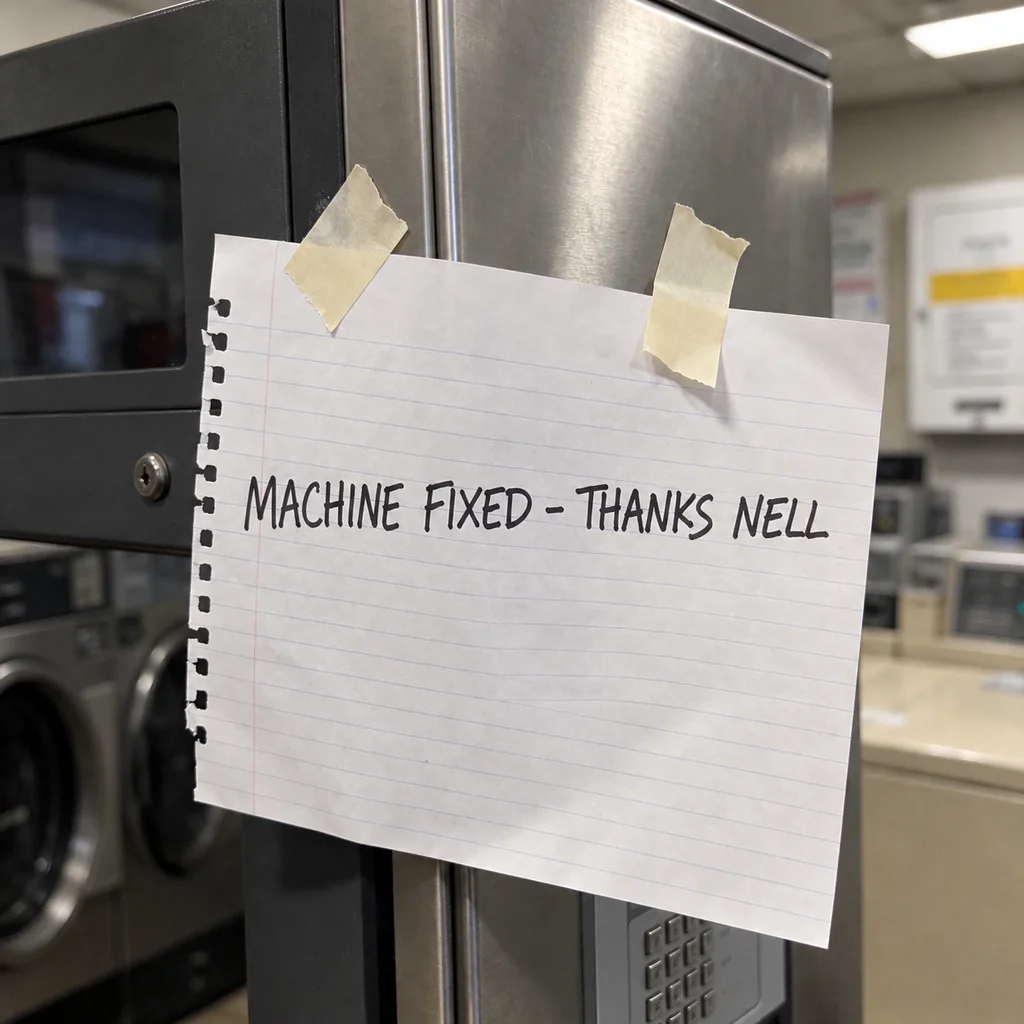
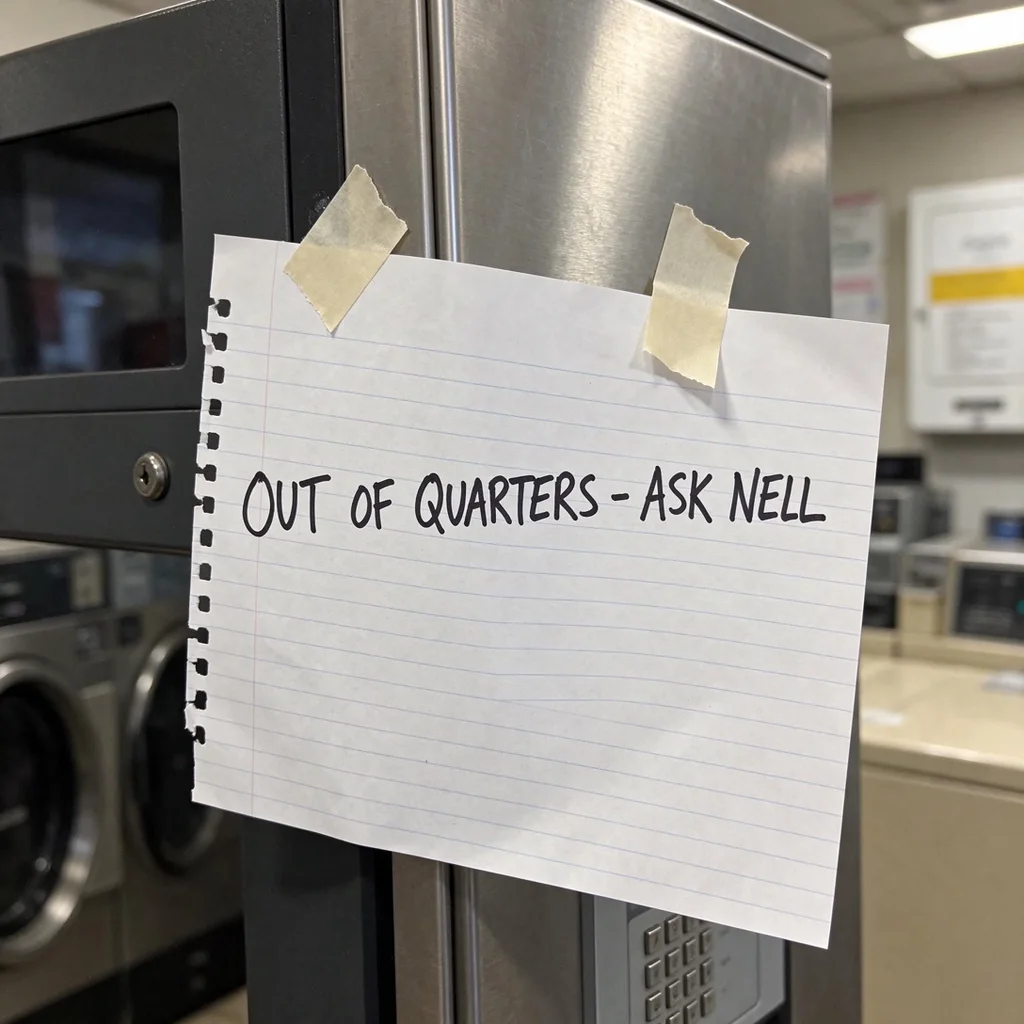
A note taped to a change machine, rewritten in the same marker handwriting.
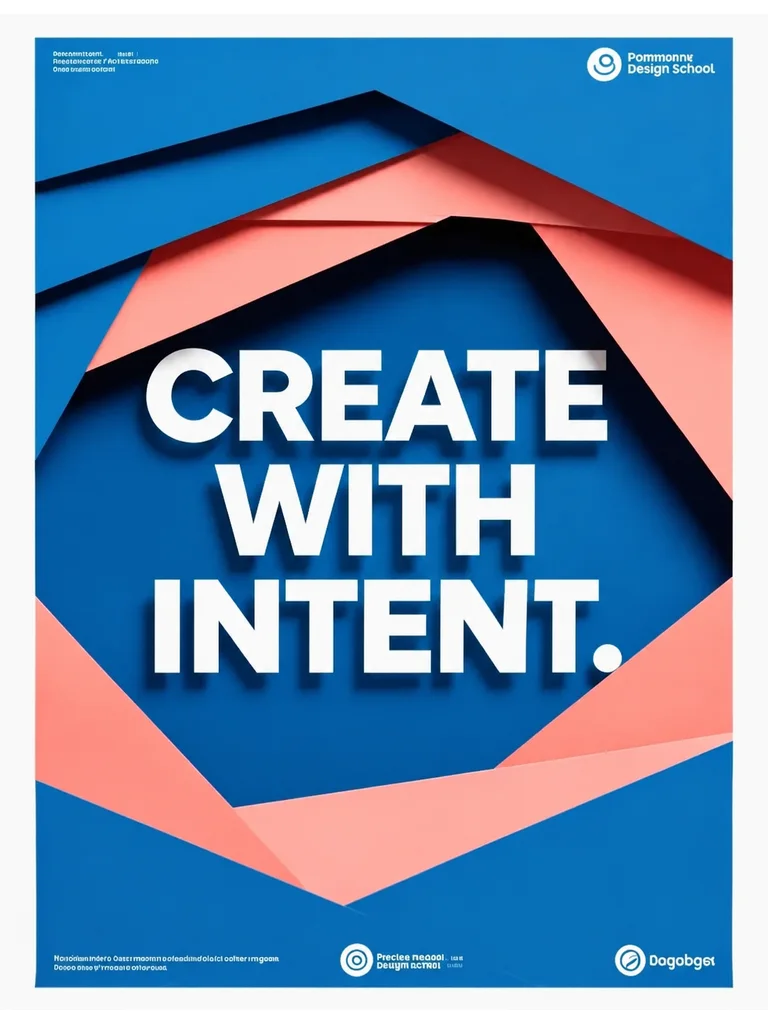
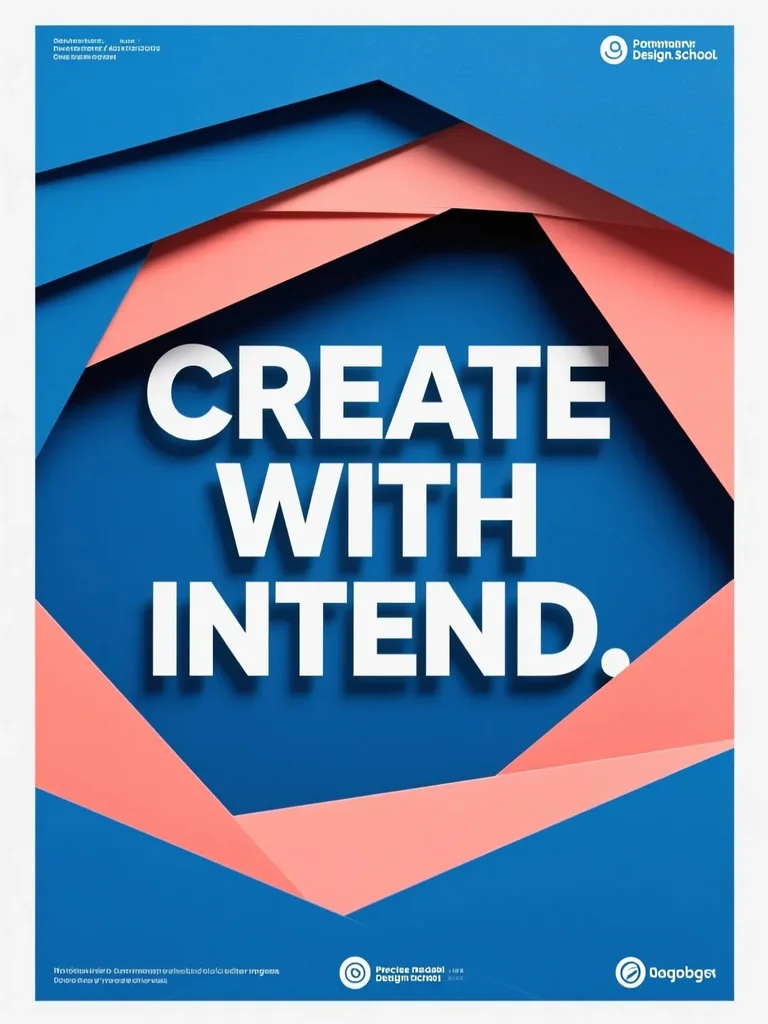
The headline’s typo fixed in the same white type and shadow, with the paper shapes untouched.
Upload a photo, poster, label or screenshot with text on it: JPG, PNG or WebP up to 10 MB and under 40 megapixels.
Press Detect text. Made lists each line it can read, up to 40, in reading order. Detecting is free.
Change any line, or clear one to remove it, then press Generate. The price is on the button first. Compare the edit with your original and download it.
Correct a misspelled word on a poster, a flyer or an AI image without making the design again.
Update the prices on a menu photo or a sale banner, or the date on an invitation.
Try a new name, flavor or tagline on a product photo before you print the label.
Type each line in another language. The new words take the place and style of the old ones.
Open Edit Text, upload the image and press Detect text. Made lists each line it reads. Type the new words under the lines you want to change, press Generate, then compare the result with your original and download it.
You don’t pick a font. Made asks the model to match the lettering that is there: the typeface, weight, color, spacing, perspective and shadows, in the same place. It changes the letter size only as much as the new words need to fit. Replacements close in length to the original match best, so check the edit up close.
Detecting the text is free. Changing it is paid per edit: the exact price is on the Generate button before you start, and a failed edit is refunded. You sign in to use it, in any browser, with nothing to install.
Yes. Edit Text works on photos as well as designs: signs, product labels, menus, handwritten notes and screenshots. The examples on this page are a product photo, a handwritten note and a poster.
Made asks the model to change only the lines you edited and keep the layout, colors, objects and every other word. It is a generative edit, so fine print and textures can shift slightly. Use Show original in the tool to compare, and run it again if a line needs another try. Your original file is never changed.
Yes. Clear a line and leave it empty: Made removes that text and rebuilds what was behind it. To take all the text out of an image at once, use Remove text from an image.
Yes. Type the translation under each line and it goes in the same place and style. Check accents and letters in the result, especially in a script with different letter shapes.
JPG, PNG or WebP up to 10 MB and under 40 megapixels.
Made reads text it can see clearly and skips tiny or blurry lettering, up to 40 lines. Use a sharper image or crop closer to the words, then press Detect again.
A PNG in the size closest to your image’s shape: 1024 × 1024, 1024 × 768, 768 × 1024, 1536 × 1024 or 1024 × 1536, and 2560 × 1440 or 1440 × 2560 for 16:9 and 9:16. For a larger file, run it through Image Upscaler.
Yes. On a phone the controls open in a sheet: add the image, detect the text, change the lines and generate.
Only on images you have the right to edit. Don’t use it to alter documents, IDs, receipts, screenshots of conversations or anything meant to mislead people.