The workflow
Write the story
Open Animation Studio. Under “What story are we telling?”, write what happens, up to 1,200 characters. Keep to one place and two or three characters, and give each character a name and one thing to do. Three beats (something is found, something changes, something ends) fill three shots. The story ideas under the box fill in an example you can change.
Choose the look and the length
Pick a Style: Anime, 3D feature, Stop-motion, 2D cartoon, Storybook, 90s anime, Paper cutout or Graphic novel. Set Number of shots (3, 4, 5 or 6), Format (Wide 16:9 or Vertical 9:16) and Sound (Sound effects or Dialogue). Tap Generate. Made writes the storyboard and stages every shot in 3D, which is the previs the camera work comes from. Under Storyboard you can rename shots, change what happens, who is in each one and how long it runs, or open a shot with Edit in 3D.
Draw the cast
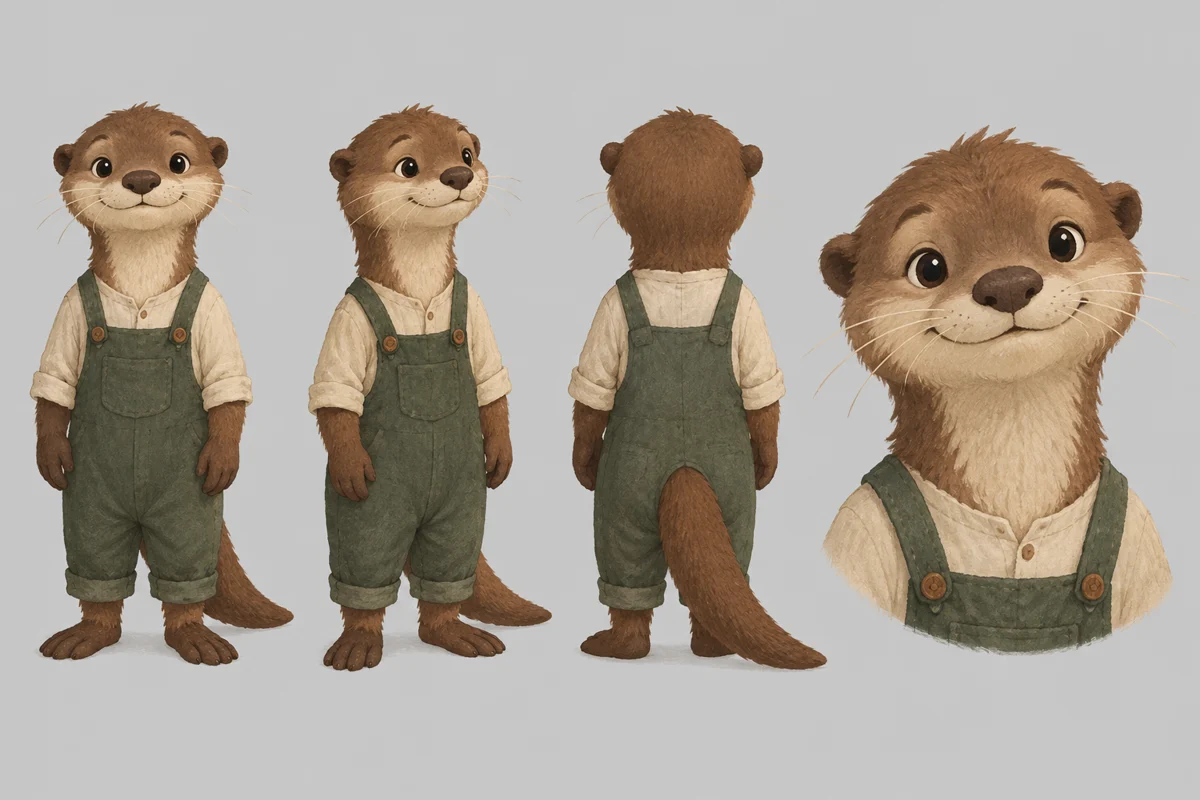
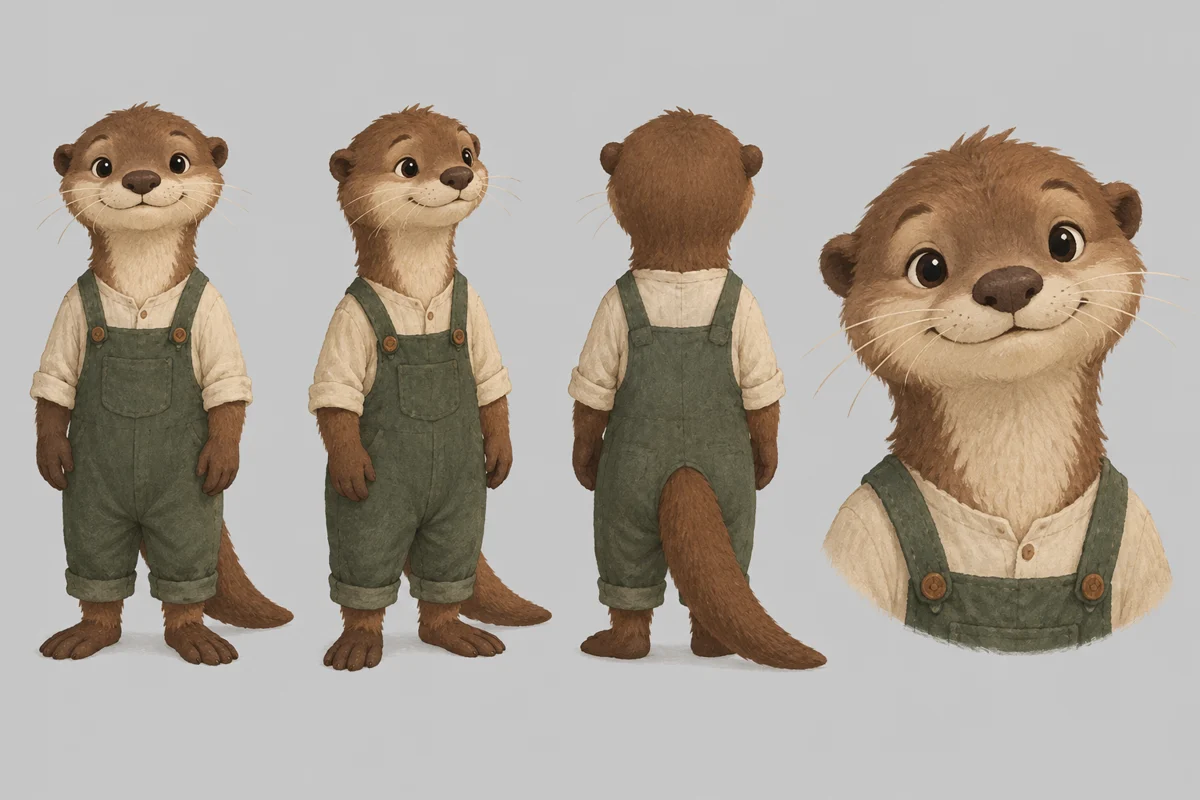
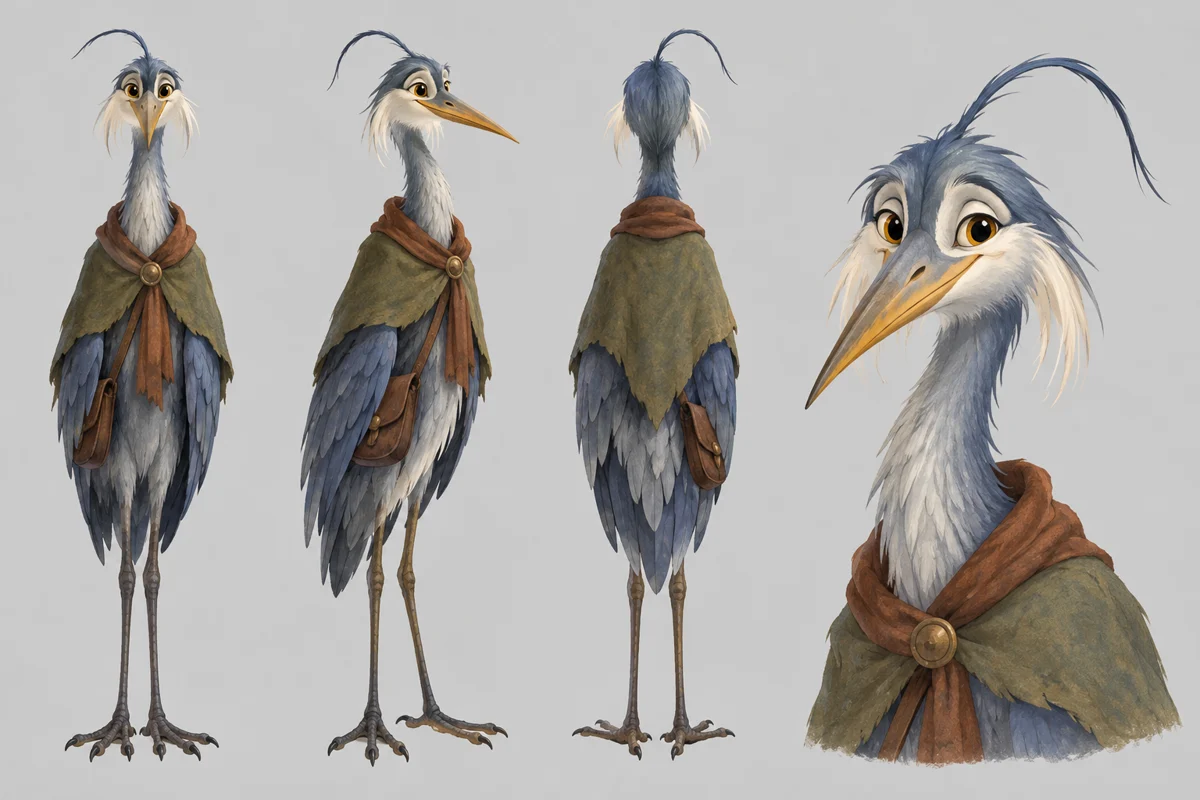
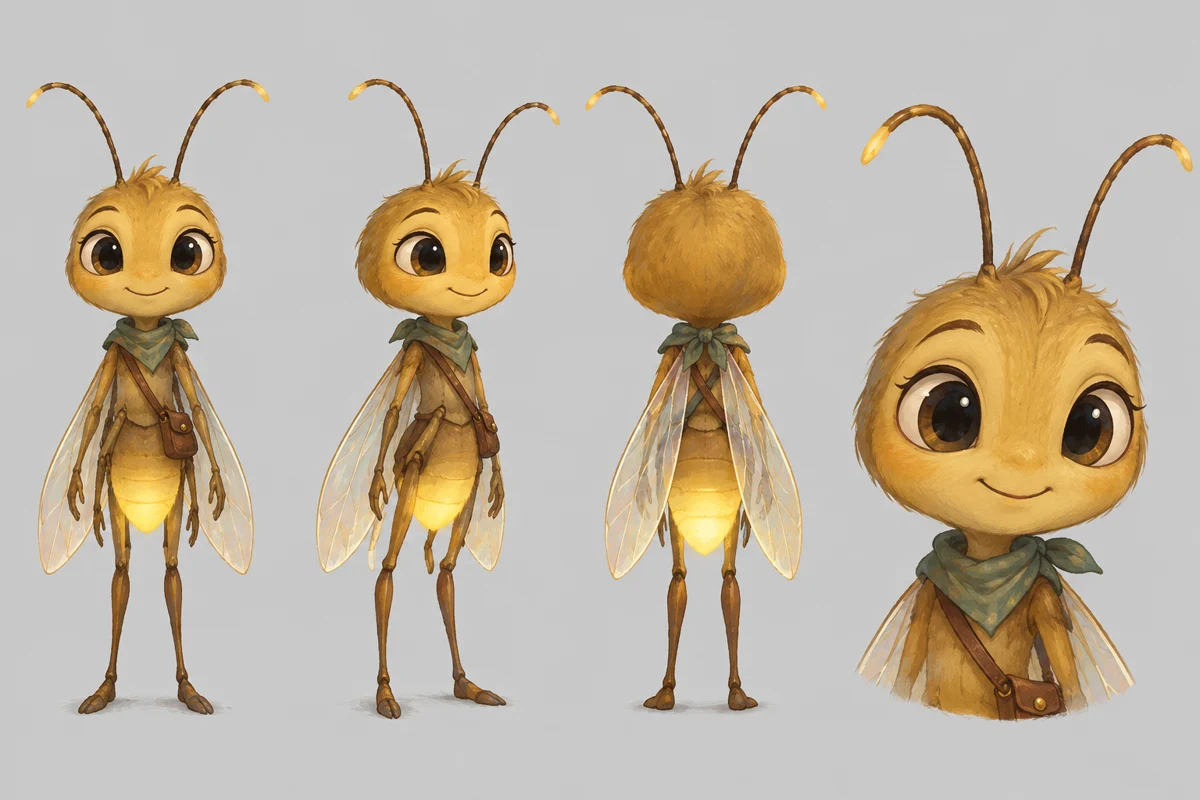
Under Cast, each character gets a sheet and each place a painted set, in your style. Tap Draw sheet or Paint set, or Generate to make all that are missing. Read each one against the storyboard: the sheet is what every shot is filmed from. To change one, write a sentence and tap Fix, or use Use my own art for a drawing you own.
Film the shots
Under Film, leave Seedance 2.5 and the size as they are, or pick another, and tap Generate. Each shot is filmed from its 3D previs, with the sheets of the characters in it and the set as references. A shot takes a few minutes and you can keep working. If one is off, tap Film again on that shot for a new take, and choose a take with Take 1, Take 2 and so on.
Cut and download
Under Cut, tap Export the film. The shots are joined in your browser, each with its own sound, and Download the film saves one MP4. Watch it through once before you share it: look at faces, props and what each character does in each shot.
Recorded Made demonstration
The River Lantern: an otter, a heron and a firefly in three shots
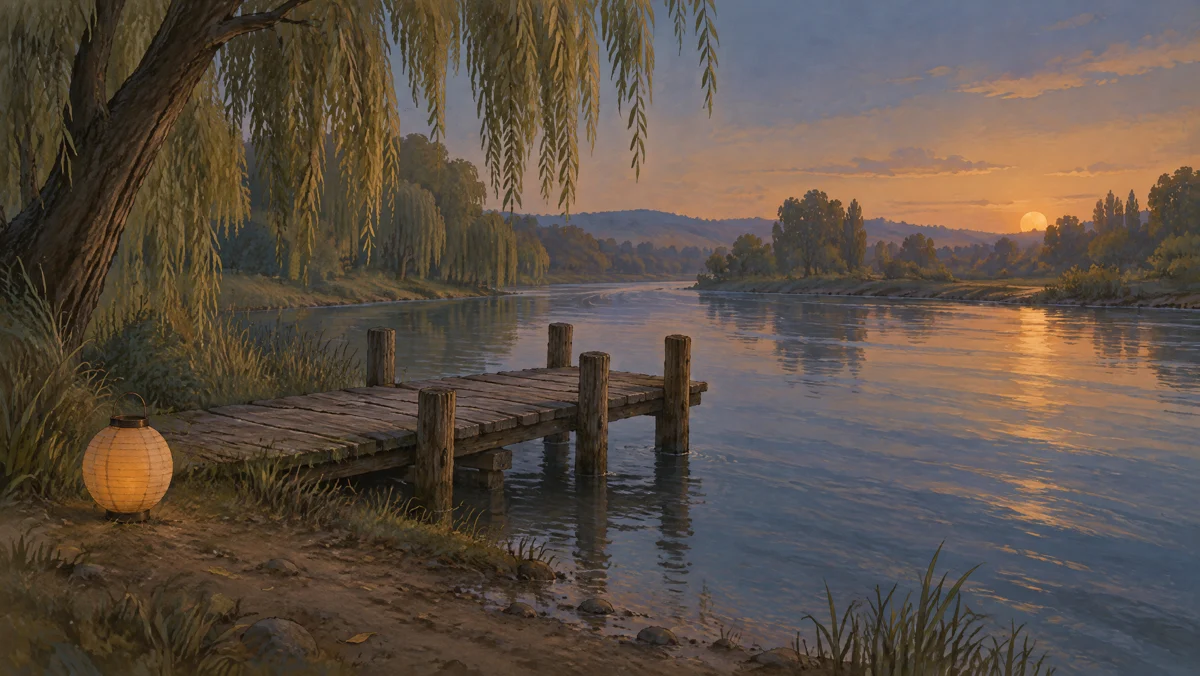
This is a real Animation Studio run from November 16, 2026, made from a script rather than clicked through the browser. The story is one Made wrote for this guide, with made-up characters: three sentences about an otter named Pim who finds a paper lantern on a river dock, a heron and a firefly who light it, and the three of them watching it drift away. Settings: Storybook, 3 shots, Wide 16:9, Sound effects. The storyboard writer chose three characters (Pim, an old heron and a firefly named Flick) and one place; the 3D staging blocked out all three shots in the same dock; GPT Image 2.5 Flare drew the three sheets and the set; and Seedance 2.5 filmed the shots at 480p from the previs, the sheets and the set. The result is 19 seconds, 854 by 480, with sound. What held: Pim, the heron and Flick match their sheets in every shot, the dusk light and the dock stay the same, and the lantern warms from pale to bright in shot two. What did not: Pim is small in shot one and moves on all fours, not upright as on his sheet; the lantern is crumpled in shot one and a smooth round one in shot two; and in shot three Pim stands beside the lantern and it drifts away, but he is never seen pushing it. The previs is the blocky 3D version shown just before the result: it sets where things go and the camera, and the film follows it loosely. It is one run, not a measure of how often a short holds together.
Seedance 2.5 · Generated · View the example record and price basis (JSON)
Prompts you can inspect and adapt
Prompt recipe to adapt
Your story, in three beats
At [time of day] a [small animal or person, with a name] [finds or wants something] at [one place]. [A second character] [does one thing that changes it]. In the end, [what the two of them do or see].Fill in the brackets. One place and two or three named characters keep the cast small, and each sentence becomes a shot: what is found, what changes, how it ends.
Story typed for this run
The story typed for this run
At dusk a small otter named Pim finds a paper lantern washed up beside a wooden dock. A tall old heron lowers its head, and a firefly lights the lantern. Pim pushes it onto the water, and the two of them watch it drift away down the river.Pasted into “What story are we telling?” with Storybook, 3 shots, Wide 16:9 and Sound effects. Animation Studio wrote everything else from it.
Recorded generation prompt
What the tool sent for the last shot
Made Animation Studio. Use @Video1 as the previs for this shot: match its camera move, framing, timing, and where every character and object is and how it moves. @Video1 is a flat-shaded 3D blockout, so every simple shape in it is a stand-in; never show mannequins, boxes, untextured geometry or a grid. In the blockout, the orange dog "Pim" is Pim: draw this character exactly as on the character sheet @Image1; the grey bird "Elder Heron" is Elder Heron: draw this character exactly as on the character sheet @Image2; the yellow bird "Flick" is Flick: draw this character exactly as on the character sheet @Image3; the orange lantern "Paper lantern" is a small glowing amber paper river lantern; Pim nudges it off the muddy edge and it floats rightward with the current; the orange box "Dock plank" is a worn timber board across the dock; the grey box "Dock plank" is a weathered timber board; the orange box "Dock plank" is a pale, worn timber board; the brown cylinder "Near dock post" is a thick, weathered mooring post beside the shore. Use @Image4 only for the look of Willow River Dock: its materials, colors, light and style. The layout, framing and every position come from @Video1. A character sheet shows one character from several angles, so each character appears only once. Film the finished shot: In gentle storybook animation, Pim nudges the glowing lantern from the muddy edge into the river. It drifts screen right, Flick's light warming its paper walls. Pim and Elder Heron remain by the dock, watching it go beneath the dusky willow branches. Sound: natural sound effects and ambience only, no speech and no music. A painterly storybook animation: soft gouache textures with visible brush strokes, gentle edges and a warm muted palette, like a picture book come to life. Keep each character's face, hair, outfit, colors and proportions exactly as on their character sheet, in this art style.Animation Studio builds this itself from the storyboard, the 3D previs and the character sheets, and sends it to Seedance 2.5 with the previs as the video and the sheets and set as images. You don’t write it.
How an animated short is priced
Every step is paid separately: the storyboard and staging, each character sheet and set, and each shot. Each button shows its price before you spend anything, and the shot price depends on how long it runs and the size you film at.
More shots, longer shots, more characters or places, and a larger film size all cost more. Redrawing a sheet or filming a shot again is priced as a new step. The size is set to its smallest option, which is the least expensive.
Price source: Animation Studio · Checked
Fewer shots and a single place keep a first try small. A step that fails isn’t charged. If a shot comes out wrong, you pay only to film that shot again, not for the whole film.
What to review before you use the result
| What you see | What to try |
|---|---|
| A character looks different in one shot | Check the sheet first: every shot is filmed from it. If the sheet is right, tap Film again on that shot for a new take, and if the character is small in frame, open the shot with Edit in 3D and bring it closer to the camera. In this example Pim was drawn upright on his sheet but moves on all fours in the first shot, where he is small. |
| A prop changes shape between shots | Each shot is filmed on its own, so a small prop can drift. In this example the lantern is crumpled in shot one and round in shot two. Describe the prop in the storyboard text for every shot it is in, and film the odd one again. |
| What you wrote did not happen on screen | The film follows the 3D previs, so an action the previs does not show can disappear. In this example Pim never visibly pushes the lantern. Open the shot with Edit in 3D to see what was blocked out, or change what happens in the shot and restage it from the text. |
| It says it can’t make the film, or a step is stopped | Use an original story. Animation Studio does not film photos or likenesses of real people, and it can refuse a story. A step the model’s safety filter stops is not charged: change the wording and try again. |
| The film looks soft or small | Shots are filmed at 480p unless you pick a larger size under Film, and larger sizes cost more. Pick a size only for a film you plan to keep. |
| The story is too long or has too many parts | The story box holds 1,200 characters, a film has 3 to 6 shots from the first screen, and 3 characters and 3 places at most. For a longer story, make it as several films with the same characters. |
Questions about this workflow
How do the characters stay the same from shot to shot?
Each character is drawn once on a sheet, and every shot they are in is filmed with that sheet as a reference, along with the painted set. In the example, the otter, the heron and the firefly matched their sheets in all three shots. Small details such as a prop can still drift, so check every shot.
Do I need to know 3D or animation?
No. The tool stages every shot in 3D for you from the storyboard, and shots in the same place share one set. If you want more control, open a shot with Edit in 3D and move things by hand.
Can I make a kids’ story?
Yes, with made-up characters. Animals and small creatures work well, as in the example. The Storybook style gives a picture-book look. Animation Studio does not make films from photos of real people, so describe new characters.
How long can the film be?
From the first screen, 3 to 6 shots of 4 to 8 seconds each, so roughly 12 to 48 seconds. The example is three shots and 19 seconds. A longer story works best as several films with the same characters.
Can I add speech?
Yes. Set Sound to Dialogue and the storyboard gives characters short spoken lines that are lip-synced. The example used Sound effects, so it has no speech.
Can I fix one shot without redoing the film?
Yes. Change what happens or who is in the shot, restage it from the text or edit it in 3D, and film it again. Earlier takes stay, and you choose which one goes in the cut.
Do I need to sign in?
Yes, to run it. Your story stays in the box while you sign in, and your film is saved on this device.
Work with Claude and Made
Animation Studio runs in the tool. With the Made connector in Claude, you can build a smaller version by hand: make a character image, then film each shot with a video model that takes that image as a reference and join the clips. The 3D previs, the shared sheets and the cut are what the tool does for you.
Conversation starter
Ask your assistant
Use Made to make a short animated story about a small otter named Pim and a heron who light a paper lantern on a river dock at dusk. First make one painted storybook character sheet for each of them, then film three short shots with Seedance 2.5 using those sheets as references, and join them with compose_video. Show me the price of each step before you run it.Claude takes more steps than the studio does and has no 3D previs to hold the camera and positions. For a film with a cast that stays the same, use Animation Studio.