4K detail study
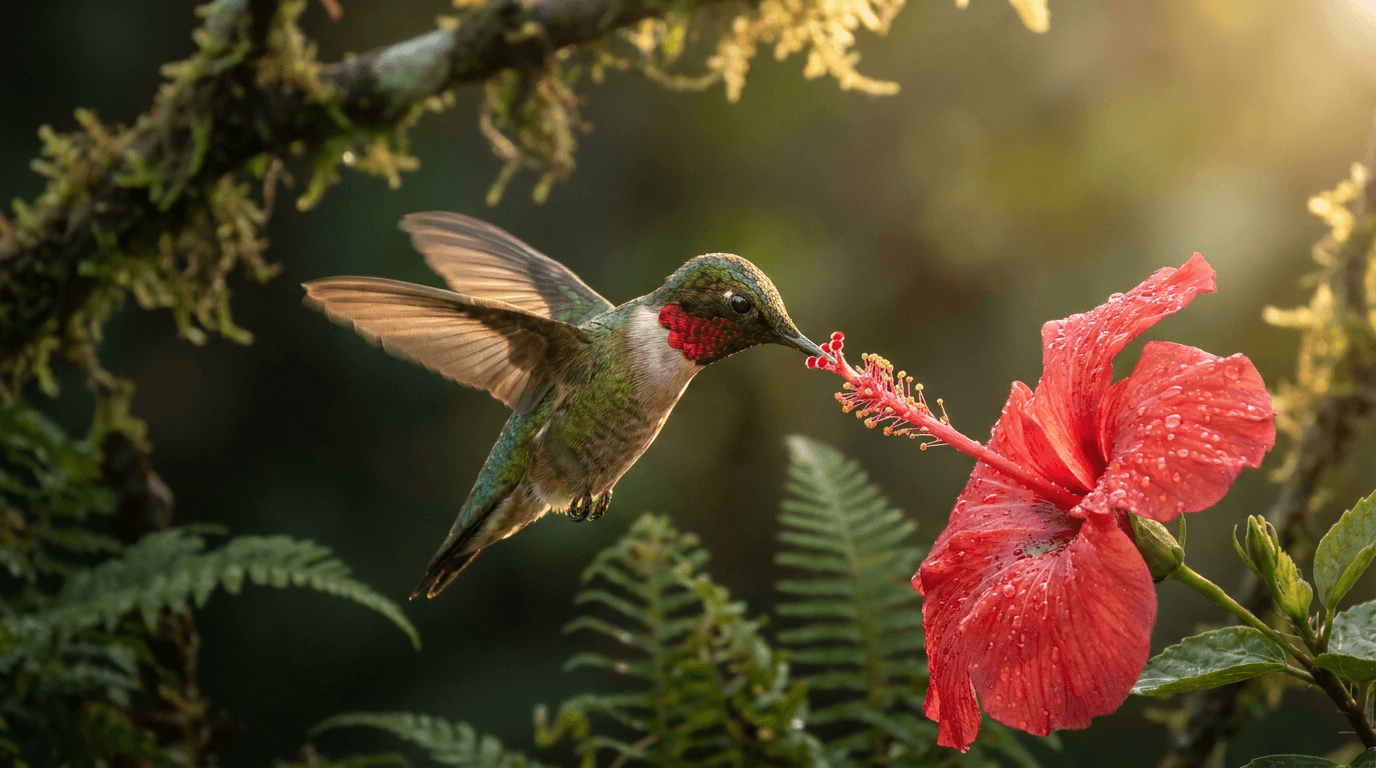
“A hummingbird hovers at a red hibiscus in morning light, every iridescent feather sharp, wings a soft blur, dew beading on the petals, the camera holding a slow macro push-in, faint wing hum.”

Kling AI · video model
42 credits / second · every plan · price breakdown · API playground
Made with Kling 3 4K · 4K detail study
Kling 3 4K renders Kling AI’s third-generation video model directly at 3840×2160, with no upscaling pass. It makes 3 to 15 second clips from text or from a start image, with an optional end frame and native audio.
Original results
These examples use media produced for Made. Prompts are included when the production record allows them.
“A hummingbird hovers at a red hibiscus in morning light, every iridescent feather sharp, wings a soft blur, dew beading on the petals, the camera holding a slow macro push-in, faint wing hum.”
“The watchmaker lowers the gear into place with the tweezers, the balance wheel starts to swing, light glints across the engraved brass, a soft mechanical ticking, the camera holding steady.”
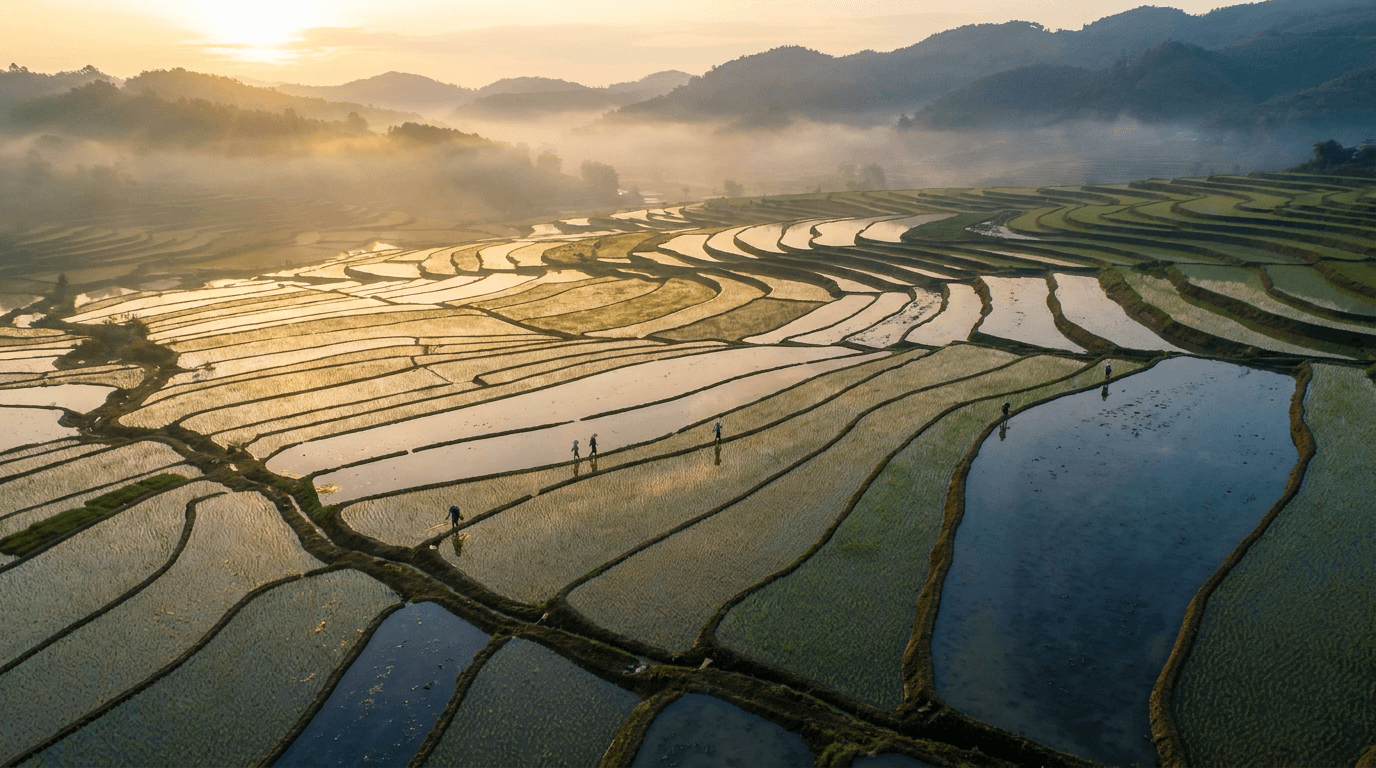
“A drone glides over terraced rice fields at sunrise, mist lifting from the valleys, flooded paddies mirroring the gold sky, tiny figures walking the ridges, birdsong and a distant breeze.”

“Use this image as the opening composition.”
“Set the scene as a still before describing its motion.”
“Plan the shot as a still, then hand the motion to the model.”
These are the controls exposed by Made, which may be narrower than a provider’s full API.
Write a prompt on its own, or add a start image (and optionally an end frame) to anchor the clip.
4K rewards texture: name surfaces, light, and small movements the extra resolution can show.
Pick 16:9, 9:16, or 1:1 for text-to-video and a duration between 3 and 15 seconds.
Lock the motion with Kling 3 Pro or Kling O3 Pro first, then render the final take here.
video
Kling 3 Pro is the benchmark tier of Kling AI’s third-generation video model, generating 3 to 15 second clips with optional native audio and the cinematic motion the Kling line is known for.
Explore model →video
Kling O3 Pro is Kling AI’s realism-focused O3 line, generating 3 to 15 second clips with steady, believable motion and optional start and end frames for controlled transitions.
Explore model →video
Seedance 2.5 is ByteDance’s newest video model in Made, generating clips up to 30 seconds in a single pass with native audio at 480p to 1080p — the longest single-shot ceiling in the Made library.
Explore model →Turn any image into a captivating video. Upload a photo, describe the motion you want, and watch AI bring it to life with realistic movement, cinematic camera work, and professional quality.
Open tool →Create scroll-stopping product photos and marketing visuals in seconds. Describe your shot, pick your style, and get professional images ready for your store, social feed, or ad campaign.
Open tool →It is Kling AI’s third-generation video model rendering natively at 3840×2160, instead of generating at a lower resolution and upscaling.