Treat each ratio as a separate composition
The template preserves one source but reviews every delivery independently. A crop that works in landscape can remove the focal subject when reused in a narrow Story frame.
Turn one approved source into a reviewed set of Story, square, portrait, and landscape deliveries without stretching the image or losing its focal subject.
Created with Made · Reviewed for rights, safety, and workflow accuracy.
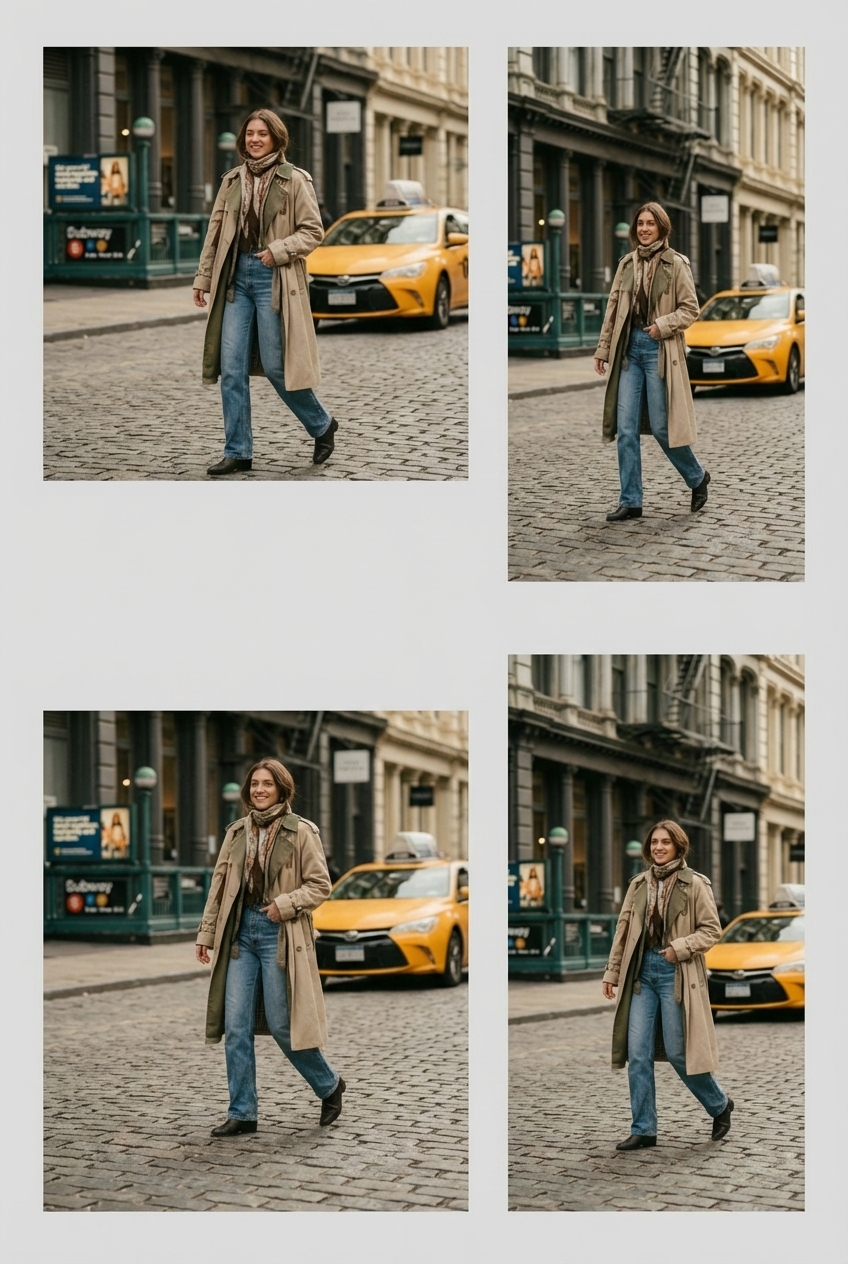
The template preserves one source but reviews every delivery independently. A crop that works in landscape can remove the focal subject when reused in a narrow Story frame.
Crop-to-fill produces edge-to-edge media, while fit-with-padding preserves the full image. The template records that decision for each output instead of applying one hidden default to the whole set.
Required inputs
Made can prefill the tested batch request and route it through the Image Resizer. Add the source, confirm the destinations, and review the fit rule for each result.
Tested workflow
Prompt
Create 9:16 Story, 1:1 square, 4:5 portrait, and 16:9 landscape versions of this image. Keep the subject recognizable, never stretch the source, and use padding only when cropping would remove the focal subject.
Made Auto was tested to interpret the batch instruction and route the deterministic dimension work to the published Image Resizer workflow.
Start with the highest-resolution source and identify the focal subject that must survive every crop.
Record each platform placement with width, height, and output format.
Use edge-to-edge cropping where safe and padding when the full subject must remain visible.
Inspect each composition, verify its dimensions, and use destination-specific file names.
The workflow separates immutable source content from destination-specific crop decisions, so a single approved master can produce several auditable exports.
Original Made media
Example
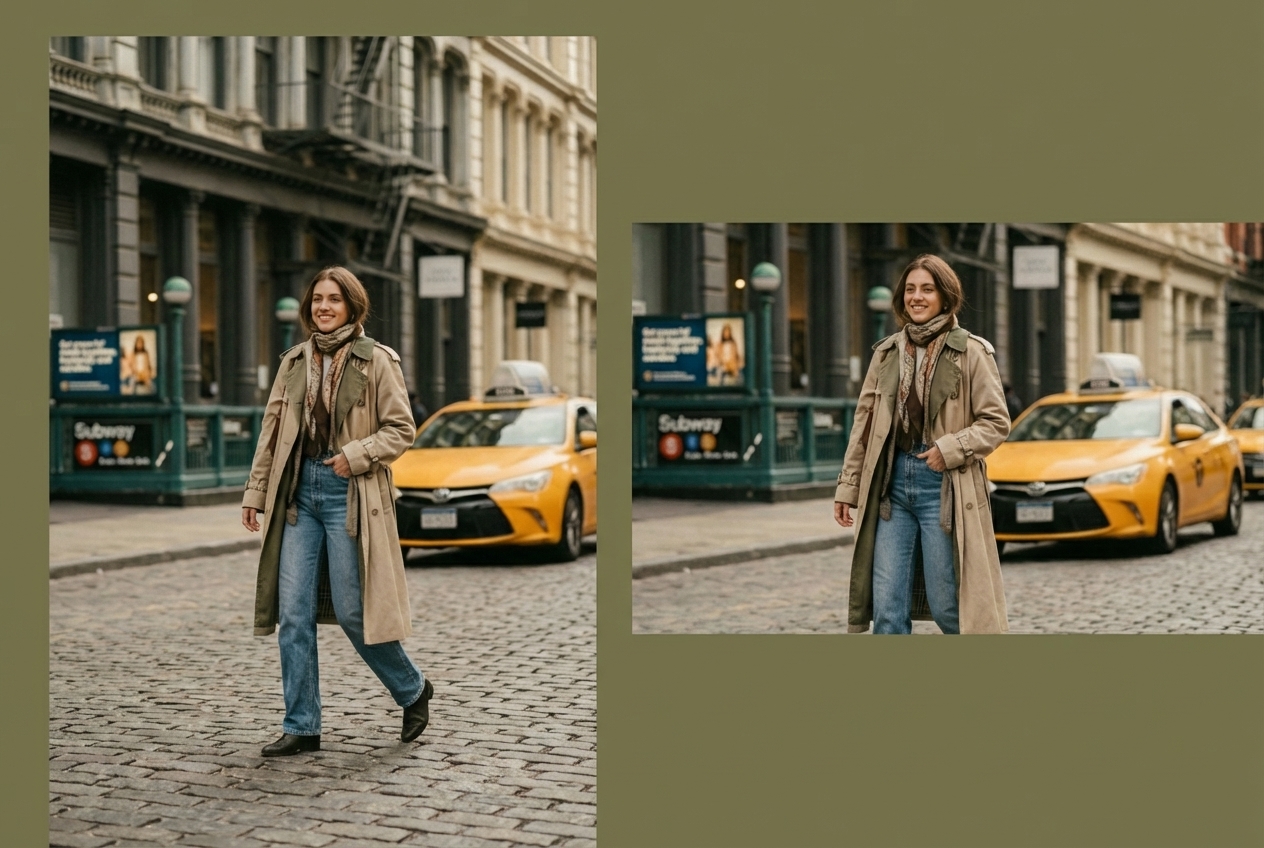
One street portrait delivered as Story, square, portrait, and landscape formats with the focal subject reviewed in every crop.
Example
A portrait source fitted into a 1080 × 1920 social delivery while preserving natural proportions and keeping the full subject readable.
Example
A single street portrait adapted into exact portrait and landscape deliveries, showing why each aspect ratio needs its own crop review.