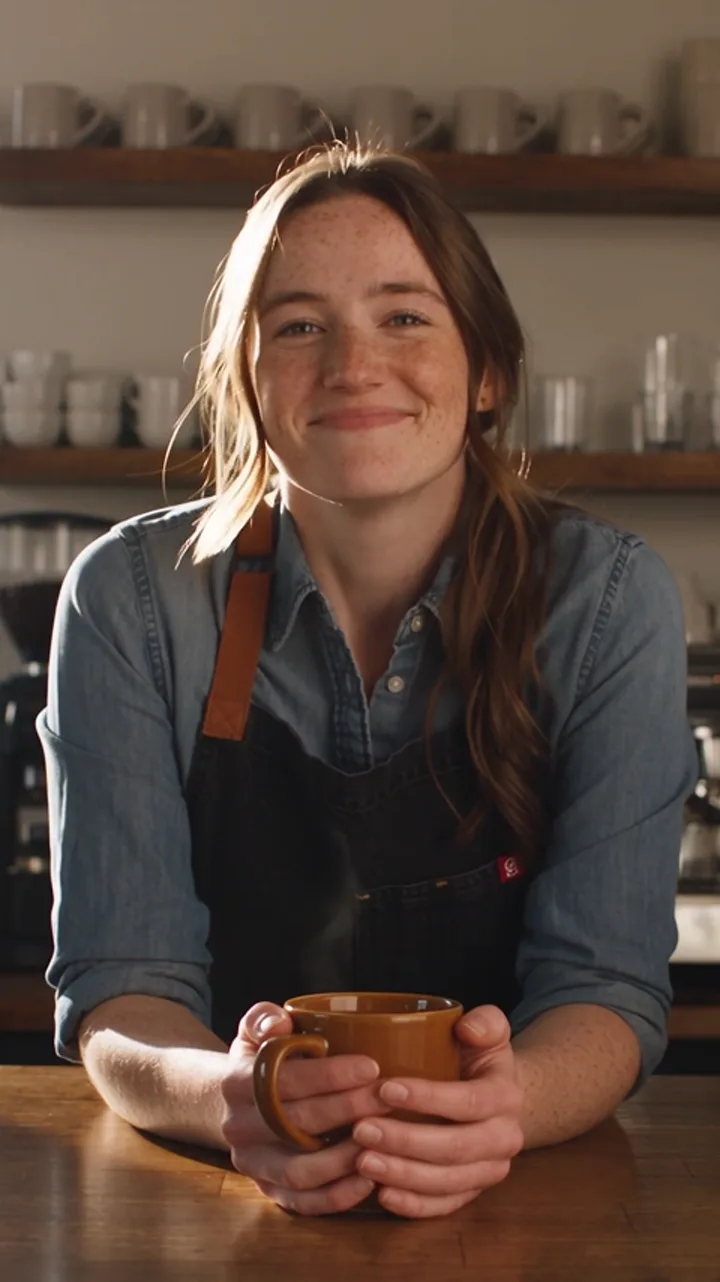
The workflow
Write the shot, quoted lines, and ambient sound
Draft a short scene in plain language: framing, who is on camera, where they are, and the exact words they say inside quotation marks. Keep a 5-second clip to one or two short lines (around 8 to 12 words total) so the voice has room for a brief opening beat and a natural pause. Finish with one concrete sound cue — such as soft espresso steam or quiet room tone — and add “no music, no on-screen text or subtitles” if you want clean dialogue.
Open the AI Video Generator and check the model
Open the AI Video Generator. It starts on Seedance 2.5 with Sound switched on. If you want to compare another native-audio model, open the Model menu and pick Seedance 2.5 Flash, Veo 3.1, or Veo 3.1 Lite. Text alone is enough to invent the character and setting; if you want the clip to begin on an existing image, tap “Add a start frame” (the + button on a phone) and upload a JPG, PNG or WebP up to 25 MB (iPhone HEIC photos are converted automatically). Seedance 2.5 also accepts a second image as the End frame.
Set Aspect ratio, Duration, Resolution, and Sound
In the prompt box (“Describe the shot: subject, action, camera move, sound”), paste your prompt, then check the chips underneath. Aspect ratio starts on Auto on Seedance 2.5; choose 9:16 for Reels, TikTok or Shorts, or 16:9 for widescreen (21:9, 4:3, 1:1 and 3:4 are also there; Veo 3.1 offers 16:9 and 9:16). Set Duration to match your lines — 4 to 30 seconds on Seedance 2.5 (4 is the default), or 4, 6 or 8 seconds on Veo 3.1. Resolution starts at 480p on Seedance 2.5, with 720p, 1080p and 4K above it. Leave Sound on rather than Silent.
Tap Generate and wait for the clip
Check the price shown on Generate and tap it. If you are not signed in yet, Made prompts you to sign in and your prompt stays saved. A card appears in the tool right away while the video renders, and plays with sound as soon as it finishes; the 5-second example took just over three minutes.
Listen through and inspect lip sync before exporting
Play the finished clip with volume up. Verify every spoken word against your script, watch mouth shapes on vowels and pauses, and check hands, props, and eyes for drift. If the voice rushes or a word slips, shorten the quoted line by two or three words, bump Duration up by a second or two, or run a fresh take before switching to a higher resolution.
Recorded Made demonstration
A five-second coffee-bar clip with two spoken lines and cafe sound
This is a real run from November 28, 2026 on Seedance 2.5 with no start frame attached: 5 seconds, 480p, 9:16, and Sound left on. The request matches what the AI Video Generator sends for the prompt below, run through Made’s API from a script rather than clicked through the browser. The character is a fictional adult woman generated by Seedance 2.5 behind a wooden coffee bar. A speech transcript of the finished 5.06-second clip returned both quoted lines word for word: “Morning rush is finally over. Time for the first cup.” The stereo AAC audio track carries her voice over quiet espresso steam and cafe clink, with no music and no stray on-screen text. Across five inspected frames from 0.2s to 4.86s, her face, apron, rolled sleeves, ceramic mug, and hands gripping the mug stayed consistent, moving from a closed-mouth smile at 0.2s into active speaking mouth shapes at 1.26s, 2.53s, and 3.79s, then back to a relaxed smile at 4.86s. Two honest quirks to know from this take: speech starts after about a 1.1-second lead-in (running from 1.08s to 4.64s with a 0.26s pause between lines), so ten words filled nearly the entire clip; and at 480p, fine steam wisps and background coffee-bar details stay soft at full size. It is one run, not a promise that every take lands cleanly on the first try.
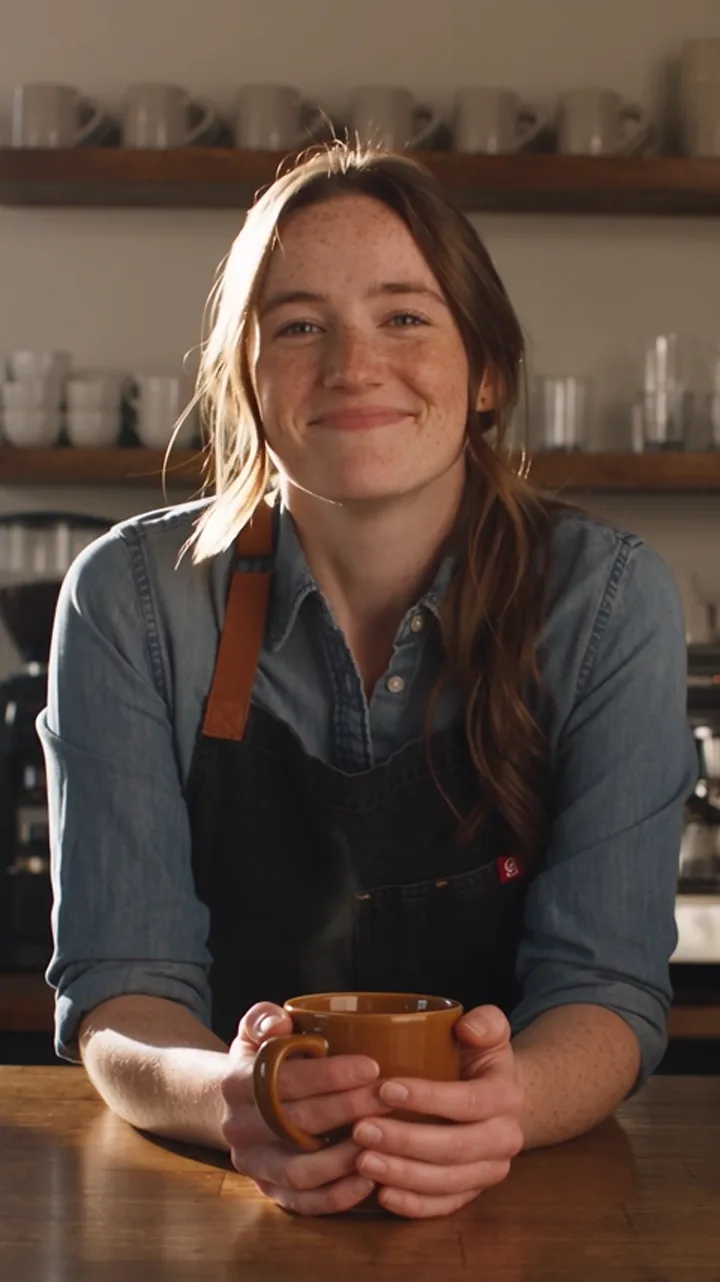
Seedance 2.5 · Generated · View the example record and price basis (JSON)
Do it again: turn one dialogue prompt into a repeatable series
Creators making UGC hooks, host intros, or short episodic scenes get cleaner results by keeping framing, camera direction, and room sound constant while changing only the quoted line and gesture between takes.
Anchor a recurring host with a start frame
Generate or upload one sharp portrait of your fictional host, then attach it with “Add a start frame” on every clip. The lighting, wardrobe, and face start from the same image while each prompt delivers a new spoken line.
Cut longer scripts into 5–8 second beats
Instead of packing a whole paragraph into one generation, write one two-line beat per clip so the voice keeps natural pauses and lip sync stays tight, then assemble the beats in sequence.
Test Seedance 2.5 and Veo 3.1 on the same line
If a voice tone or line cadence feels slightly off on one model, keep the same prompt and switch between Seedance 2.5, Seedance 2.5 Flash, Veo 3.1, and Veo 3.1 Lite in the Model menu to hear which delivery fits best.
Make more and next steps
Add word-by-word captions
AI Reframe
AI Reframe transcribes your clip’s spoken dialogue and burns in word-by-word captions in 9:16, 4:5 or 1:1 (for clips from 2 seconds to 10 minutes, under 4 GB). Review unusual names before posting, since AI Reframe has no caption editor.
Use one consistent narrator voiceover
Audio Studio
When you want off-camera narration or the exact same preset ElevenLabs voice across dozens of videos, generate the voice track in Audio Studio and combine it with your footage in the Made agent.
Sharpen a 480p draft up to 4K
Video Upscaler
Test your dialogue at 480p first, then run your favorite take through the Video Upscaler on SeedVR2 (2× or 4× up to 4K, for clips up to 20 seconds) while keeping the generated audio and frame rate.
Build cutaways and silent B-roll
Text to Video Generator
Explore text-to-video prompt ideas and model options when you want establishing shots, product B-roll, or visual cutaways to pair with your talking scenes.
Prompts you can inspect and adapt
Recorded generation prompt
What was typed for this run
Medium close-up vertical shot of a fictional woman in her late twenties behind a wooden coffee bar in soft morning daylight, wearing a canvas apron over a rolled-sleeve shirt, holding a warm ceramic mug with gentle steam rising. She looks straight at the camera with a relaxed smile and speaks clearly in a natural voice: "Morning rush is finally over." She pauses briefly, lifts the mug slightly, and adds: "Time for the first cup." Steady eye-level camera, natural skin texture, clear lip movement. Ambient sound: soft espresso steam hiss and quiet cafe clink in the background, no music, no on-screen text or subtitles.Sent to Seedance 2.5 as written, at 5 seconds, 480p, 9:16, with Sound left on and no start frame. Putting both short lines in quotation marks and specifying “no music, no on-screen text or subtitles” kept the speech clean and prevented stray captions.
Prompt recipe to adapt
Single-speaker UGC hook or host clip
Medium close-up [vertical / widescreen] shot of [character description and outfit] in [setting and lighting], holding [optional simple prop]. They look straight at the camera with a [relaxed / warm / direct] expression and speak clearly in a natural voice: "[First short line, 4 to 6 words]." They pause briefly, [one small gesture], and add: "[Second short line, 4 to 6 words]." Steady eye-level camera, natural skin texture, clear lip movement. Ambient sound: [one specific background sound], no music, no on-screen text or subtitles.Fill in the brackets. Keep each quoted line to 4–6 words for a 5-second clip so there is room for the opening beat and a brief pause between sentences.
Prompt recipe to adapt
Two-beat short scene with a sound cue
Medium shot of [character] at [location] in [lighting]. At the start, [opening action and sound cue, such as setting down a ceramic cup with a soft clink]. They look up toward the camera and say calmly: "[Spoken line under 10 words]." Steady camera on a tripod, shallow depth of field, natural room acoustics. Ambient sound: [subtle room tone matching the space], no music, no on-screen text or subtitles.Pairing a physical sound cue (like setting down a cup or closing a laptop) with one short line gives the native audio model a clear rhythm to sync around.
How a talking AI video is priced
By the model you pick, the length in seconds, and the resolution. The total appears on Generate before you run it.
Seedance 2.5 is priced per second, and higher resolutions cost more per second than 480p. Leaving Sound on does not change Seedance 2.5’s price, and adding an optional start frame does not change it either.
Price source: Made price sheet · Checked
Draft your dialogue at 480p and 4–5 seconds first so you can check lip sync, pacing, and tone before paying for a longer or sharper clip. If the priced provider fails, a backup provider can run the job at its own price, which can be higher. A run that fails is refunded.
What to review before you use the result
| What you see | What to try |
|---|---|
| The dialogue rushes or cuts off at the end | Expect roughly a one-second opening beat before speech starts (the example began speaking at 1.08s). Trim a 5-second clip to 8–12 words across one or two short lines, or raise Duration to 6–8 seconds. |
| Lip sync slips on certain words | Keep the camera steady at eye level and face the speaker toward the lens rather than in profile. Spell unfamiliar names the way they sound, shorten tongue-twisting phrases, or try Veo 3.1 in the Model menu. |
| Music or unwanted captions showed up | State explicitly at the end of the prompt: “no music, no on-screen text or subtitles,” and name one subtle ambient sound so the model fills the room tone without adding a music bed. |
| Hands, props, or facial features drift | Keep physical motion simple — one small gesture during a pause rather than fast movement — and attach a crisp portrait with “Add a start frame” when you want a consistent face and outfit. |
| The clip came back without audio | Check the Sound switch under the prompt on Seedance 2.5 or Seedance 2.5 Flash so it reads Sound instead of Silent. Veo 3.1 and Veo 3.1 Lite generate audio natively with no toggle. |
| Fine textures look soft at full screen | Seedance 2.5 opens on 480p. Once your script and delivery work, switch Resolution to 720p, 1080p or 4K, or upscale your finished clip in the Video Upscaler. |
Questions about this workflow
Which models in Made generate characters talking with synced sound?
The AI Video Generator opens on Seedance 2.5 with Sound switched on by default. Seedance 2.5 Flash, Veo 3.1, and Veo 3.1 Lite in the Model menu also generate spoken dialogue and ambient sound natively with the video.
How many words fit cleanly in a 5-second talking clip?
Plan on roughly 8 to 12 words — one or two short sentences — so there is room for a brief lead-in beat and a natural pause. In this guide’s 5-second example, ten words ran cleanly from 1.08s to 4.64s. For longer lines, raise Duration up to 30 seconds on Seedance 2.5, or 6–8 seconds on Veo 3.1.
Does leaving Sound on cost extra on Seedance 2.5?
No. Seedance 2.5 is priced by duration and resolution, and leaving Sound on does not change its price. You can tap the Sound switch to set Silent whenever you want a muted shot.
Can I make a specific photo talk instead of inventing a character?
Yes, two ways. Tap “Add a start frame” in the AI Video Generator to animate your photo while Seedance 2.5 or Veo 3.1 generates the voice and room sound, or use Lip Sync Studio when you already have an exact voice recording you want synced to a portrait.
When should I use native dialogue versus a separate voiceover?
Use native dialogue in the AI Video Generator when you want on-camera speech, synchronized lip movement, and matching ambient sound in one pass. Use Audio Studio when you want off-camera narration or the exact same preset voice across a whole series.
Do I need to sign in to generate?
You can open the AI Video Generator, write your dialogue prompt, and pick your settings first. When you tap Generate, Made asks you to sign in and keeps your prompt saved. The exact price shows on Generate before anything runs, and a run that fails is refunded.
Work with Claude and Made
With the Made connector in Claude, repeat creators can script a batch of talking hooks or scene beats, look up Seedance 2.5 or Veo 3.1 in Made’s catalog, quote each 5-second 480p draft before paying, and keep camera framing and ambient sound consistent across takes.
Conversation starter
Ask your assistant
Use Made to generate one 5-second vertical (9:16) talking video on Seedance 2.5 at 480p with native sound enabled. Prompt: Medium close-up vertical shot of a fictional coffee-bar host in a canvas apron behind a wooden counter in morning daylight, holding a ceramic mug with rising steam. She looks straight at the camera and says clearly: "Morning rush is finally over." Brief pause, slight lift of the mug, then: "Time for the first cup." Steady eye-level camera, natural skin texture, quiet espresso steam and cafe clink, no music, no on-screen text or subtitles. Show me the quote and exact prompt before running anything.If you want to start from a local character photo and your connected client cannot attach images, open /tools/ai-video-generator and add the start frame there.