
The workflow
Add 2 to 20 photos in order
Open AI Slideshow Maker and tap Upload photos, or paste them in. Add 2 to 20: JPG, PNG or WebP, up to 20 MB each; iPhone HEIC photos are converted for you. They’re listed in the order you add them. Remove one with its ×, or tap Add photos for more. Until there are two, the button reads Add 2 or more photos.
Ask for the music in Prompt
In Prompt, say what you want: the shape, how long each photo stays, cuts or fades, a slow zoom or pan, and the music’s mood, such as “upbeat acoustic”. Say “in the order I added them” if the order matters. The button on this page opens the tool with the request below already typed in. Left empty, the request is the page’s first suggestion, which doesn’t mention music.
Tap Open in Agent, then Run it
The Made agent opens with your photos and request and sends them. If you aren’t signed in, you sign in first; your message and photos are saved and sent when you’re back. The agent picks a music model and writes its prompt, then shows a plan with each step’s price and a total. Tap Run it, or Change something.
Get the video, then ask for changes
The agent makes the music first, then the slideshow. Each photo fills the frame, so its edges are cropped if its shape differs, and the music fades out at the end. The finished MP4 arrives in the chat, ready to download. Play it with sound, then ask in the chat for changes, like another track, louder music or whole photos with bars.
Recorded Made demonstration
Three trip photos, a 12-second vertical slideshow with music
This is a real run from November 12, 2026. Three photos of Leilani, a travel creator Made generated for its AI Influencer examples (not a real person), went in with the request below: 9:16, 4 seconds a photo, soft fades, a slow zoom and upbeat acoustic music. It was made with the same two steps the agent takes, sent through Made’s API from a script rather than chosen by the agent in a chat: a 12-second instrumental track from ElevenLabs Music v2.5, then the edit that puts the photos and the music together. The result is a 1080 × 1920 MP4. Each photo fills the frame, so the sides are cut off, and the 720 × 1080 photos look a little soft at that size. The picture dips to black for a moment at each change. The first try’s music stopped its beat at 8 seconds, so it was made again with a prompt that keeps the beat to the end; this is the second. The agent writes its own music prompt each time, so yours will sound different.
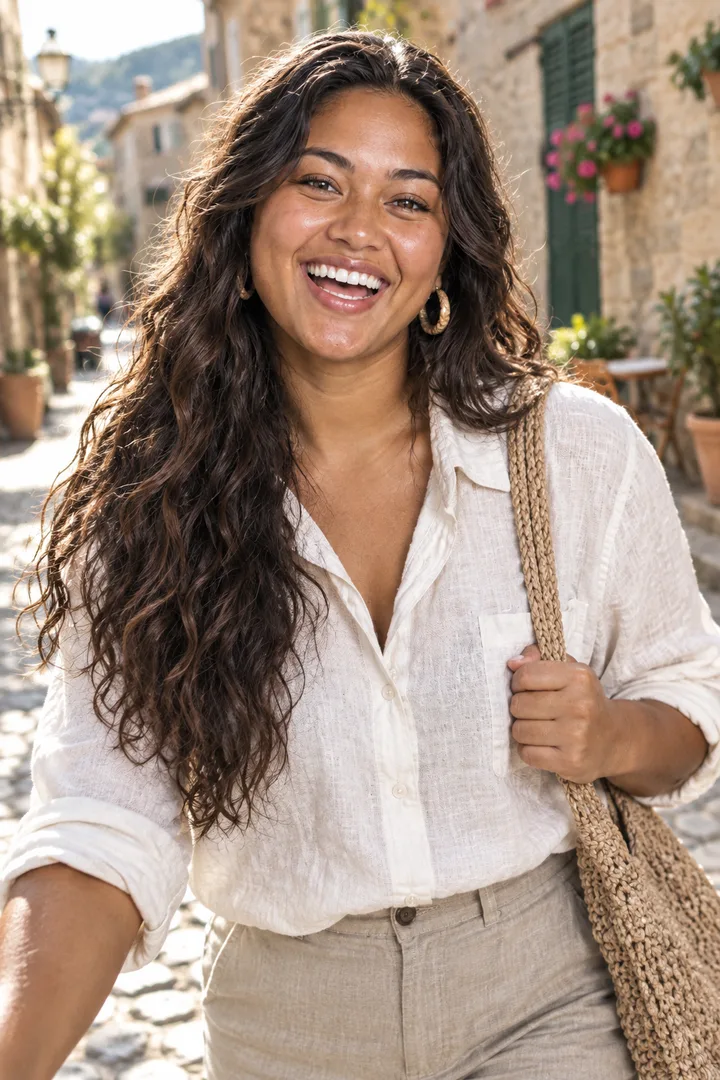
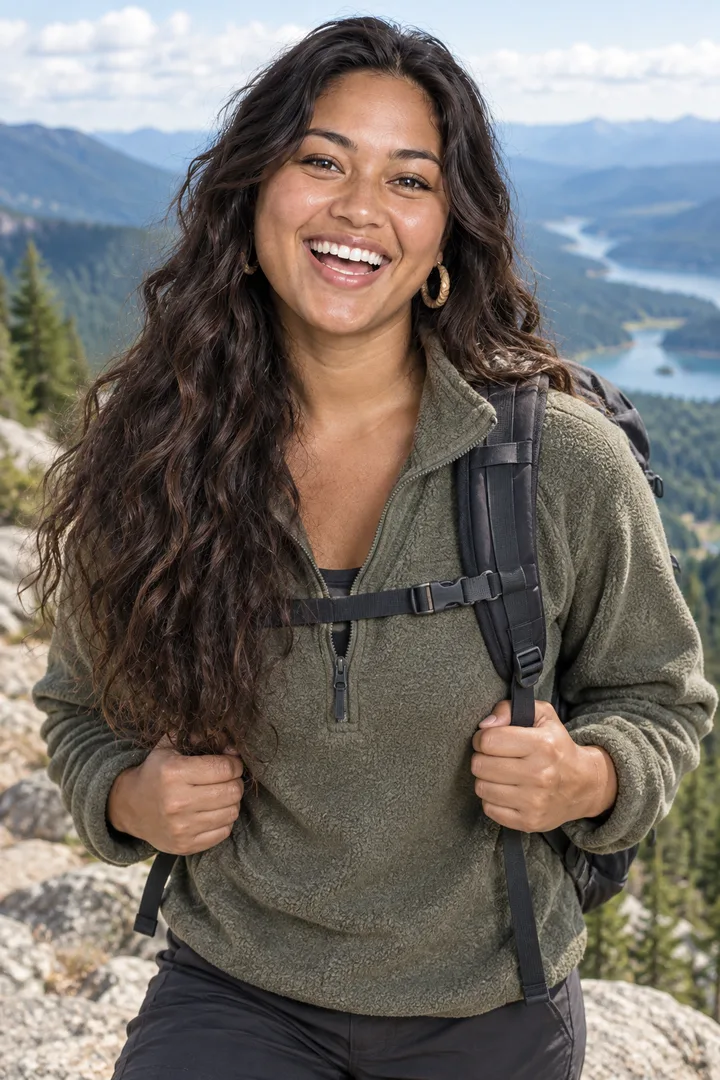
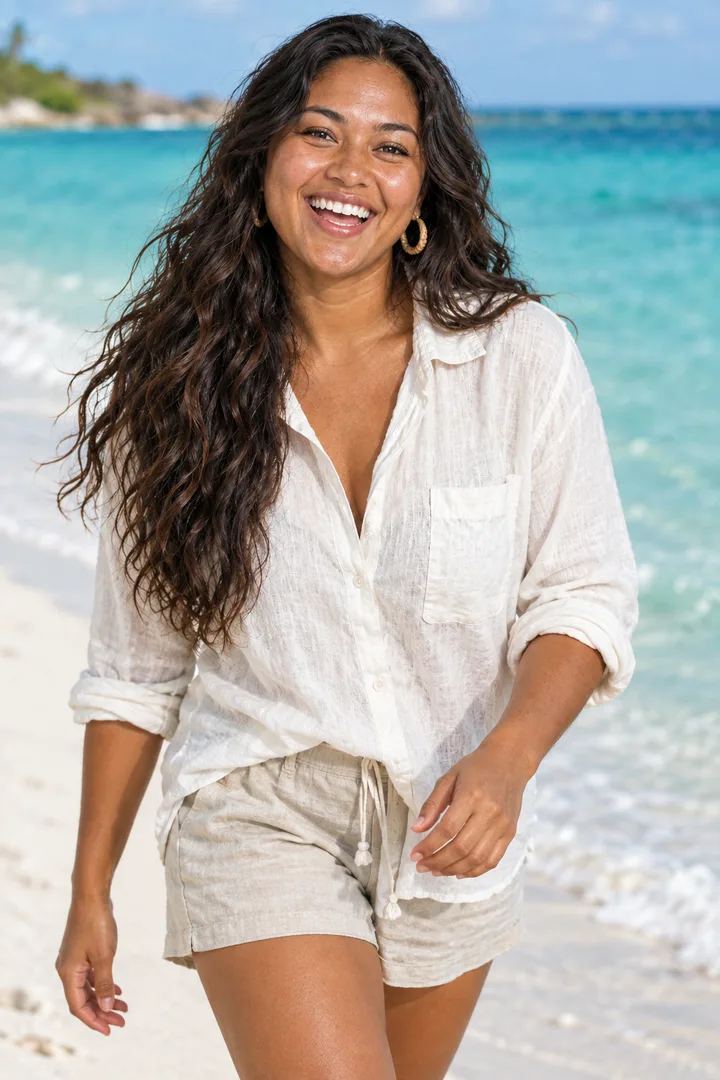
ElevenLabs Music v2.5, edited with compose_video · Generated · View the example record and price basis (JSON)
Prompts you can inspect and adapt
Prompt recipe to adapt
What to type before Open in Agent
Make a 9:16 slideshow from these photos in the order I added them, 4 seconds each, with soft fades and a slow zoom on each photo. Add an upbeat acoustic music track that fits the length.This is the request behind the example, and the one the button on this page types in for you. Add your photos, then change the seconds, the shape or the mood. The agent turns it into a music prompt and the edit’s settings.
Recorded generation prompt
The music prompt for this run
Upbeat, sunny acoustic travel track: bright ukulele and acoustic guitar strumming, light hand claps and soft shaker, warm and carefree, a steady tempo from the first second. Keep the full groove playing right to the last second: no fade-out, no slowdown and no final held chord. Instrumental only.The agent writes a prompt like this for the music model; for the example it was fixed. Asking for the beat to play to the last second leaves the ending to the video’s fade-out. The first try asked for “a clean ending”, and its beat stopped at 8 seconds.
How a slideshow with music is priced
Two parts: the music track, and the edit that puts the photos and the music together. The music depends on the model the agent picks and, on some models, the track’s length. The edit is priced by each started minute of video. The agent’s plan shows each part and the total before anything runs.
A slideshow is one music track and one edit. A longer slideshow costs more only if the music model charges by length or the video runs into another minute.
Price source: The Made agent’s plan card · Checked
The agent prices every paid step before the plan appears. A step it can only price after an earlier one finishes is marked about; if it comes out higher, the agent asks before running it.
What to review before you use the result
| What you see | What to try |
|---|---|
| The music stops before the photos do | Ask the agent for a new track whose beat plays to the last second, with no fade-out or final held chord. The video adds its own short fade at the end. That’s how the example above was fixed. |
| The edges of your photos are cut off | Each photo fills the frame, so a photo of another shape loses its edges. Pick the shape closest to your photos, like 3:4 for most phone photos, or ask the agent to show whole photos with bars. |
| The photos are in the wrong order | Say the order in your request, like “in the order I added them”, or number the photos. In the chat, ask the agent to make it again in the order you want. |
| The music is too quiet or too loud | Ask the agent to change the music level and make the video again with the same track. It can go from quiet, under speech, to full level. |
| The photos look soft | Small photos are enlarged to fill the frame, and 9:16 comes out at 1080 × 1920. Use the largest versions of your photos you have. |
Questions about this workflow
Can I use my own song?
Not in the agent. Its chat takes photos and videos, not audio files, so it makes a new track for you. To use a song you have, add it to the downloaded video in an editing app or in the app you post to.
How many photos can I use?
From 2 to 20 on AI Slideshow Maker. Each stays on screen 3 seconds unless you ask for another length, and a slideshow can run up to 5 minutes.
Can I make it vertical for Reels and TikTok?
Yes. Ask for 9:16, which comes out at 1080 × 1920. 16:9, 1:1, 4:3 and 3:4 work too.
Can I put words on the slides?
Yes. Ask for text over a photo, like a title on the first one. The text on each photo can be up to 180 characters.
Do I need to sign in?
Yes, to run it in the agent. You can add the photos and the request first; if you sign in from the agent, your message and photos are saved and sent when you’re back.
Work with Claude and Made
AI Slideshow Maker hands your photos to the Made agent. With the Made connector in Claude you can run the same two steps: make a music track with a music model, then put the photos and the music together with compose_video, quoting each first, if the connected client can upload your photos.
Conversation starter
Ask your assistant
Use Made to turn my attached photos into a 9:16 slideshow in this order, 4 seconds each, with fades and a slow zoom on each photo. First make an upbeat acoustic instrumental track as long as the slideshow with a music model, then put the photos and the music together with compose_video at full music volume. Quote each step and show me the prices before running anything.If your client can’t upload photos, use AI Slideshow Maker with the same request; it hands everything to the Made agent.