Describe the portrait, not only the canvas
A useful portrait resize prompt protects the recognizable person, headroom, hands, and body proportions. Exact dimensions alone cannot decide which parts of a wide environmental portrait should remain.
Create square, vertical, and circular portrait deliveries while protecting identity, natural body proportions, headroom, and transparent mask edges.
Created with Made · Reviewed for rights, safety, and workflow accuracy.
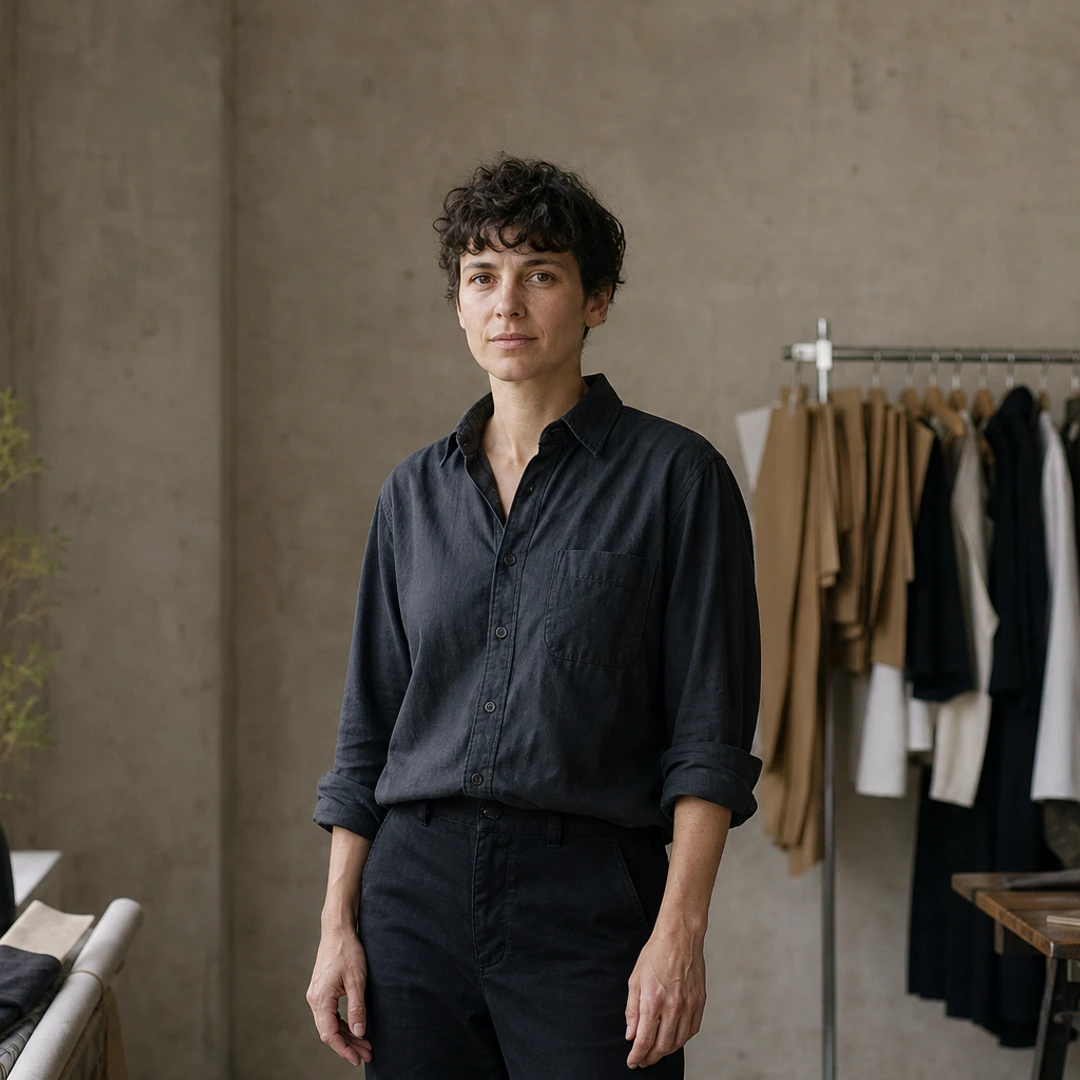
A useful portrait resize prompt protects the recognizable person, headroom, hands, and body proportions. Exact dimensions alone cannot decide which parts of a wide environmental portrait should remain.
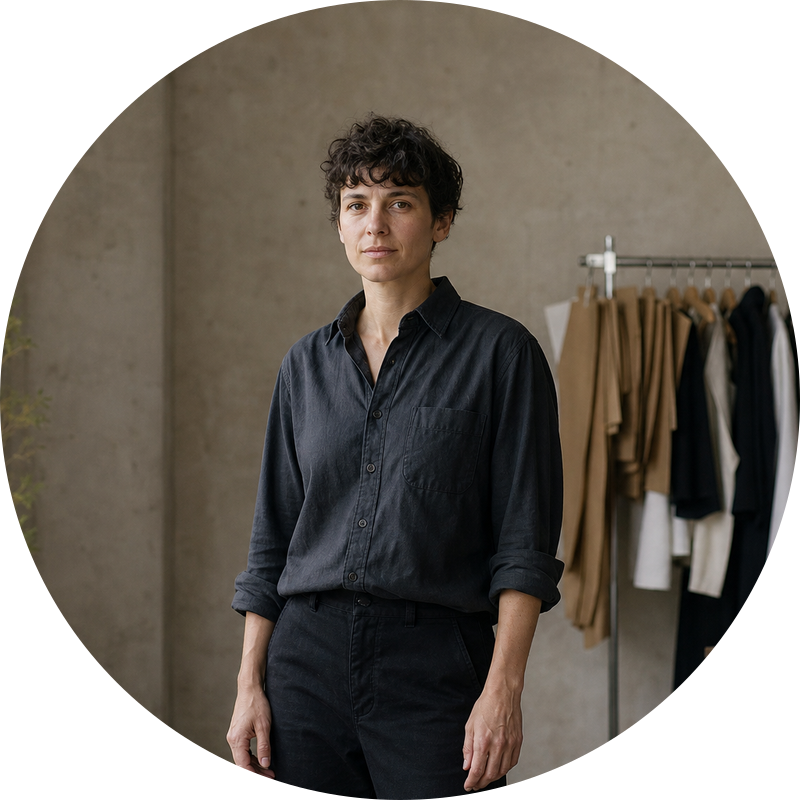
A circular profile file is not just a square crop. The workflow applies an alpha mask and exports PNG so the area outside the circle remains transparent.
Prompt anatomy
Crop this studio portrait to a 1080 by 1080 square. Keep the head, upper body, and both hands readable without stretching the person.
Create an 800 by 800 circular profile PNG from this studio portrait. Center the face and upper body, preserve natural proportions, and keep the outside of the circle transparent.
Tested workflow
Prompt
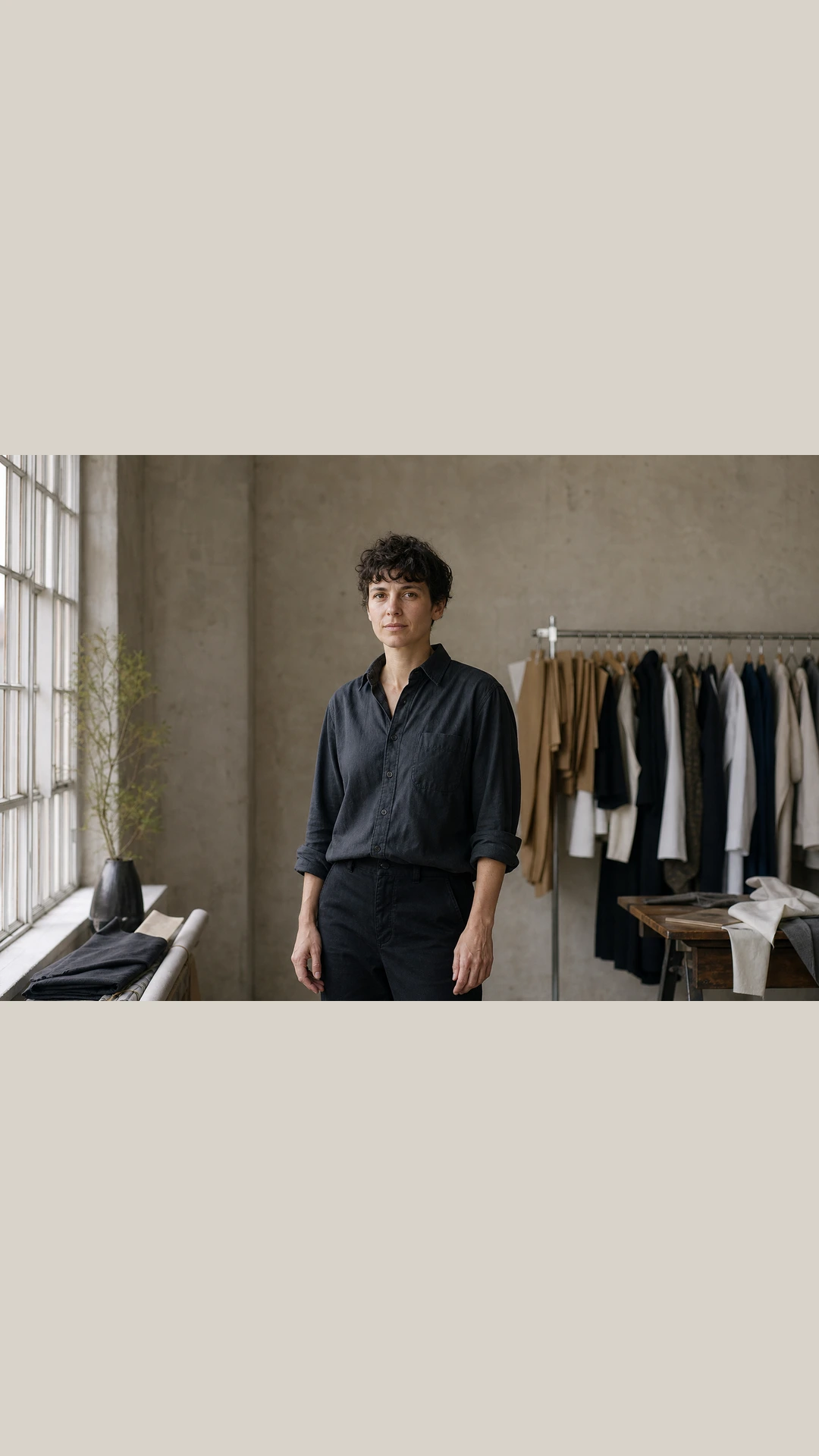
Create three profile deliveries from this studio portrait: a 1080 by 1080 square crop, a 1080 by 1920 Story fitted with #D8D3CA padding, and an 800 by 800 circular PNG. Keep the person recognizable, preserve natural proportions, and inspect the head and hands in every result.
Mark the face, upper body, and hands as review points.
Use cover for the square, contain for the Story, and circle for the profile PNG.
Review facial proportions, body crop, padding, mask edge, and alpha corners.
The instruction couples canvas geometry with human review criteria, preventing a dimensionally correct file from becoming an unusable portrait.
Original Made media
Template
Turn one overhead editorial master into web hero, email hero, and square social files while keeping the focal bowl readable and recording every export setting.
Example
A wide studio portrait resized into an 800 × 800 circular PNG with the person centered and every pixel outside the circle transparent.
Example
A portrait source fitted into a 1080 × 1920 social delivery while preserving natural proportions and keeping the full subject readable.