Fine line
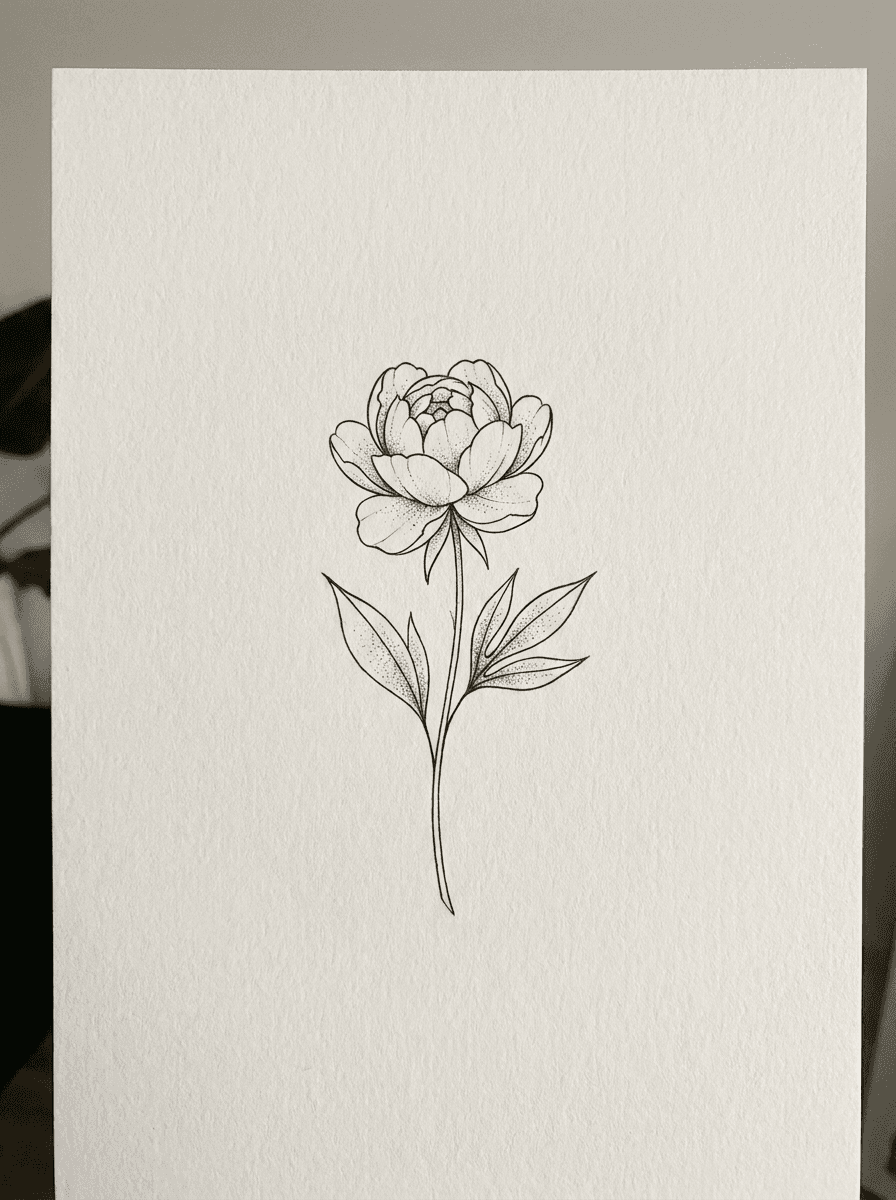
“Generate a fine line tattoo design of a peony stem with two leaves, delicate single-weight black linework with sparse dotwork, presented on plain off-white paper.”
Use this promptDescribe the subject and style — fine line, American traditional, geometric, blackwork, script — and Made generates a design concept as a PNG. It’s a reference to bring to your tattoo artist, not a placement preview on skin.
Runs in the tool. You sign in to run it, see the price before you start, and failed runs are refunded.
Name what the tattoo depicts and any meaning-driven details — “a swallow carrying a sprig of lavender,” “a compass with a mountain range inside.”
Say fine line, American traditional, geometric, blackwork, dotwork, or script, and whether you want color or black ink only.
Each run is a new render. Generate several takes and note which elements you want your artist to keep.
Download the PNG as a reference. A tattoo artist will redraw and adapt the design for your body and their technique.
Real results from Made. Use a prompt to open it in Tattoo Generator, then press Generate.
“Generate a fine line tattoo design of a peony stem with two leaves, delicate single-weight black linework with sparse dotwork, presented on plain off-white paper.”
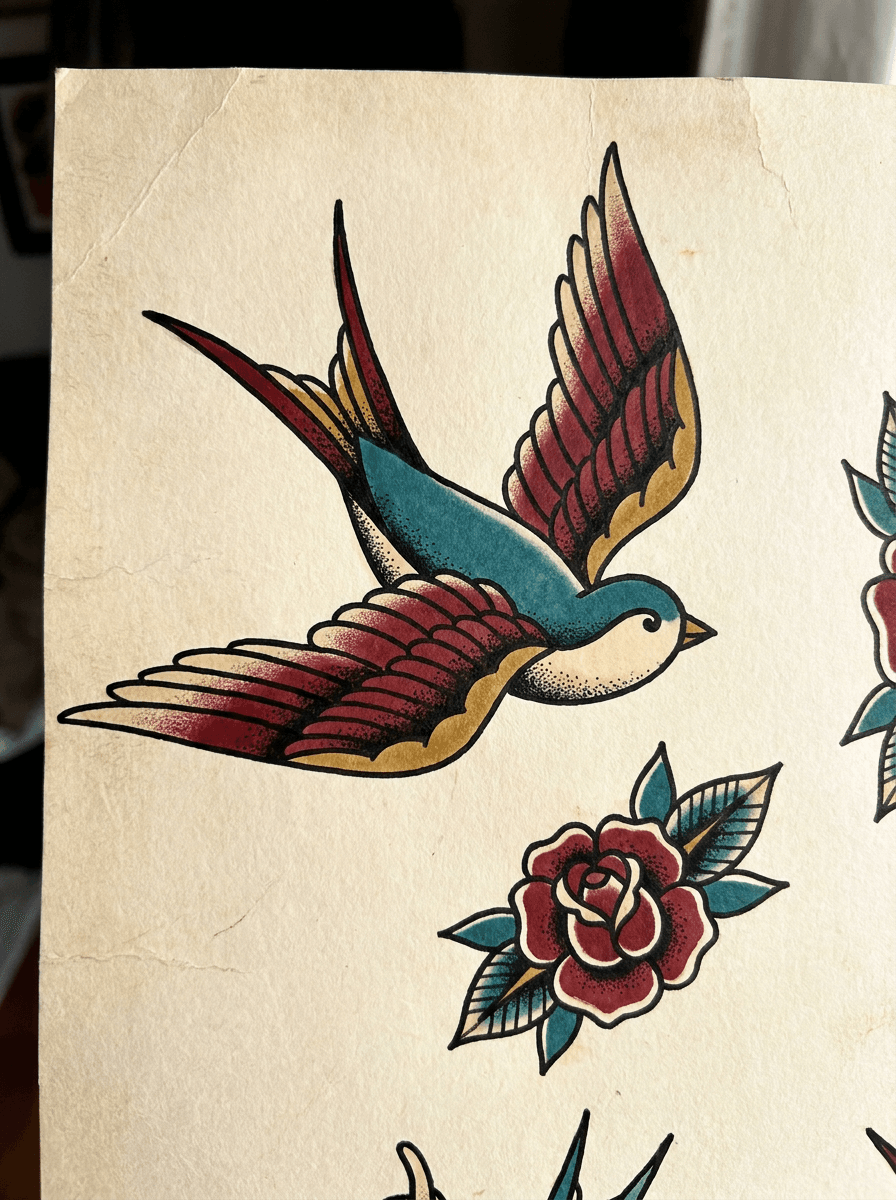
Use this prompt“Create an American traditional tattoo flash of a swallow in flight with a small rose beneath, bold black outlines, red, gold, and teal palette, on plain paper.”
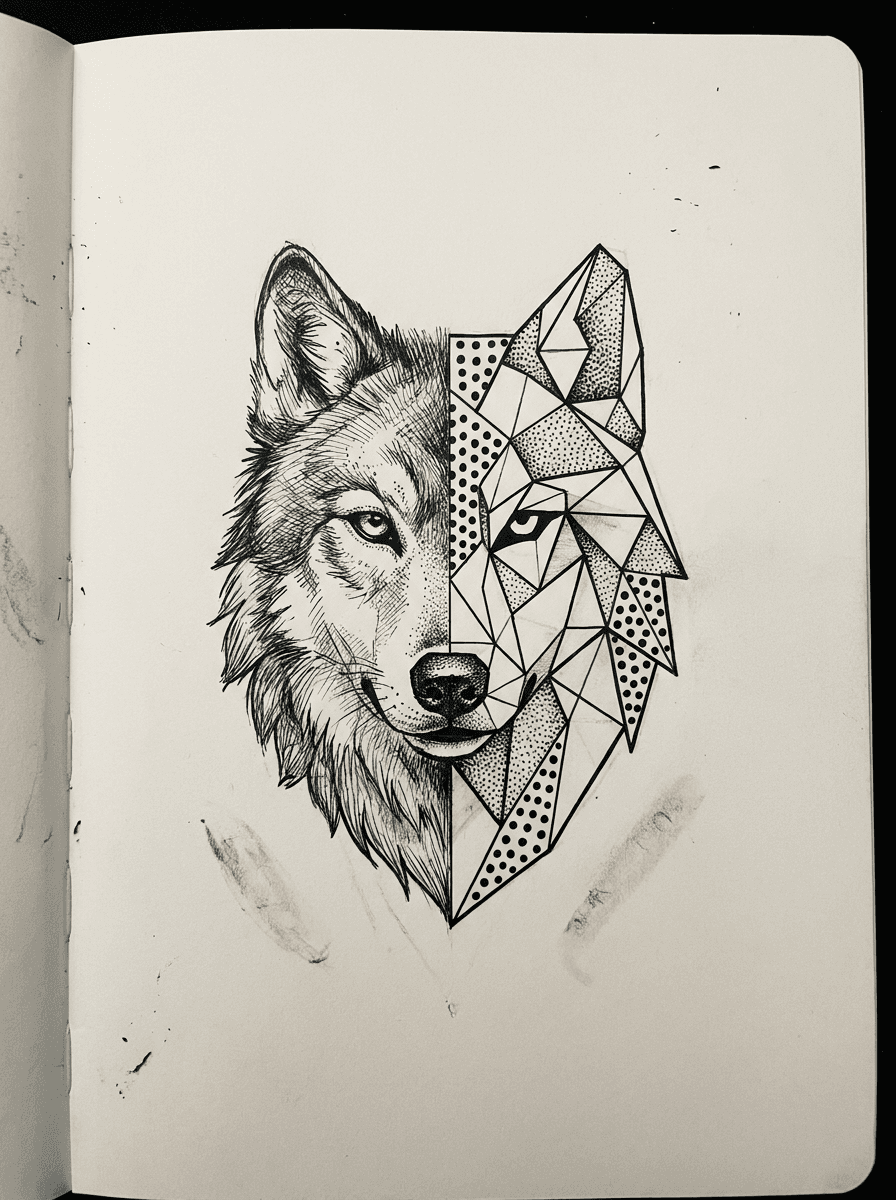
Use this prompt“Design a geometric blackwork tattoo of a wolf head, half realistic sketch and half low-poly facets with symmetrical dotwork, black ink only, on plain white paper.”
Use this promptChecked against the running tool on 2026-10-20.
You describe the subject and the tattoo style — fine line, traditional, geometric, blackwork, script — and Made sends the description to GPT Image 2.5 Flare, which renders a design concept and returns it as a PNG at 1K resolution, presented like flash on a plain background.
No. This tool generates a design reference on a plain background, not a placement preview. To roughly visualize a design on a photo of your own arm or back, upload that photo to the AI Photo Editor — but treat any preview as approximate, and rely on your artist’s stencil for real placement.
Any style you can name in the prompt: fine line, American traditional, neo-traditional, geometric, blackwork, dotwork, script, and illustrative looks all work. Naming the style, the ink treatment (black only or limited color), and the level of detail gives the most usable results.
Yes — put the exact word or phrase in the prompt and name the lettering style. Rendered text should be proofread character by character before you take it anywhere near a tattoo appointment; regenerate or rephrase the prompt if the spelling drifts.
Most artists are used to clients bringing reference images, and an AI concept works the same way as a saved photo or sketch: it communicates the direction. Expect the artist to redraw and adapt it for your anatomy, their linework, and how the design will age as a tattoo.
The tool generates whatever you describe, but designs based on trademarked logos or copyrighted characters carry rights questions that are your responsibility — and many artists decline to tattoo protected marks. Original subjects and styles avoid the issue entirely.
Each generation is a new render, so you cannot edit the previous image directly here. Keep the prompt that produced it and change one element at a time — “thinner lines,” “remove the banner,” “make the flower a peony.” For direct edits to a specific render, open it in the AI Photo Editor.

See what each one makes, then open it in Made.